gf6
Configure the Commend SIP Intercom Terminal for the CyberGate serviceCyberTwice
6
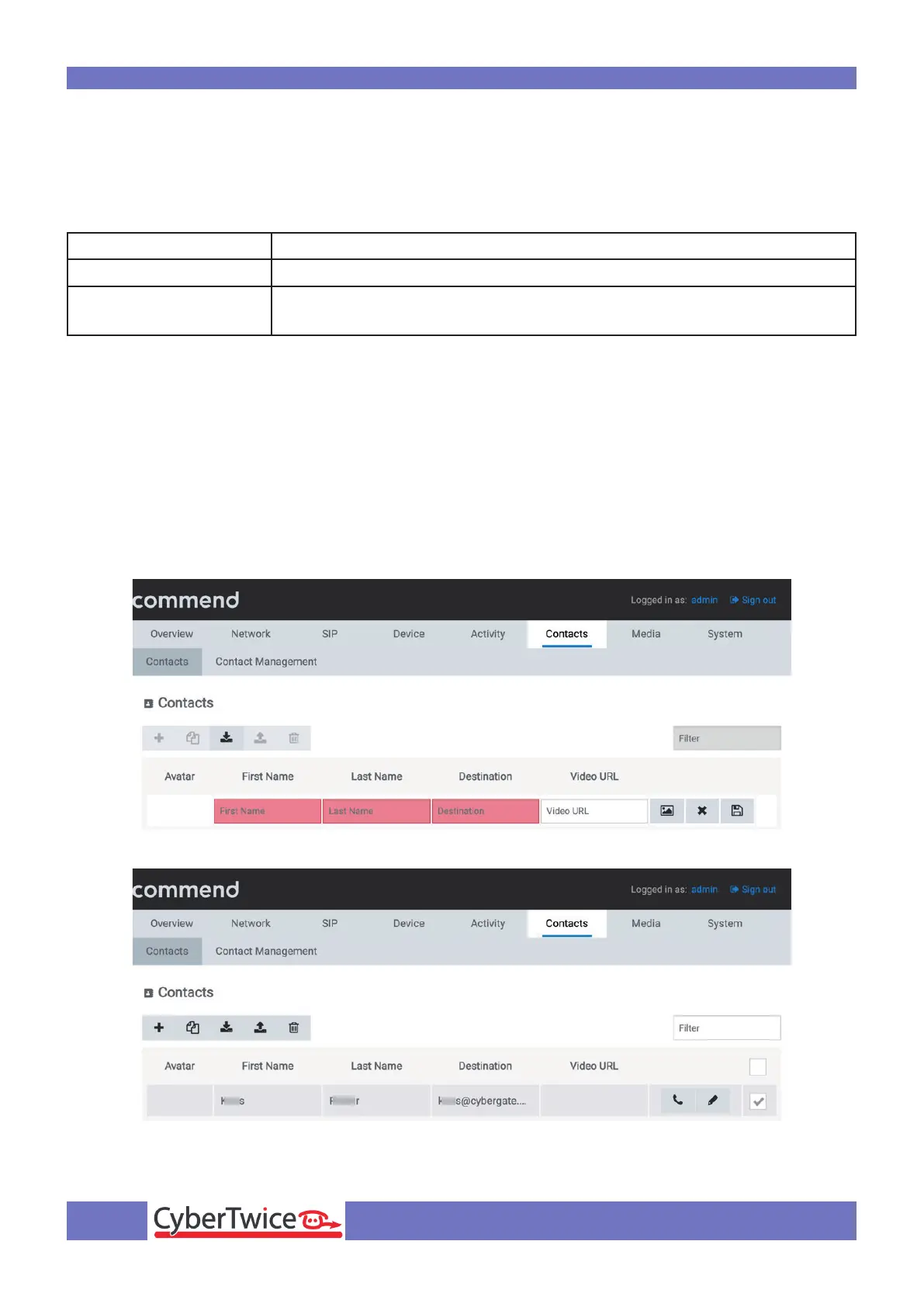
Navigate to the menu Contacts-Contacts.
Click the ‘+’ symbol to add a contact.
Provide the following information:
First name First name
Last name Last name
Destination *
Teams user name followed by the domain ‘cybergate.cybertwice.com’
<name.name>@cybergate.cybertwice.com
* For example, the user ‘John Doe, with the Teams name:
john.doe@mycompany.com
will translate to this destination address:
john.doe@cybergate.cybertwice.com
Click the ‘Save’ button when done.













 To Next Page