EasyManua.ls Logo

Commend WS 800 Series - User Manual

Commend WS 800 Series
2 pages
Print Icon
To Next Page IconTo Next Page
Loading...
Operating instructions
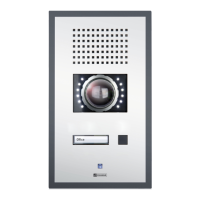
Wallmount stations series WS 800
Important precautions
Keep this description in safe custody.
The availability of the features are dependent on the server
conguration and the feature level licence.
1. Range of application:
As Intercom station of an Intercom Server.
2. Attention:
Never insert objects of any kind through loudspeaker or
microphone holes.
The Intercom station may be opened by authorised service
engineers only.
This product must be disposed of pursuant the valid legal
provisions and separated from domestic waste.
3. Cleaning:
For cleaning the Intercom station, a soft, lint-free cloth is
recommended.
Never use strong solvents, abrasive cleaners or compressed
air for cleaning.
4. Connection:
Connect the Intercom station to designated sockets only.
Call
1. Dial desired call number or select subscriber in subscriber list
(see “Display functions”, section “Subscribers”).
2. Talk after dial tone.
3. End call with
x
.
During a call, the call number and the subscriber’s name of the
conversation partner are displayed, in addition, the multifunction
LED lights.
Manual control of speech direction
Noisy environments may require a manual control of the speech
direction (“simplex”):
Press
t
to talk.
Release
t
to listen.
End manual control of speech direction with
77
.
Called subscriber busy
When the called subscriber is busy, there are three options:
Wait for automatic re-call (switch busy tone off with
0
).
Intrude with
t
(keep
t
pressed while talking).
Leave re-call request with
5
.
Leave call reminder with
4
.
Minute tone
Single minute tone: running call.
Double minute tone: another call is waiting.
Triple minute tone: conversation time expires in a few seconds
(extent conversation time with
77
).
Inquiry
1. Interrupt conversation with
0
(tone signal sounds).
2. Dial desired call number (talk after dial tone).
3. Start another inquiry with
x
and dial desired call number (talk
after dial tone). Otherwise, return to waiting subscriber with
xx
.
Transfer
1. Interrupt conversation with
0
(tone signal sounds).
2. Dial desired call number (talk after dial tone).
3. Transfer subscriber to waiting subscriber with
0
.
Microphone mute
1. Interrupt conversation with
7
(waiting subscriber receives
privacy tone signal and multifunction LED blinks).
2. Resume conversation with
7
.
Secretary transfer
1. Activate transfer with
02
and call number of secretary’s
Intercom station (acknowledgement tone sounds).
2. Deactivate transfer with
030
(continuous tone sounds).
Privacy
1. Activate privacy mode with
031
(acknowledgement tone
sounds).
2. Accept call with any button.
3. Deactivate privacy mode with
030
(continuous tone sounds).
Reconnect last call
Reconnect last call with
0t
(talk after dial tone).
Background music
1. Switch on background music with
4t1
to
4t40
(depending on conguration).
2. Switch off background music with
4t0
.
Volume
Adjust volume with arrow buttons during call (see also “Display
functions”, section “Volume”).
Door opener
Open door with
1
during conversation.
Conference
1. Invite further participants with
8
during conversation.
2. Dial desired call number (talk after dial tone).
3. Repeat steps “1.” and “2.” for each participant.
4. Start conference with
8t
.
5. Talk with
t
.
6. End conference with
x
.
All Call/group call with answer
It is possible to initiate an All Call or a group call:
1. Initiate All Call with
00
or, depending on conguration,
group call with
010
to
019
.
2. End announcement with
t
and wait for answer. Otherwise,
end announcement with
x
without waiting for answer.
It is possible to respond to an All Call or a group call:
Respond to All Call or group call with
tt
.
Tone signals
Dial tone:
Busy tone:
Privacy tone:
Error tone:
Acknow ledgement
tone:
Zeit
1 sek 2 sek 3 sek
Anrufton
Besetzt ton
Diskretton
Fehler
Quittierungston
1 sec. 2 sec. 3 sec.
NOTE: Standard conguration
The button sequences described in this document are set as
factory default and can be changed individually. For further
information, see manual PRO 800 Basic”.
Question and Answer IconNeed help?

Do you have a question about the Commend WS 800 Series and is the answer not in the manual?

Summary

Important Precautions

Core Operational Functions

Making and Ending Calls

Instructions for initiating, talking, and ending calls, including busy subscriber handling and minute tones.

Call Management Features

Details on microphone mute, all call/group call, secretary transfer, door opener, and conference calls.

Privacy and Reconnection

Information on activating privacy mode, reconnecting the last call, and background music control.

Volume and Tone Signals

Covers adjustment of volume levels and the different types of tone signals used by the station.

Display and Station Functions

Help and Display Information

Overview of the display's indication in idle mode and access to help functions.

Main Menu Navigation

Guidance on accessing and navigating the main menu for subscribers, functions, favourites, settings, and call history.

Subscribers and Favourites Management

Instructions for managing subscriber lists, adding, deleting, and executing favourite functions.

Station Settings and Customization

Details on adjusting volume, backlight, language, and editing favourites via the settings menu.

Call History Access

How to view and initiate calls from the call history list.

Overview

This document describes the Wallmount stations series WS 800, an intercom station designed for use with an Intercom Server.

Function Description

The WS 800 series functions as an intercom station, allowing users to initiate and receive calls, manage contacts, and access various features. It supports both individual and group calls, with options for answering and managing call flow. The device includes a monochrome LCD display for showing call numbers, subscriber names, and menu options. A full keypad facilitates dialing and navigation, complemented by menu and arrow buttons. A microphone with a multifunction LED indicates call status and privacy mode.

Important Technical Specifications

The equipment complies with the EU directive 2004/108/EC (EMC), indicating it is CE-labelled. While specific power requirements are not detailed, the device is designed to connect to designated sockets. The display is a monochrome LCD, and the keypad is a full numeric and function keypad.

Usage Features

Call Management:

  • Initiating Calls: Users can dial a desired call number or select a subscriber from a list. After a dial tone, conversation can begin. Calls are ended using the 'X' button. During a call, the display shows the call number and the conversation partner's name, and the multifunction LED lights up.
  • Manual Speech Direction (Simplex): In noisy environments, the device supports manual control of speech direction. Pressing 'T' allows the user to talk, releasing it allows listening. Manual control is ended with '7'.
  • Handling Busy Subscribers: If a called subscriber is busy, options include waiting for automatic re-call (by switching off the busy tone with 'X'), intruding on the call (by pressing and holding 'T' while talking), leaving a re-call request with '5', or leaving a call reminder with '4'.
  • Minute Tone: A single minute tone indicates an ongoing call. A double minute tone signifies another waiting call. A triple minute tone indicates that conversation time is about to expire, with the conversation time extent adjustable with '77'.
  • Inquiry: During a conversation, users can interrupt with 'X' (which sounds a tone signal), dial a desired number, and then start another inquiry with 'X' to dial another number. To return to the waiting subscriber, 'XX' is used.
  • Transfer: To transfer a call, users interrupt the conversation with 'X' (tone signal sounds), dial the desired number, and then transfer the subscriber to the waiting subscriber with 'X'.
  • Microphone Mute: During a conversation, the microphone can be muted with 'X', which sends a privacy tone signal to the waiting subscriber and causes the multifunction LED to blink. Conversation is resumed with '7'.
  • All Call/Group Call with Answer: The device supports initiating an All Call with 'X' or a group call with '1' to '9'. Users announce and then wait for an answer. Announcements can be ended with 'X' without waiting for an answer. Responding to an All Call or group call is done with 'TT'.
  • Secretary Transfer: This feature allows activating a transfer with '2' and calling the secretary's intercom station (an acknowledgment tone sounds). The transfer is deactivated with '3' (continuous tone sounds).
  • Door Opener: During a conversation, the door can be opened using 'X'.
  • Conference: Users can invite further participants to a conference with 'X', dial desired numbers, and repeat the process for each participant. The conference is started with '8T' and ended with 'X'.
  • Privacy: Privacy mode can be activated with '31' (acknowledgment tone sounds), allowing calls to be accepted with any button. Privacy mode is deactivated with '3' (continuous tone sounds).
  • Reconnect Last Call: The last call can be reconnected with 'X' (talk after dial tone).
  • Background Music: Background music can be switched on with '4T1' to '4T40' (depending on configuration) and switched off with '4'.
  • Volume Adjustment: Volume can be adjusted during a call using the arrow buttons.

Display Functions:

  • Idle Mode: In idle mode, the display shows the call number and the intercom station's name. It can also display a configurable direct dialing menu. The display contrast can be set and saved using the arrow buttons and 'X'.
  • Main Menu: The main menu, accessed with 'd', allows managing functions and settings. Menu items include "Subscribers" (to show subscriber list), "Functions" (to show function list), "Favourites" (to show favourites list), "Settings" (to show settings menu), and "Call history" (to show call history).

Subscriber Management:

  • Subscriber List: Users can initiate calls from the subscriber list, accessed via the main menu. Subscribers can be selected using arrow buttons or by entering their name via the keypad.
  • Favourites List: A configurable favourites list allows quick execution of frequently used functions and calls. Users can add subscribers or functions to this list.

Settings:

  • Volume: Volume levels for tones can be adjusted from 1 to 6 via the settings menu.
  • Backlight: Intensity, timeout, and contrast for the display and keypad can be adjusted from 1 to 9.
  • Language: Display language can be selected.
  • Edit Favourites: Favourites can be edited directly.
  • Device Version: Information about the intercom station's version can be viewed.

Tone Signals: The device provides distinct tone signals for various events:

  • Dial tone: A continuous tone.
  • Busy tone: A repeating short tone.
  • Privacy tone: A repeating longer tone.
  • Error tone: A repeating short, high-pitched tone.
  • Acknowledgement tone: A single short tone.

Maintenance Features

Cleaning:

  • The intercom station should be cleaned with a soft, lint-free cloth.
  • Strong solvents, abrasive cleaners, or compressed air should not be used for cleaning.

General Precautions:

  • The device should never have objects inserted into loudspeaker or microphone holes.
  • Only authorized service engineers should open the intercom station.
  • The product must be disposed of according to valid legal provisions and separated from domestic waste.
  • The intercom station must only be connected to designated sockets.

Configuration: The button sequences described in this document are set as factory defaults but can be changed individually. Further information is available in the "PRO 800 Basic" manual.

Commend WS 800 Series Specifications

General IconGeneral
BrandCommend
ModelWS 800 Series
CategoryIntercom System
LanguageEnglish

Related product manuals