EasyManua.ls Logo

Commodore 16 - Page 73

Commodore 16
84 pages
Print Icon
To Next Page IconTo Next Page
To Previous Page IconTo Previous Page
Loading...
•"*
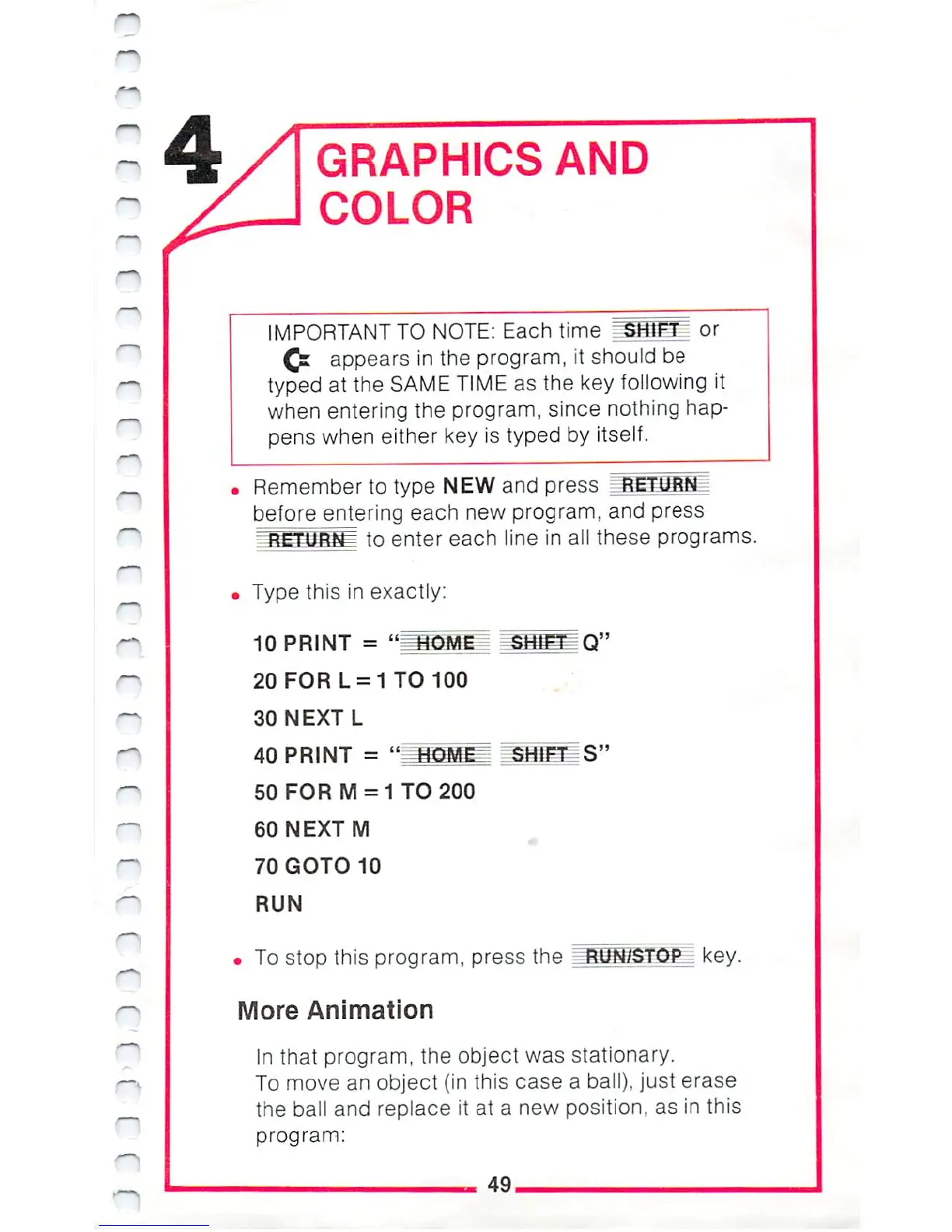
GRAPHICS
AND
COLOR
IMPORTANT
TO
NOTE:
Each
time
^SffifH
or
Ql
appears
in
the
program,
it
should
be
typed
at
the
SAME
TIME
as
the
key
following
it
when
entering
the
program,
since
nothing
hap
pens
when
either
key
is
typed
by
itself.
Remember
to
type
NEW
and
press
.RETURN
before
entering
each
new
program,
and
press
j
to
enter
each
line
in
all
these
programs.
Type
this
in
exactly:
10
PRINT
=
"I
20
FOR
L
=
1
TO
100
30
NEXT
L
40
PRINT =
"
=MOMEz
50
FOR
M
=
1
TO
200
60
NEXT
M
70
GOTO
10
RUN
To
stop
this
program,
press
the
More
Animation
In
that
program,
the object
was
stationary.
To
move
an
object
{in
this
case
a
ball),
just
erase
the
ball
and
replace
it
at
a
new
position,
as
in
this
program:
49,

Other manuals for Commodore 16

Related product manuals