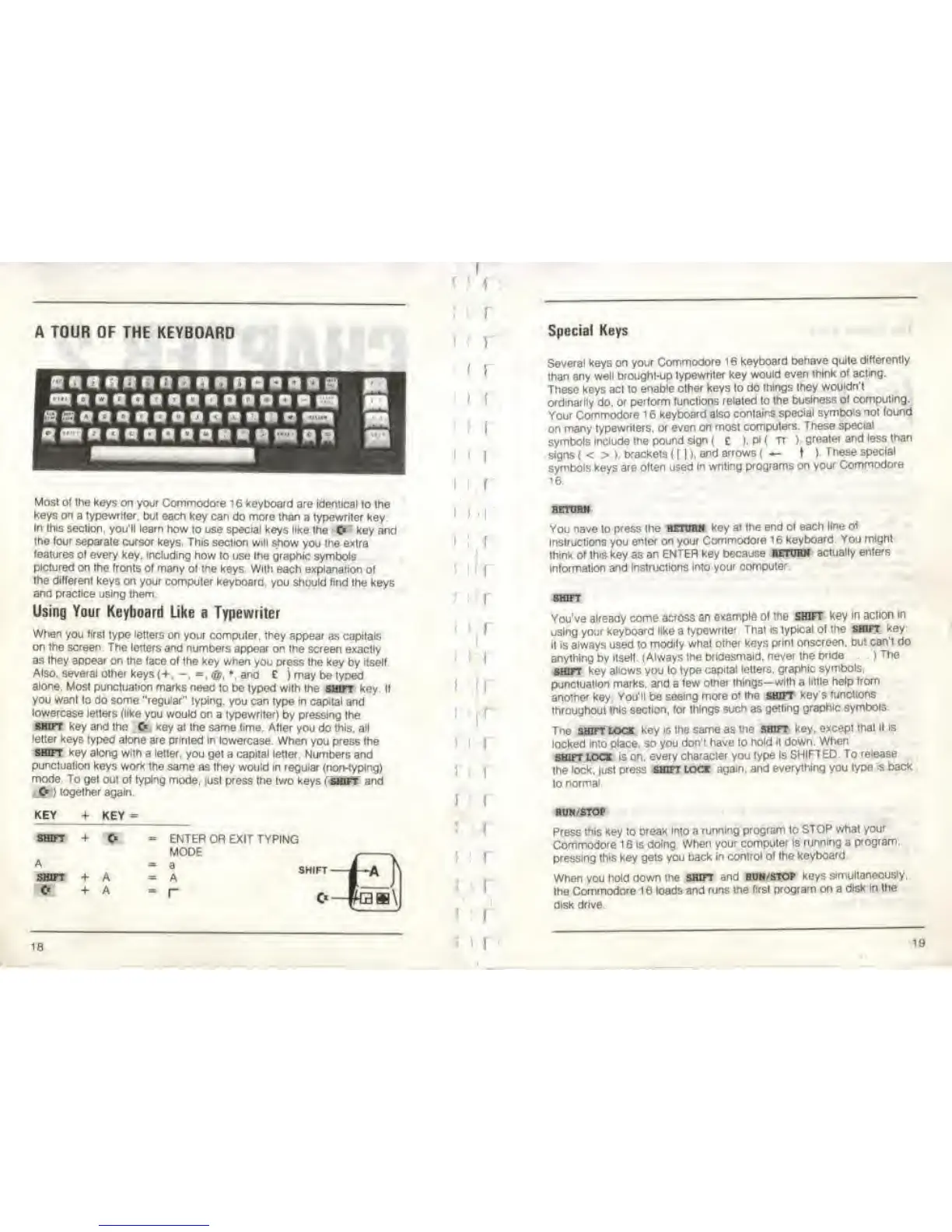
A TOUR OF THE KEYBOARD
Mosl ol the
keys on your Commodore 16
keyboard are identical
lo Ihe
keys on a typewriter,
but each key can
do
more than
a typewriter key
In
this
section, you'll learn
how to use special keys like
the
<K
key and
the four
separate cursor keys. This section will
show
you
the
extra
features ol every
key. including how
to use
the graphic
symbols
pictured
on the fronts of
many ol me keys With
each explanation
of
Ihe different
keys on your
computer keyboard, you
should
find
the keys
ana pracfice using
them.
Using Your Keyboard Like
a Typewriter
When
you
ftrsl
type letters on
your computer, they appear
as
capitals
on the screen The
letters and numbers
appear on the screen exactly
as they appear on
the
face
of Ihe key when
you press the key
by
itself.
Also,
several
olher keys
{+.
-.
,
@.
*, and E
) may be typed
alone.
Most punctuation marks need
lo be typed with
Ihe shift Key If
you want to do some "regular" typing,
you can type in capital
and
lowercase
letters {like
you
would on
a typewriter)
by
pressing
the
shift
key and the
O
-,ey at the same time.
After you do this, all
l
etter keys typed alone
are
printed
in lowercase.
When you press the
start
key
along with
a
letter,
you get
a
capital letter.
Numbers and
punctuation
keys work the
same as they would in regular (non-typing)
mode To
gel out of typing
mode, just press the two keys
shift
and
C*
) together again.
KEY +
KEY
=
+ A
+
A
ENTER
OR EXIT TYPING
MODE
=
A
-
r
SHIFT
—
Ebb\
1
:
I
I
I
I
1
)
(
I
i
I
I
I
f
I
r
i
i
18
I
1 1
i
i
;
i
I
i
I
i
1
1
i
S 1
I
Special Keys
Several keys on your
Commodore
16 keyboard behave quite
differently
than
any well brought-up
typewriter key
would even
think of acting.
These keys act lo
enable other keys lo do
things they
wouldn't
ordinarily do.
or perform
luncllons related lo Ihe
business
of computing.
Your Commodore 1 6
keyboard also
conlains
special symbols not
found
on
many
typewriters, or even on most
computers.
These special
symbols
include
me
pound
sign
( £
),
pi
( rr ).
greaier and
less than
signs
(
< > >
brackets
< [
|
),
and
arrows
f
—
t
)
These
special
symbols keys are often used
in
writing programs on
your Commodore
16.
RETURN
You nave lo press Ihe
BETtraM key at
the end of each
line of
instructions you
enter on your
Commodore 16
keyboard You
might
think of
this
key as
an
ENTER
key
because WORK
actually enters
information
and
Instructions into
your computer
You've already come across
an
example of me SHIFT Key
in aclion
In
using your
keyboard like
a
typewrite
That is typical
ol the «BWT
key
it is always used to
modify what
other keys
print onscreen, but
can't
do
anything by Itself
(Always the
bridesmaid, never the
bride
)
The
shift
key allows you lo
type capita!
letters, graphic
symbols,
punctuation marks,
and
a
few
olher things—with a
little help from
another key
You'll be seeing
more of Ihe SOFT
key's
functions
Ihroughout
Ihis section,
for things
such
as
getting graphic
symbols
Tne shift lock
key ig the same as
the
shift
key.
except lhal
ll is
locked into
place, so you
don't have lo hold it down.
When
SHFT LOCK
is on, every
character you type Is
SHIFTED. To
release
the
lock, |ust
press
SHIFT
lock
again,
and
everything you
type
is back
to
normal
RUN/STOP
Press mis key lo break
Into a
running program to
STOP what
your
Commodore
1 6 Is doing
When your
computer
Is
running a
program,
pressing this key gets you
back in
control
of
Ihe
keyboard
When you
hold down me SHIFT
and roh/stop
keys
simultaneously.
Ihe Commodore 16 loads
and runs
the first program on a
disk in the
disk drive.
19



 To Next Page