Function Keys
£
f 1
\
f
4
f 2
\
f
5
I
f
3
f]
f
16
I
HELP
-1
V
,7
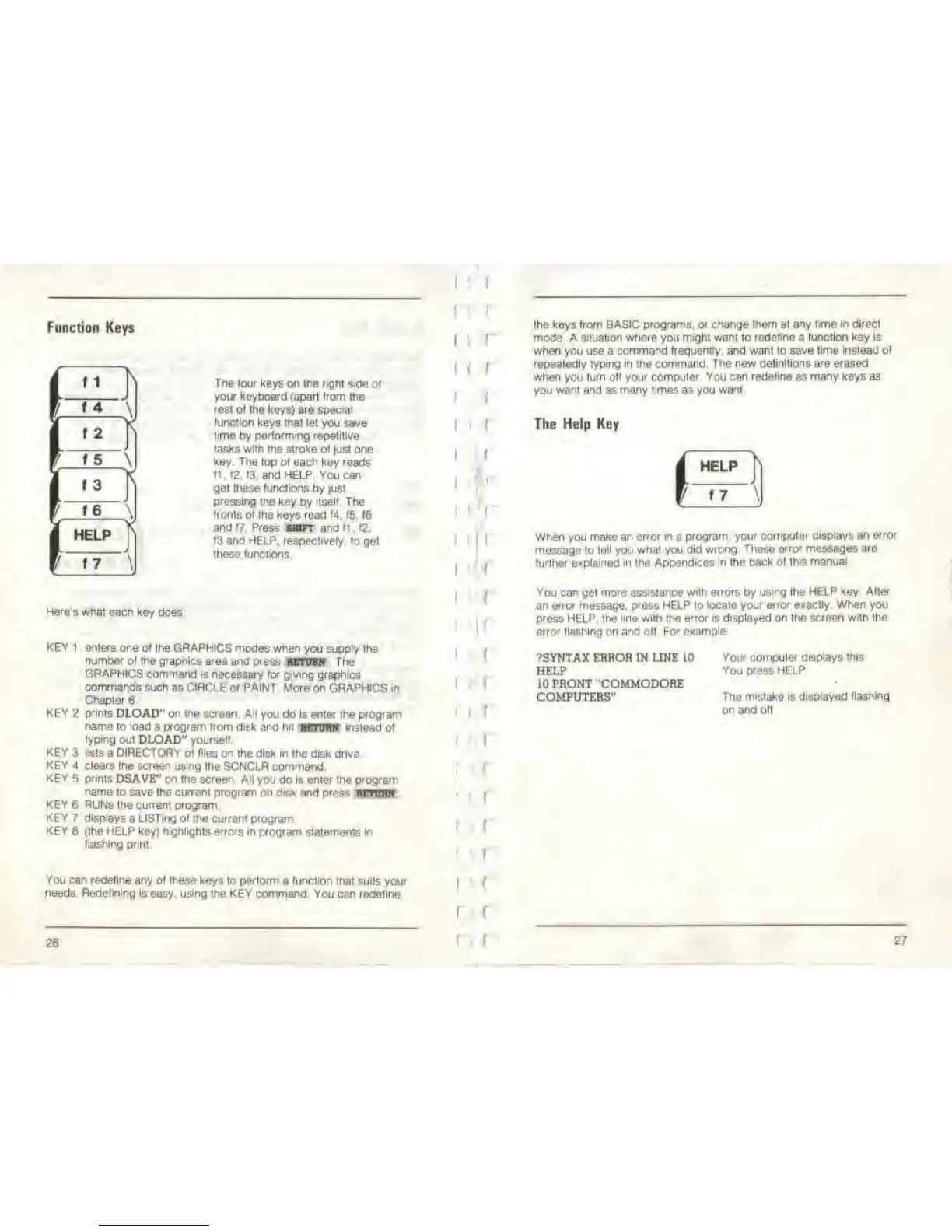
Tne lour keys
on
the righi side
ol
your keyboard {apart Itom the
resl ol Ihe keys) are
special
function
keys
ifiat let
you save
time
by performing repelitlve
(asks
with the
stroke of
jus!
one
key.
The
top
of
each key reads
fl ,
12. t3.
and
HELP You can
gel these functions
by just
pressing the key
by
itself. The
fronts
ol
Ihe keys read 14. 15. te
and
f? Press
shift and
f;
, f2.
f3 and HELP, respectively,
to gel
Ihese (unctions
Here's what each key
does
KEY1
KEY
2
KEY
3
KEY
4
KEY
5
KEY 6
KEY 7
KEYS
enters one
of
the
GRAPHICS modes when
you
supply Ihe
number ol the grapnlcs area ana
press itntmN The
GRAPHICS command is
necessary for
giving
graphics
commands such
as
CIRCLE
or
PAINT
More on GRAPHICS in
Chapter
6
prints
DLOAD"
on
me
screen All
you do Is enter the program
name to load
a
program from disk and
hfl BETUM instead of
lyptng oul DLOAD" yourself.
lists
a DIRECTORY of files on
Ihe
disk In the
disk drive.
clears
the
screen
using Ihe SCNCLR command.
prints
DSAVE" on
Ihe
screen
All you do Is enter the program
name
to save Ihe current program on disk
and
press
httuum
RUNs
the
current program
displays
a
LISTing of
the
current
program.
(Ihe HELP key) highlights errors In program
statements In
Hashing prml
You can redefine any
ol
these
keys to perform a (unction mat suils your
needs Redetinlng
is
easy,
using
Ihe
KEY
command. You can redefine
26
! \
I I
f
I |
I
I
I
i
(
i
i
I
I
(
i
i
i
i
i i
I
! (
I
:
i
the keys
(rom BASIC programs,
or
change them al aiy
time
in direct
mode A situation where
you
might want to redefine a (unction key Is
when you use
a
command frequently, and want to save
time Instead of
repealedly typing in the
command. Tne
new
definitions are erased
when you
turn off your computer You can redefine as many keys as
you
want and
as
many times as you want
The Help Key
HELP
ji
17
\
When
you
make an error
in
a
program, your
computer displays
an
error
message to tell you
whal
you did
wrong These error
messages are
further explained in the Appendices In Ihe back of
this manual
You can
gel
more assistance with errors by
using
Ihe
HELP
key
Alter
an error message, press HELP lo
locale your error exaclly. When
you
press
HELP,
the
line with the error is displayed on the screen with the
error
flashing
on
and off For example
?SYNTAX ERROR M UNE 10
HELP
10 PRONT "COMMODORE
COMPUTERS"
Your compuler displays this
You press HELP
The
mistake
ts
displayed (lashing
on
and
oil
27



 To Next Page