USING
THE
MANUAL PICTURE CONTROLS
Tint
Color
Bright Contrast
:;
"~
\
Horizontal
Position
Vertical
Hold
Volume
~I.l~f.../
1°1
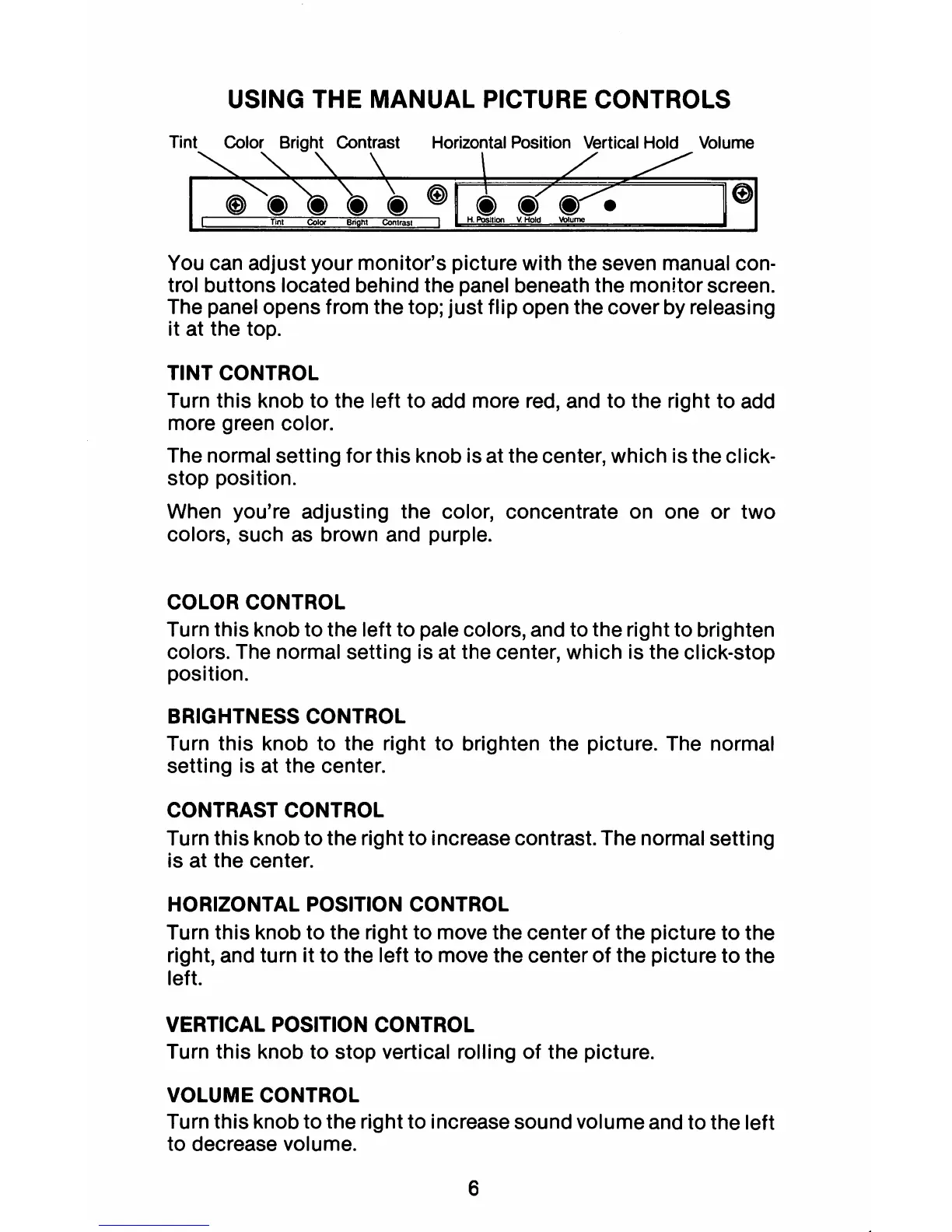
You can adjust your monitor's picture with the seven manual con-
trol buttons located behind the panel beneath the monitor screen.
The panel opens from the top;
just
flip open the cover by releasing
it at the top.
TINT CONTROL
Turn this knob
to
the left
to
add more red, and to the right to add
more green color.
The normal setting for this knob is at the center, which is the click-
stop position.
When you're adjusting the color, concentrate on one
or
two
colors, such as brown and purple.
COLOR CONTROL
Turn this knob to the left
to
pale colors, and to the right to brighten
colors. The normal setting is at the center, which is the Click-stop
position.
BRIGHTNESS CONTROL
Turn this knob
to
the right
to
brighten the picture. The normal
setting is at the center.
CONTRAST CONTROL
Turn
this
knob
to
the right
to
increase contrast. The normal setting
is at the center.
HORIZONTAL POSITION CONTROL
Turn this knob to the right
to
move the center
of
the picture
to
the
right, and turn it
to
the left
to
move the center
of
the picture
to
the
left.
VERTICAL POSITION CONTROL
Turn this knob
to
stop vertical rolling
of
the picture.
VOLUME CONTROL
Turn this knob
to
the right to increase sound volume and to the left
to decrease volume.
6



 To Next Page