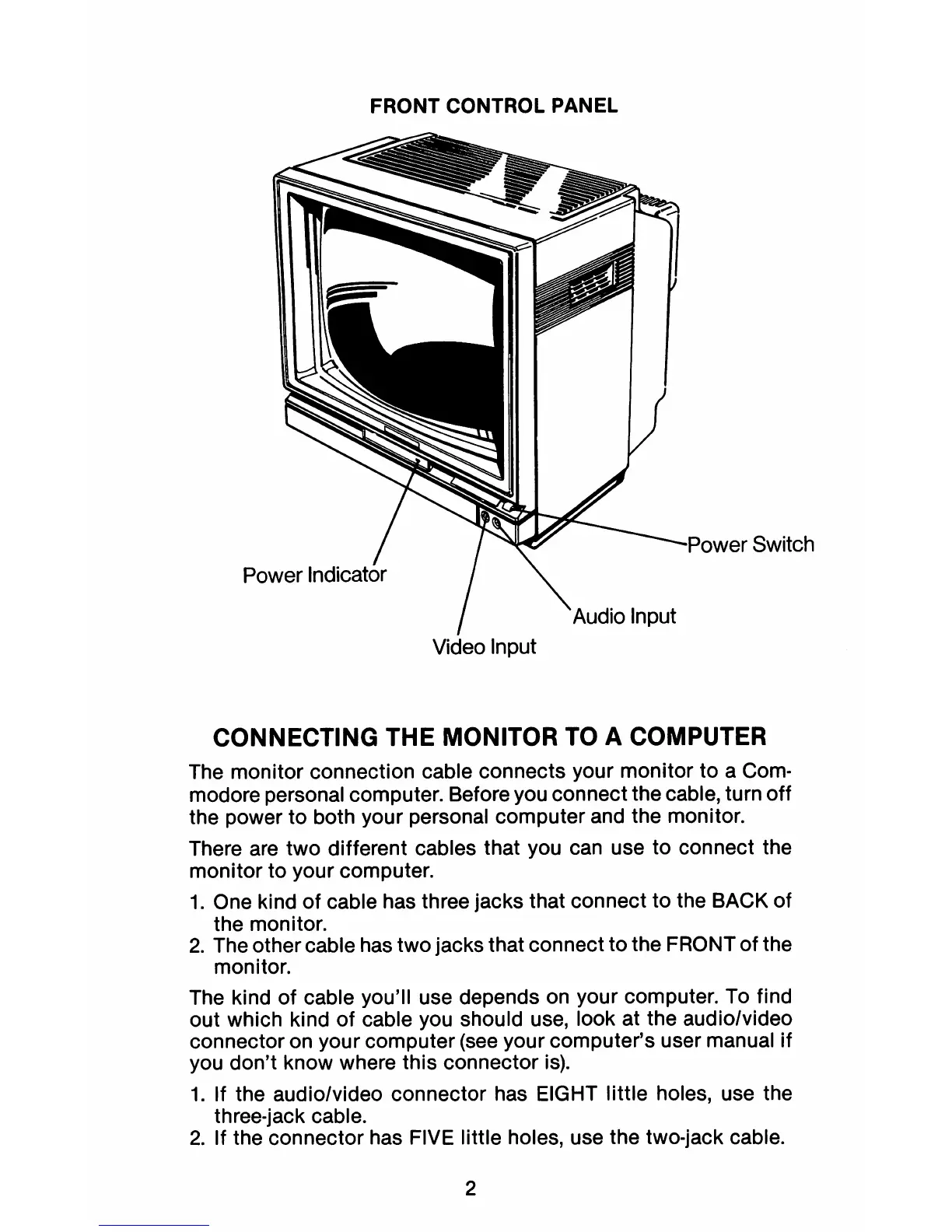
FRONT CONTROL PANEL
__
,JI"\\Jucr
Switch
Video Input
CONNECTING THE MONITOR TO A COMPUTER
The monitor connection cable connects your monitor
to
a Com-
modore personal computer. Before you connect the cable, turn off
the power to both your personal computer and the monitor.
There are two different cables that you can use
to
connect the
monitor to your computer.
1.
One kind of cable has three jacks that connect
to
the BACK of
the monitor.
2.
The other cable has two jacks that connect to the FRONT of the
monitor.
The kind of cable you'll use depends on your computer.
To
find
out which kind
of
cable you should use, look at the audio/video
connector on your computer
(see
your computer's user manual
if
you don't know where this connector
is).
1.
If the audio/video connector has EIGHT little holes, use the
three-jack cable.
2.
If the connector has FIVE little holes, use the two-jack cable.
2



 To Next Page