67ENGLISH
Cleaning, maintenance and storage
• Before cleaning, maintenance and/or storage, switch o the
robot vacuum cleaner (press the power button
for approx.
3 seconds to switch the robot vacuum cleaner on or o) and
pull the power adapter out of the socket.
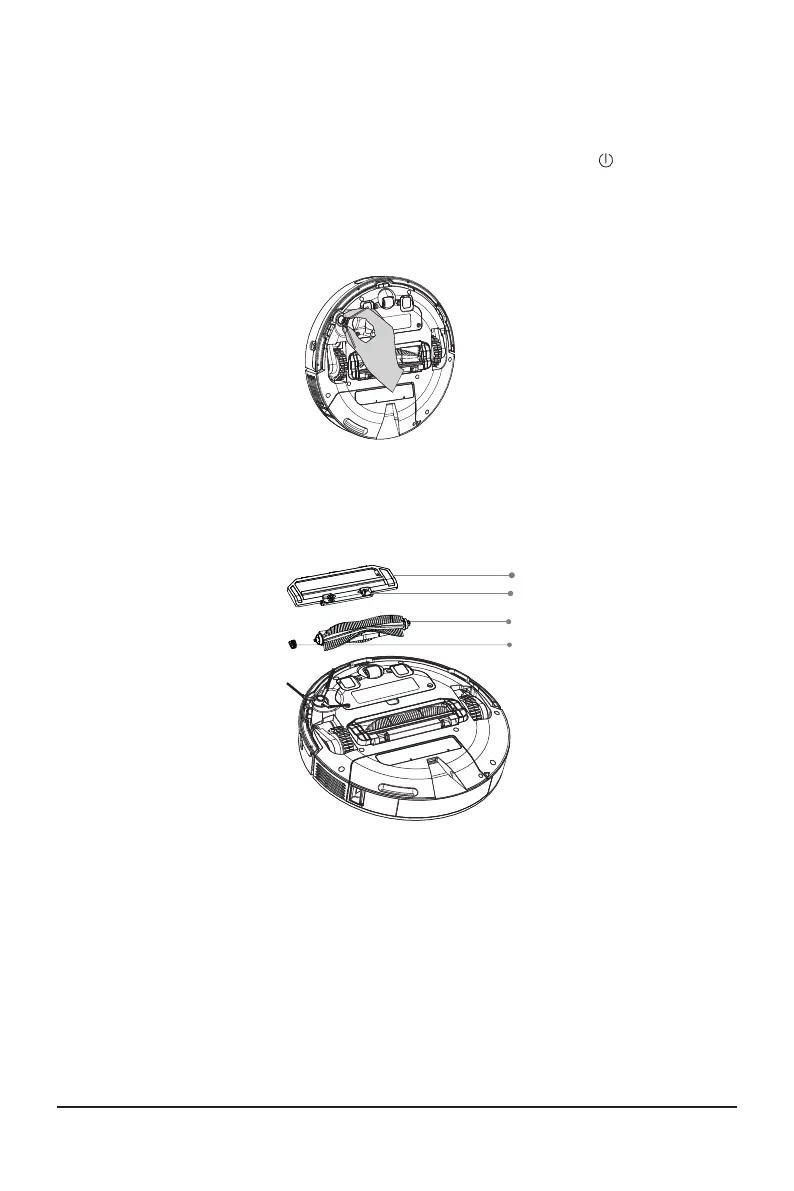
• Remove and clean the side brush regularly:
Remove hair and debris.
• If the side brush is damaged, it must be replaced.
• Remove and clean the combination brush regularly:
Brush cover
Lock mechanism
Combination brush
Bearing
1. Push the lock mechanism in and remove the brush cover.
2. Remove and clean the combination brush and the be
-
aring.
3. Put the combination brush and the bearing back in place.
4. Reinstall the brush cover. The lock mechanism must click
into place on the robot vacuum cleaner.



 To Next Page