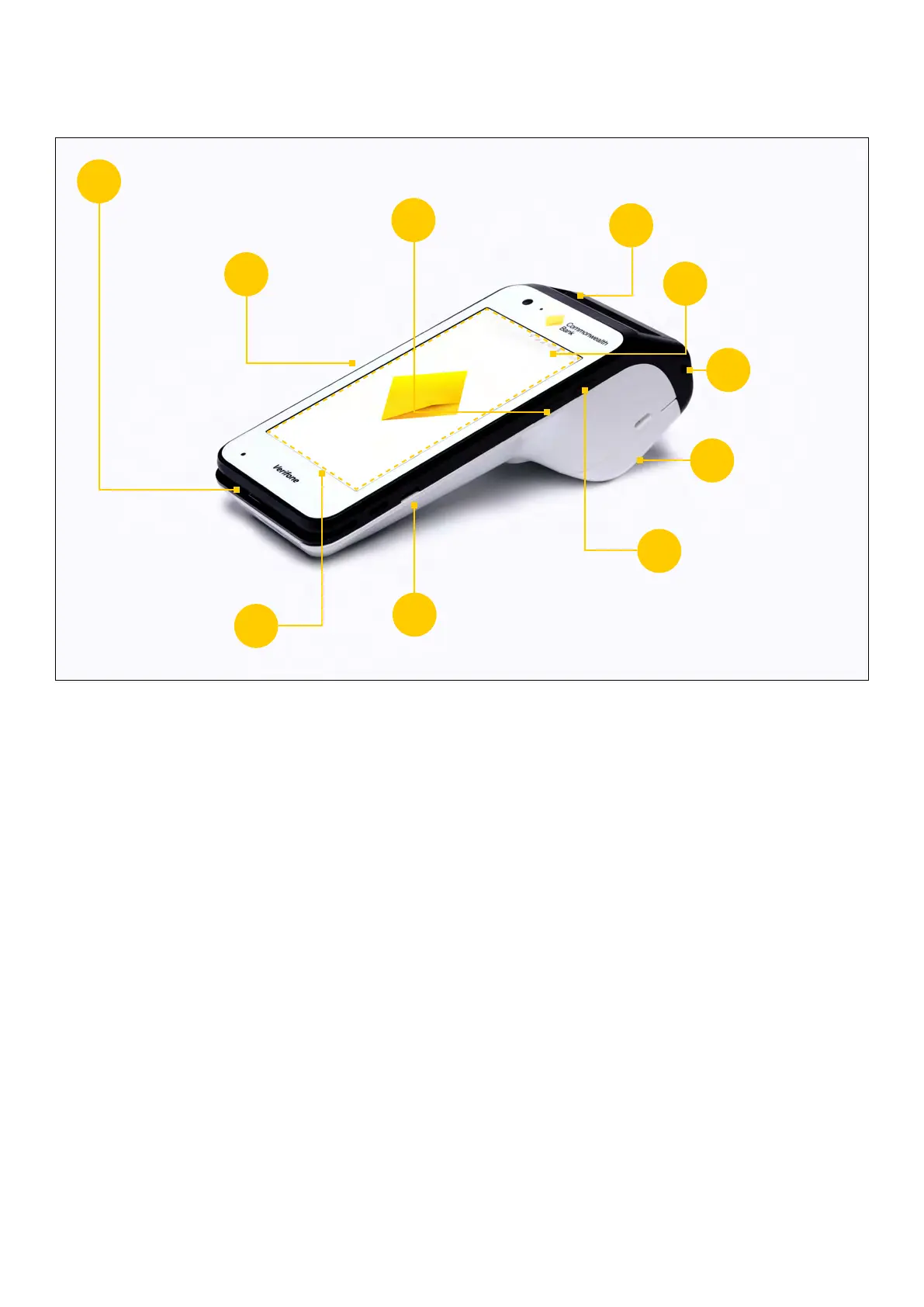
Getting to know your Smart terminal
1. Card swipe –This is where your customers swipe magstripe cards
2. Volume buttons –Adjust the volume of sounds and alerts
3. Power / Sleep button –Power your Smart terminal o and on, lock and unlock your terminal
and wake your terminal from sleep mode
4. Card insert –Chip card slot
5. Notification bar –See alerts, battery level, connectivity status and more in the bar at the top of
the screen. Swipe down from the Notification bar to view the Quick Settings panel
6. Headphone jack– Can be used by cardholders making a purchase in Accessibility Mode to
assist with hearing audio prompts
7. Paper roll cover– Paper roll compartment
8. Accessibility Mode button –Pressing the dimple button on the side of the terminal at the
‘Present Card’ screen will enableAccessibility Mode
9. USB-C charging port –Port for a USB-C charging cable
10. Contactless card reading area– Customers paying by contactless can tap anywhere on the
screen to make payment
1
2
3
4
5
6
7
8
9
10
Card swipe
Volume
buttons
Power / Sleep
button
Card insert
Notification bar
Headphone
jack
Paper
roll cover
Accessibility
Mode button
USB-C
charging port
Contactless card
reading area
3 Commonwealth Bank of Australia | Smart User Guide



 To Next Page