Accessibility
Smart has a number of accessibility options on the terminal to assist customers with navigating the
touch screen selection and securely processing a transaction.
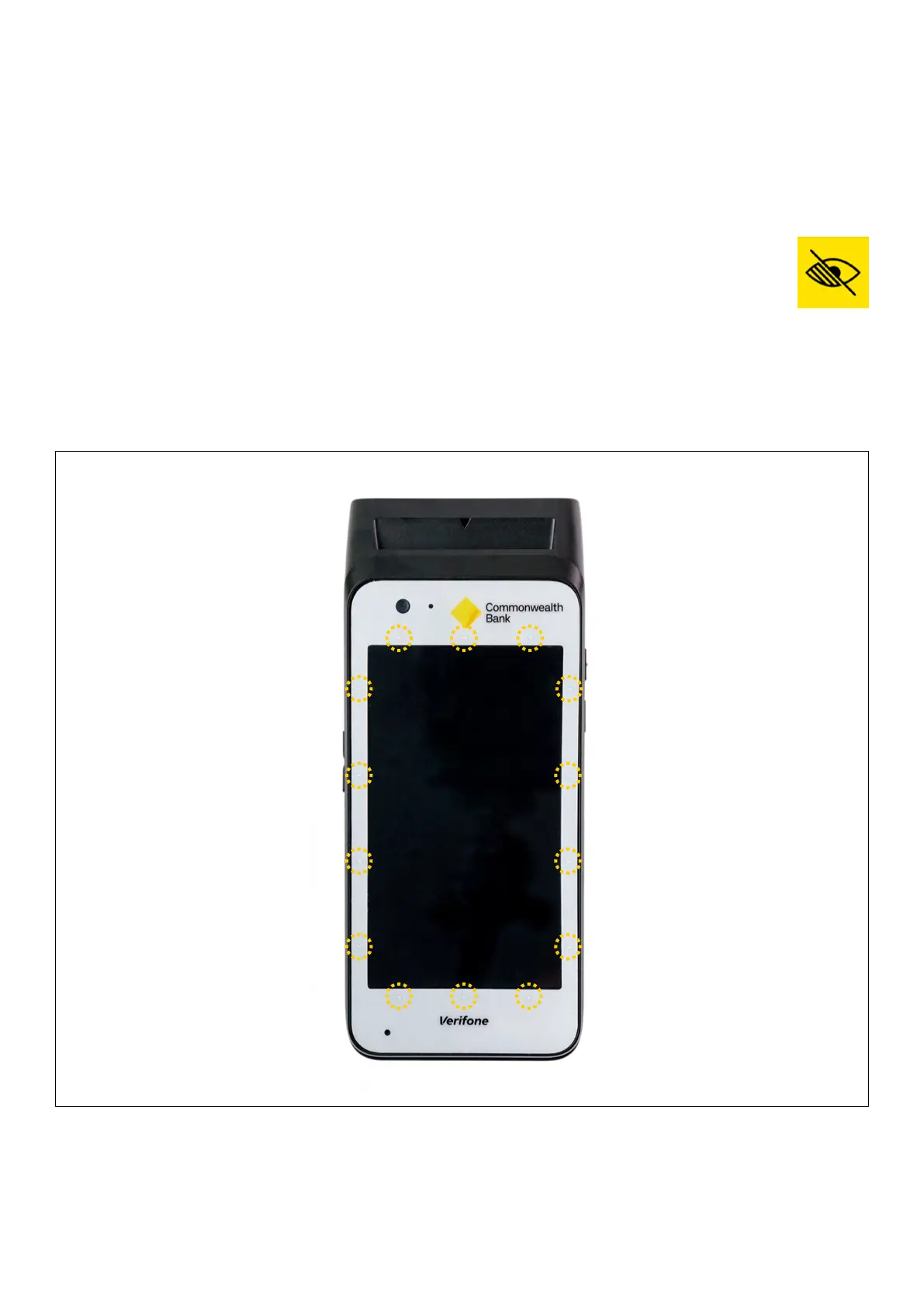
The tactile indicators on the white screen overlay are designed to help customers orient themselves
with the screen.
On the ‘Present Card’ screen a customer or merchant can select the yellow accessibility
icon to enable accessibility options:
1. Dierent colours options
2. Enlarged text
3. Voice to text
Customers can also simply double tap the on the ‘Present Card’ screen to enable voice to text.
Tactile indicators
The yellow circles
on this image show
where the 14 tactile
indicators are located.
24 Commonwealth Bank of Australia | Smart User Guide



 To Next Page