Caution: The CHG socket must never
be
used when non-
re-charge~ble
batter
ies are installed. When using only
external
power
source the scanner will lose
all
programmed
frequencies i.f left unplugged for more than one hour.
AC ADAPTER
Plug the barrel plug of the adapter into the PWR socket
and
then plug
the
adapter into a standard AC socket.
If
re-
chargeable batteries are installed the AC adapter can be
connected to the CHG socket.
Th
is will power the scanner
and re-charge the batteries
at
the same time.
DC ADAPTER
The COM102 can be powered from your vehicle's cigar
lighter socket providing the electrical system of your vehicle
is 12 volt and negative ground. Use a
un
iversal
DC
adapter
maki
ng
sure that you select
9V
.
If
re-chargeable batteries
are installed the adapter can be connected to the CHG
socket.
This
will
power
the
scanner
and re-charge the
batteries
at
the same time.
Warning:
AC
or
DC
adapters must not
be
used in the CHG
socket if non-re-chargeable batteries are installed
as
this
would cause the batteries to overheat
and
possibly explode.
To
recharge discharged batteries takes about 10 to 18 hours
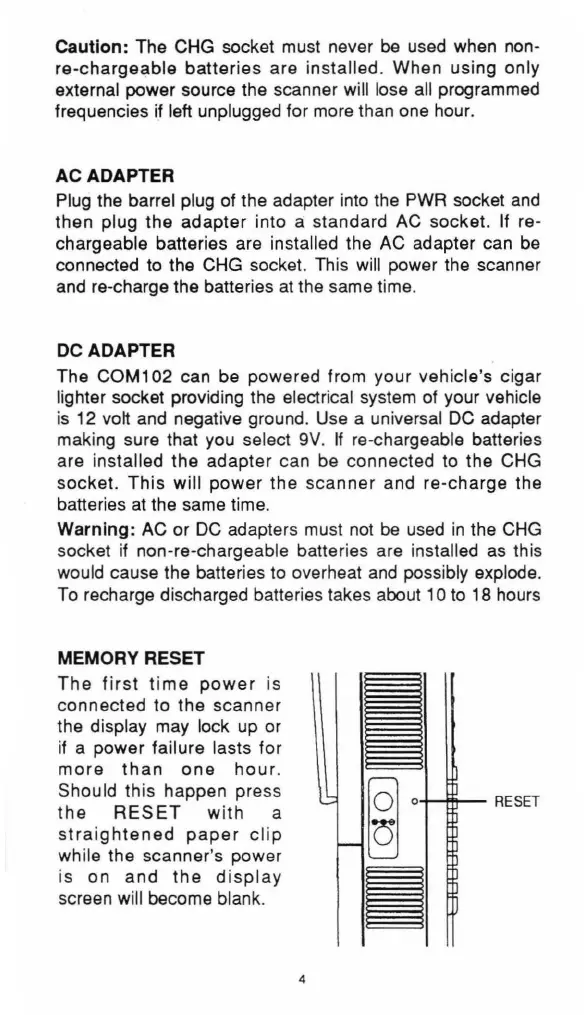
MEMORY RESET
The
fi
rst
time
power
is
connected to the scanner
the display may lock up or
if
a power failure lasts for
more
than
one
hour
.
Should this happen press
the
RESET
with a
straightened
paper
clip
while the scanner's power
is on
and
the
display
screen wi
ll
become blank.
4
ii
~
o....-..-
RESET
ii


 To Next Page