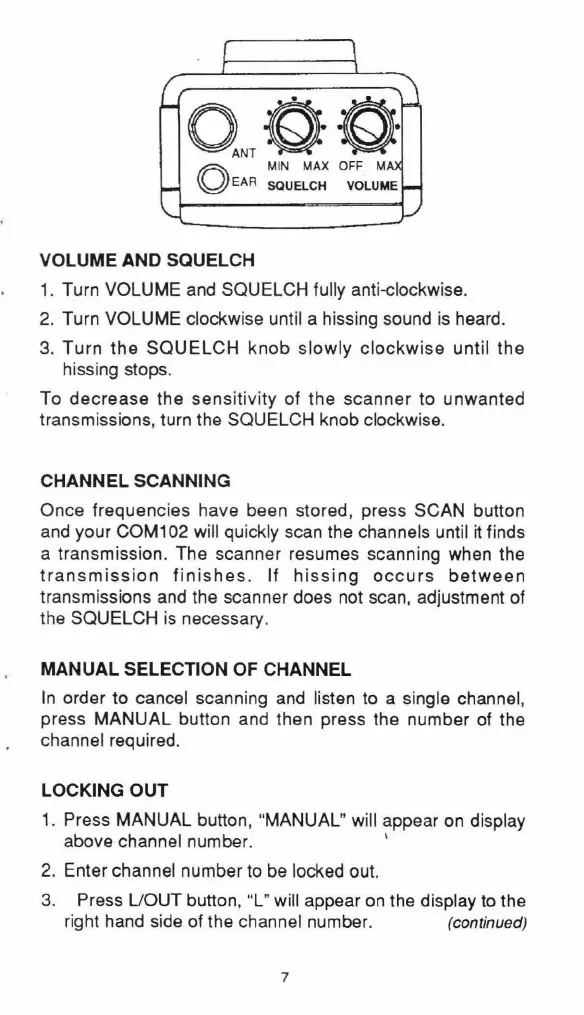
Q,,QQ
~
MIN
MAX OFF M
yEAR
SQUELCH VOLUME
VOLUME AND SQUELCH
1.
Turn VOLUME
and
SQUELCH fully anti-clockwise.
2.
Turn VOLUME clockwise until a hissing sound
is
heard.
3.
Turn
the
SQUELCH knob slowly
clockwise
until the
hissing stops.
To decrease the sensitivity of the scanner to unwanted
transmissions, turn the SQUELCH knob clockwise.
CHANNEL SCANNING
Once frequencies have been stored, press SCAN button
and
your COM102 will quickly scan the channels until
it
finds
a transmission. The scanner resumes scanning when the
transmission
finishes
. If
hissing
occurs
between
transmissions
and
the scanner does not scan, adjustment of
the SQUELCH is necessary.
MANUAL SELECTION OF CHANNEL
In
order to cancel scanni
ng
and
listen
to
a single channel,
press MANUAL button and then press the number of the
channel required.
LOCKING OUT
1. Press
MANUAL
button, "
MANUAL
" will appear
on
display
above channel number. '
2. Enter channel number
to
be
locked out.
3.
Press
UOUT
button,
"L
" will appear
on
the display
to
the
right hand side of the channel number. (continued)
7


 To Next Page