ComNav P4 Remotes Installation & Operation Introduction
Document PN 29010102 V1r1 - 9 -
Overview of the TS4 Remote
The TS4 Remote is designed to work with ComNav’ s P4 Autopilot System.
The TS4 Remote allows the vessel operator to control the P4 Autopilot’s steering
functions from a workstation, flying bridge, on the side or stern decks, or any other
remote location on the vessel.
Features included in the TS4 Remote:
• Backlit graphical LCD display shows important system information, with easy selection
of display brightness and day-night display mode.
• Selection of’ STANDBY, AUTO, and NAV modes are done using the Mode button
(also supports WORK mode when in AUTO mode)
• Handheld operation, with built-in slots for “hang-up posts” on the back side
• Fully watertight case, made of high-impact material with excellent resistance to most
chemicals, a cable strain relief and button/switch & Tiller knob seals
• NMEA 2000 installation
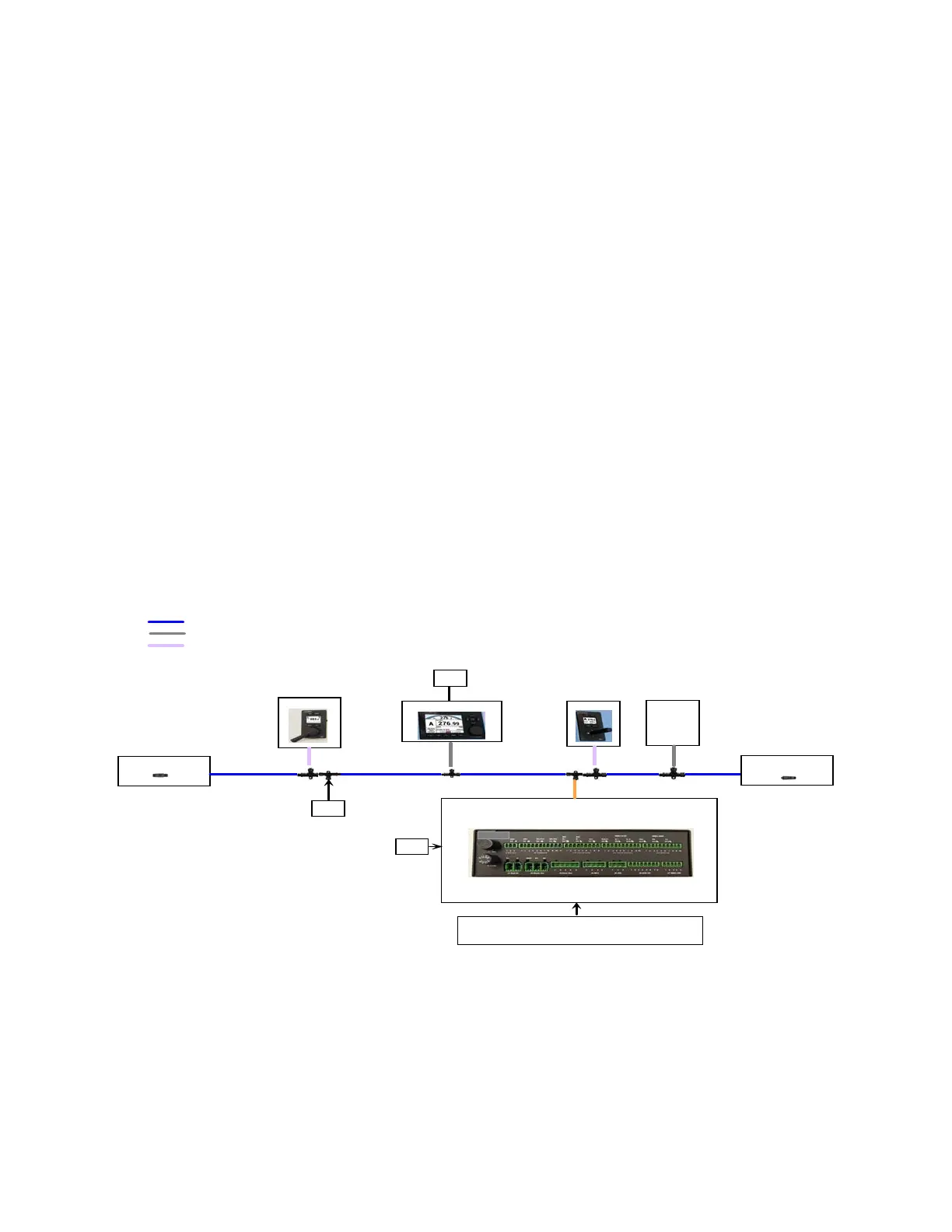
The block diagram below shows how the TS4 Remote is used in a P4 system:
NMEA2000 Terminator
(Female), PN31810015
P4 SPU, PN20140001
P4 Control Head
TS4 Remote
NF4 Remote
NMEA 2000(N2K) Connection - 6m drop cable, M ale & Female (PN31110052)
NMEA2000 Terminator
(Male), PN31810016
NMEA 2000 (N2K) Con nection - T run k (Backbon e) cable
12-24V
Battery
Block Diagram of the P4 System
12-24V
Battery
12-24V
Battery
N2K d e vices
(Compass,
Plotter etc.,)
Connections for :
All Analog devices such as
Fluxgate
& Magnetic Compasses, Rotary Rudder
Foll ow er, Drive s & Motors.
All NMEA devices such as Compasses & Navigation plotters
N2K Pigtail to M ale Cable,
1m,PN61110063
2m, Head Power Cable,
PN61110 072
N2K T-connector,
PN31810008
SiTex SP38
NMEA 2000 (N2K) Con nection - 6m cable, Pigtail & Male (PN31110073)
Figure 1 – P Series Autopilot System (partial diagram)



 To Next Page