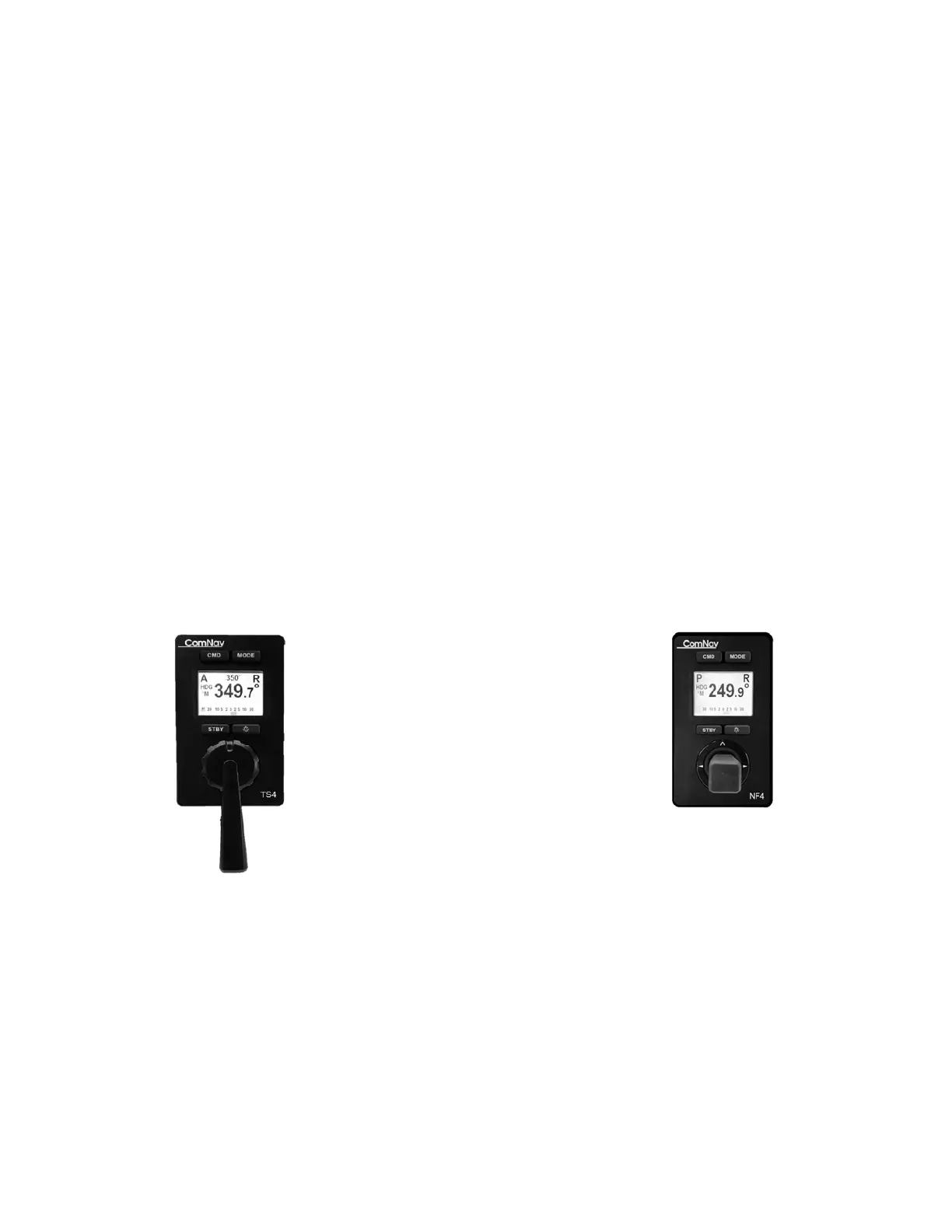
ComNav P4 Remotes Installation & Operation Operation
Document PN 29010102 V1r1 - 21 -
Normal Usage
Taking Command
In order to use the Remote, it is first necessary to “take command” away from the control
head unit in the system.
Check to see that the Station Lock setting on the Control Head is set to “Unlock”. Then press
and hold CMD button on the Remote until the letter “R” in the upper right of the display
disappears. The Control Head will now have a large letter “R” in the middle left portion of the
display, indicating that it is in “Repeater” mode.
Important! Always remember that the Remote is “in command” unless a
large letter “R” is shown in the upper right of the display.
To take command away from the TS4 Remote, go back to the Control Head (or another
Remote) and press the Command (CMD) button on the Head (or Remote). The “R” in the
middle left hand of the Control Head’s display will disappear and you will then have command
of the Autopilot at that Control Head (or Remote). An “R” will appear in the upper right of the
Remote display, which indicates that it is in “Repeater” mode.
Modes of Operation
TS4 Full Follow Up Remote NF4 Non-Follow up Remote
Figure 3 – Mode Buttons



 To Next Page