INS_CNFE3TX2CXMS(U,E)_REV– Rev. 7.11.18 PAGE 25
QUICK START GUIDE CNFE3TX2CXMS(U,E)
TECH SUPPORT: 1.888.678.9427
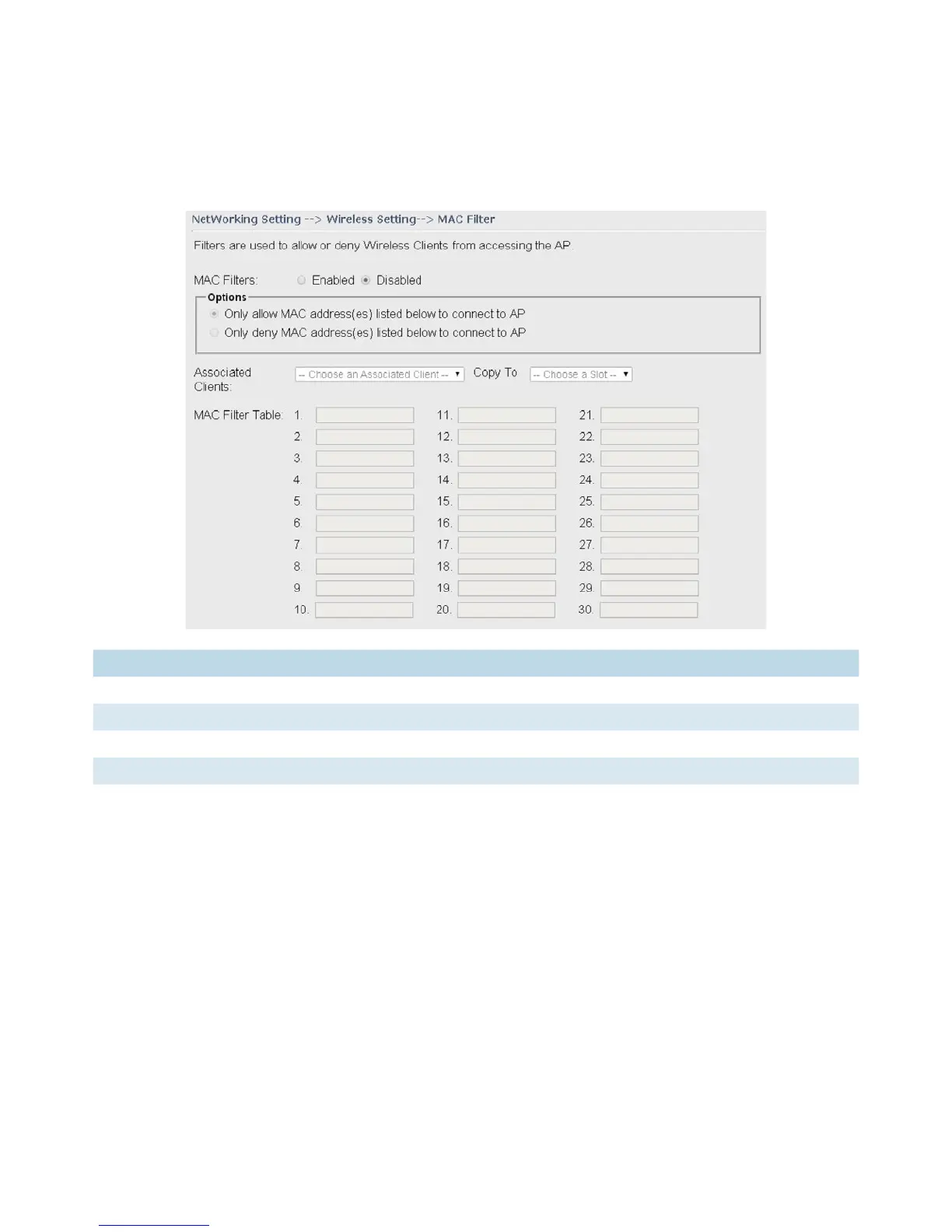
MAC Filter
This page allows you to set up MAC filters to allow or deny wireless clients to connect to the
router. You can manually add a MAC address or select a MAC address from the Associated Clients
list currently associated with the router.
Label Description
MAC Filter Select Enabled or Disabled to activate or deactivate MAC filters
Options Select one of the options to allow or deny the MAC address in the list
Associated Clients Shows the wireless MAC addresses associated with the router
MAC Filter Table You can edit up to MAC addresses in these fields
Apply Click to activate the configurations


 To Next Page