INS_CNFE3TX2CXMS(U,E)_REV– Rev. 7.11.18 PAGE 28
QUICK START GUIDE CNFE3TX2CXMS(U,E)
TECH SUPPORT: 1.888.678.9427
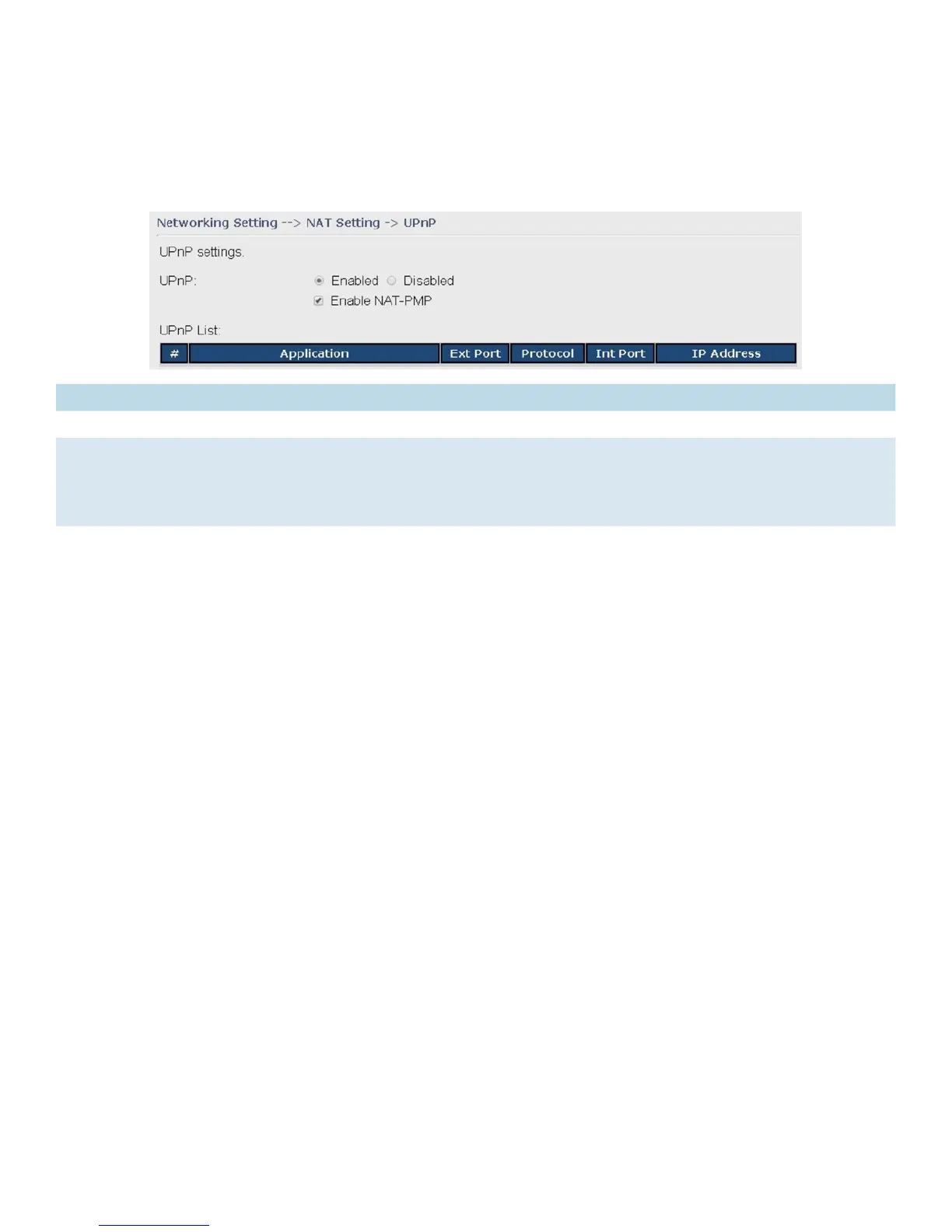
UPnP
The UPnP (Universal Plug and Play) feature allows Internet devices to access local host resources
or devices as needed. UPnP-enabled devices can be automatically discovered by the UPnP service
application on the LAN.
Label Description
UPnP Enable or disable UPnP.
Enable NAT-
PMP
NAT-PMP allows a computer in a private network (behind a NAT router) to automatically
configure the router to allow parties outside the private network to contact with each other.
NAT-PMP operates with UDP. It essentially automates the process of port forwarding. Check
the box to enable NAT-PMP.
UPnP List This table lists the current auto port forwarding information.
Application: The application that generates this port forwarding.
Ext Port: The port opened on WAN
Protocol: The protocol type
Int Port: The port redirected to the local computer
IP Address: The IP address of local computer to be redirected to


 To Next Page