INS_CNFE3TX2CXMS(U,E)_REV– Rev. 7.11.18 PAGE 34
QUICK START GUIDE CNFE3TX2CXMS(U,E)
TECH SUPPORT: 1.888.678.9427
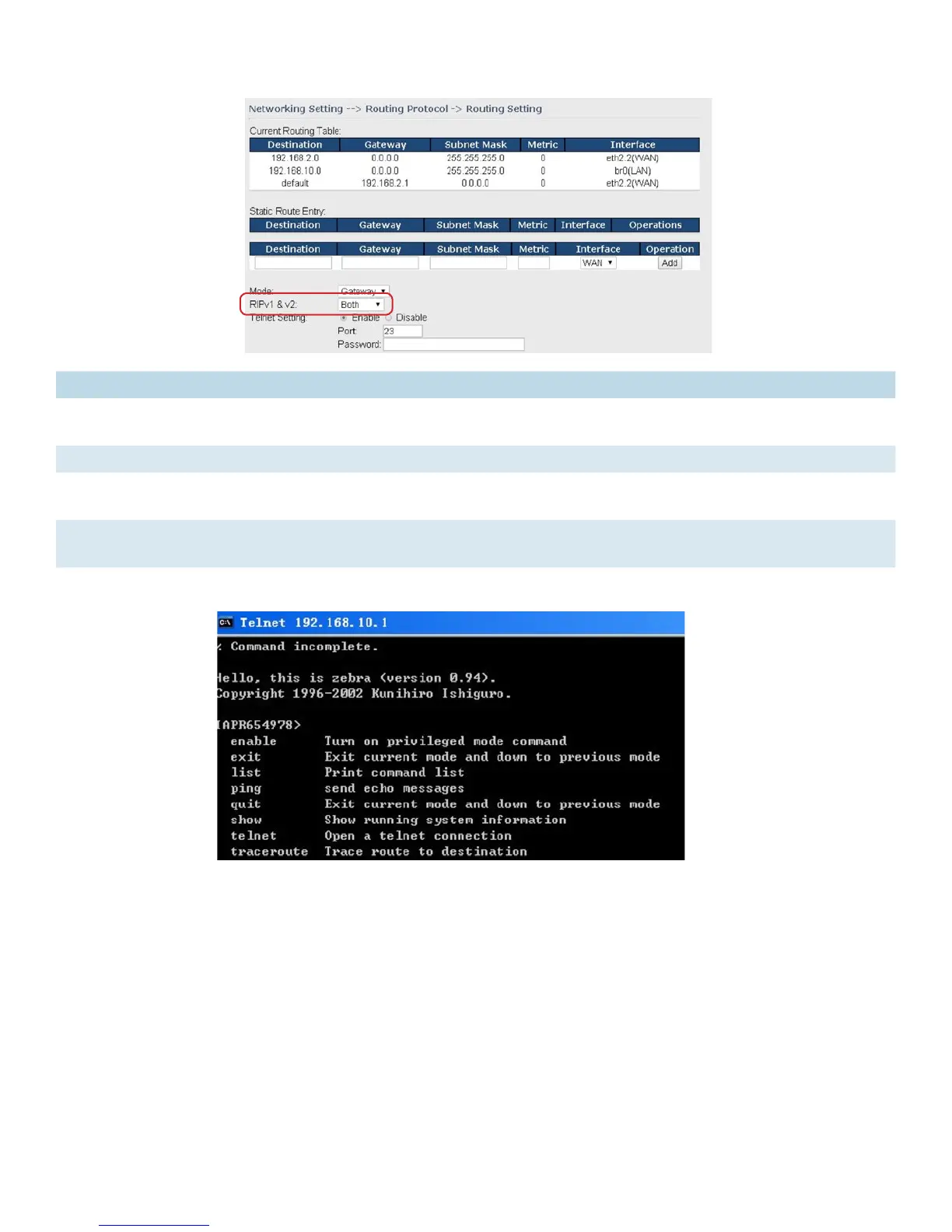
Label Description
Current Routing
Table
Shows all routing information, including static and dynamic routing (if enabled)
Static Route Entry Fills in corresponding information to add new entries to the static routing tablet
Mode Choose Router Mode if you want PCs in the LAN to visit external network, otherwise
choose Router Mode
RIPv1 &v2 Choose Disable to disable dynamic routing or other options to configure the
interfaces for dynamic routing
Telnet Setting This option is only available when dynamic routing is enabled. It allows you to make
detailed configurations via simple comments.


 To Next Page