INS_CNGE11FX3TX8MS[POE][HO] Rev. 11.6.17 PAGE 299
INSTRUCTION MANUAL CNGE11FX3TX8MS[POE][HO]
TECH SUPPORT: 1.888.678.9427
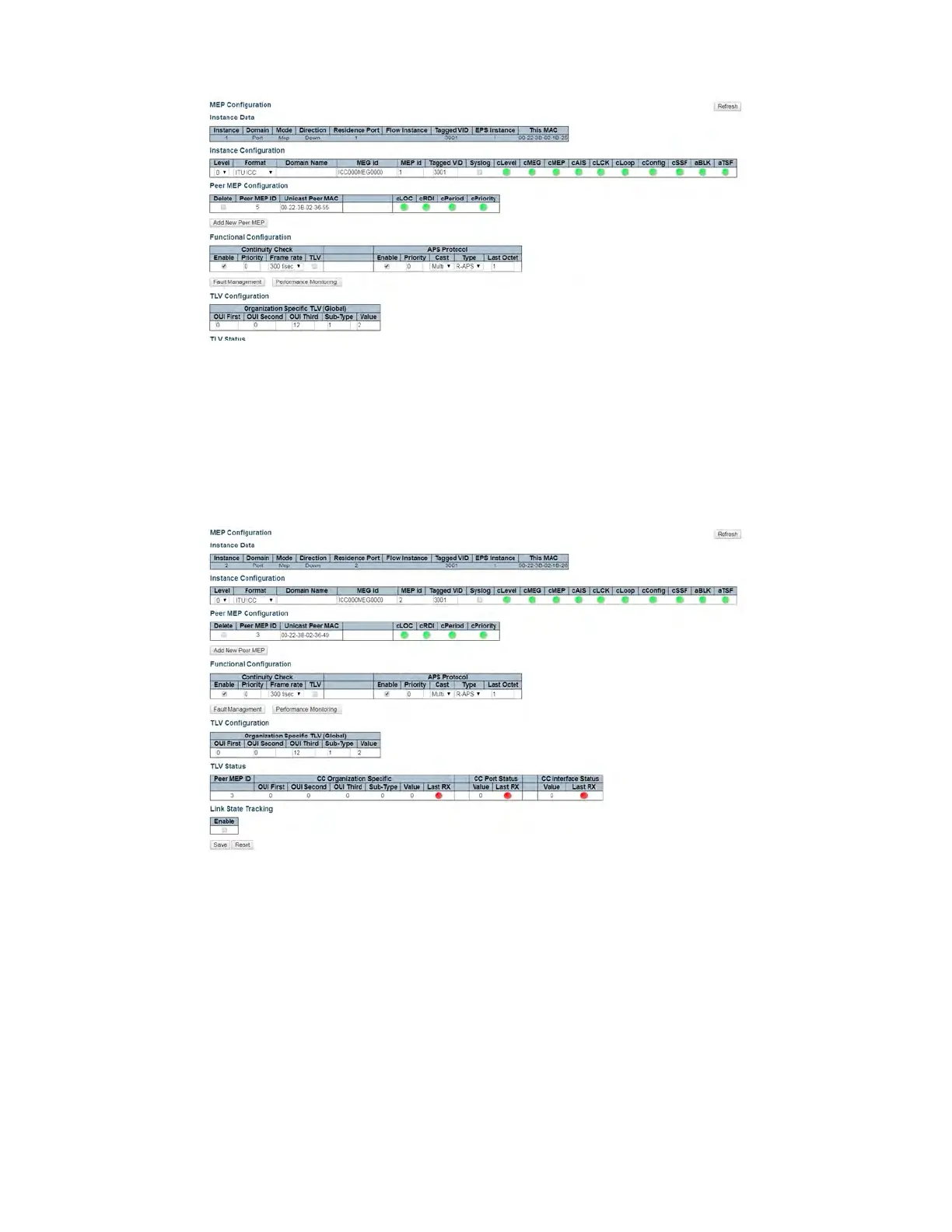
Figure 3 – Switch 1 MEP 1 Configuration
The Unicast Peer MAC can remain empty because it will be learned by receiving the CCM from
the peer side. On ComNet switches, before they are learned, the CCM frame rate cannot be
changed to above 100/sec. If known, enter the peer MAC address manually.
3. Edit MEP2 by clicking 2 under Instance of the MEP table. Configure the MEP as shown, and
click Save or Apply.
Figure 4 – Switch 1 MEP 2 Configuration



 To Next Page