Home
Comnet
Switch
CNGE11FX3TX8MS
Page 309
Comnet CNGE11FX3TX8MS - Page 309
314 pages
Manual
Save Page as PDF
To Next Page
To Next Page
To Previous Page
To Previous Page
Loading...
INS_CNGE11FX3TX8MS[POE][HO]
Rev. 11.6.17 PAGE 309
INSTRUCTION MANUAL
CNGE11FX3TX8MS[POE][HO]
TEC
H SUPPOR
T
: 1.888
.6
78.9
427
1
0. Af
ter W
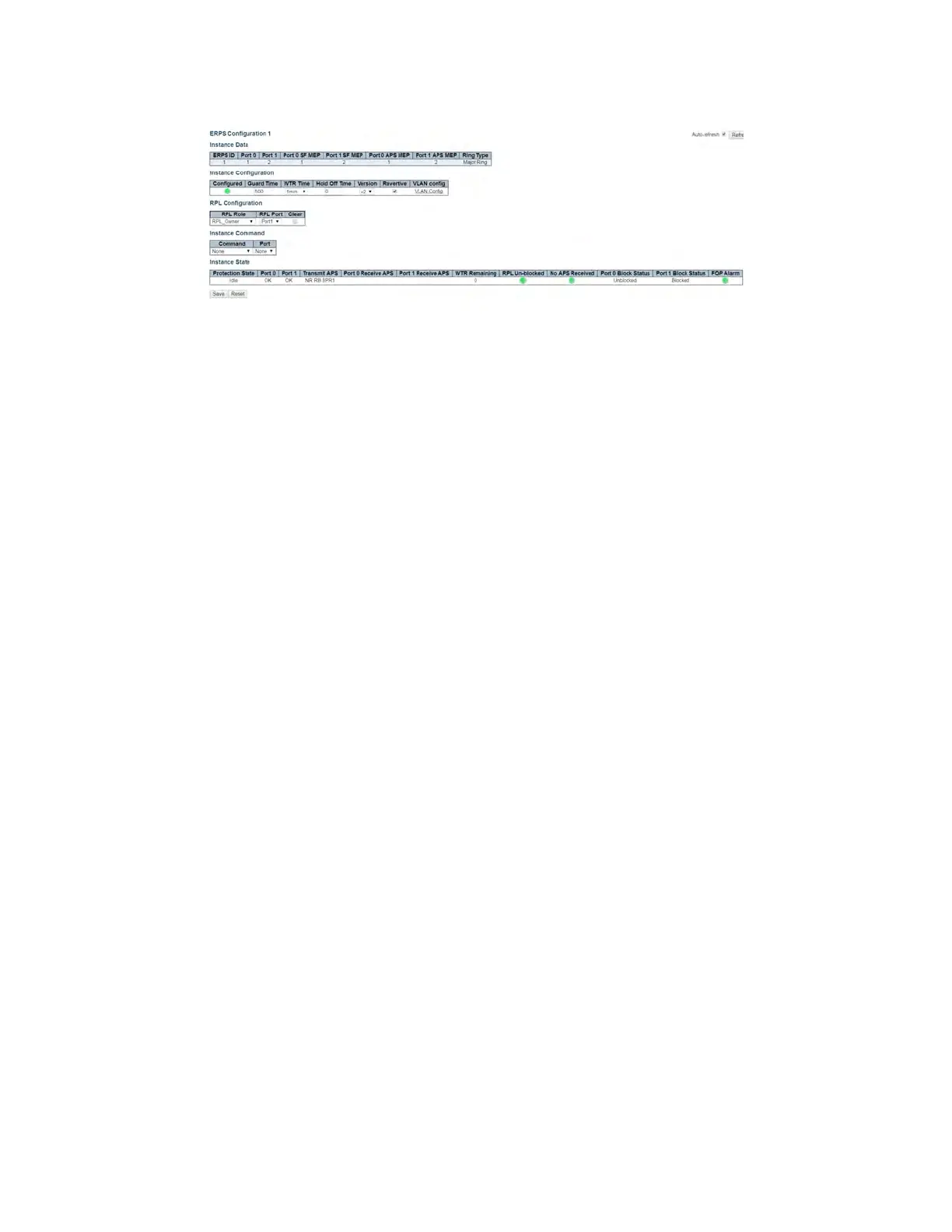
TR timeout, and cli
cking R
efresh, it shou
ld sho
w as Idle
.
Figure 30 – Ref
resh ERPS St
atus
308
310
Table of Contents
Main Page
Default Chapter
2
Table of Contents
2
Regulatory Compliance Statement
6
Warranty
6
Disclaimer
6
Safety Information
7
Hardware Installation
8
Installing the Switch on DIN-Rail
8
Wall Mounting Installation
10
Hardware Overview
11
Power Supply
12
Front Panel Leds
12
POEHO 60 W Poe Model
12
WEB Management
13
Login
13
Configuration
17
Green Ethernet
24
Thermal Protection
26
Dhcp
29
DHCP Pool Configuration
32
Security
37
Network
55
Screen
58
Aggregation
85
Loop Protection
87
Spanning Tree
88
IPMC Profile
95
Mvr
98
Ipmc
100
Lldp
108
Poe
110
Eps
112
Ethernet Protection Switch Configuration
113
Ethernet Ring Protection Switch Configuration
130
MAC Table
133
VLAN Translation
134
Vlans
136
Private Vlans
139
Vcl
141
Protocol-Based VLAN
142
Voice VLAN
146
Mirroring & Remote Mirroring Configuration
167
Upnp
170
Gvrp
171
Monitor Menu
173
System
173
CUP Load
174
Input Power Status
175
System IP Status
176
System Log
178
Port State
181
Green Ethernet
182
Thermal Protection
183
Ports
183
Qos Statistics
184
Dhcp
188
Security
194
Aaa
202
Aggregation Status
208
Lacp
209
Loop Protection
211
Mvr
216
Ipmc
219
Lldp
225
Poe
230
MAC Table
231
Vlans
232
Diagnostics Menu
235
Ping
235
Ping6
236
Phytest
237
Maintenance Menu
238
Restart Device
238
Factory Defaults
238
Software
239
Configuration
241
Using Switch CLI
244
About CLI Management
244
CLI Management by RS-232 Serial Console
244
CLI Management by Telnet
247
Commander Groups
248
Quick Start
249
Log in and Reset Configuration to Factory Default
249
Set Device Hostname and Admin User Password
250
Set VLAN 1 IP Address
250
Display and Save Configuration to Flash
252
ICLI Basics
254
Command Structure and Syntax
255
Syntax
255
Ethernet Interface Naming
258
Using the Keyboard
260
Basic Line Editing
260
Command History
261
Context-Sensitive Help
263
Using Context-Sensitive Help
263
Long Lines and Pagination
265
Other Special Keys
266
Filtering Output
266
Understanding Modes and Sub-Modes
267
Using 'Do' While in a Sub-Mode
270
Changing between ICLI Modes
271
Understanding Privilege Levels
272
Configuring Privilege Level Passwords
273
Understanding Terminal Parameters
274
Changing Terminal Parameters
275
Using Banners
277
Configuring Banners
277
Configuring the System
279
Configuration Example
279
Resetting or Removing Condiguration with "No
281
Using "No" Forms
281
Managing Users
282
Adding, Modifying, and Deletion Users
282
Using Show Commands
283
Listing All Show Commands
284
Show Running-Config
287
Default Vs. Non-Default Vs. All Defaults
287
Show Running-Config [All-Defaults]
289
Show Running-Config Feature Feature_Name [All-Defaults]
289
Show Running-Config Interface List [All-Defaults]
290
Working with Configuration Files
291
Reverting to Default Configuration
292
Working with Configuration Files
293
Using Reload Commands
295
Working with Software Images
296
Appendix A
297
Ethernet Ring Protection Switching Example Configuration
297
Configuring ERPS from the Web GUI
298
Ethernet Ring Protection Switching Configuration
305
Configuring ERPS from the ICLI
310
Other manuals for Comnet CNGE11FX3TX8MS
Quick Start Guide
12 pages
Related product manuals
Comnet CNGE2+2SMS
55 pages



 To Next Page