INS_CNGE11FX3TX8MS[POE][HO] Rev. 11.6.17 PAGE 51
INSTRUCTION MANUAL CNGE11FX3TX8MS[POE][HO]
TECH SUPPORT: 1.888.678.9427
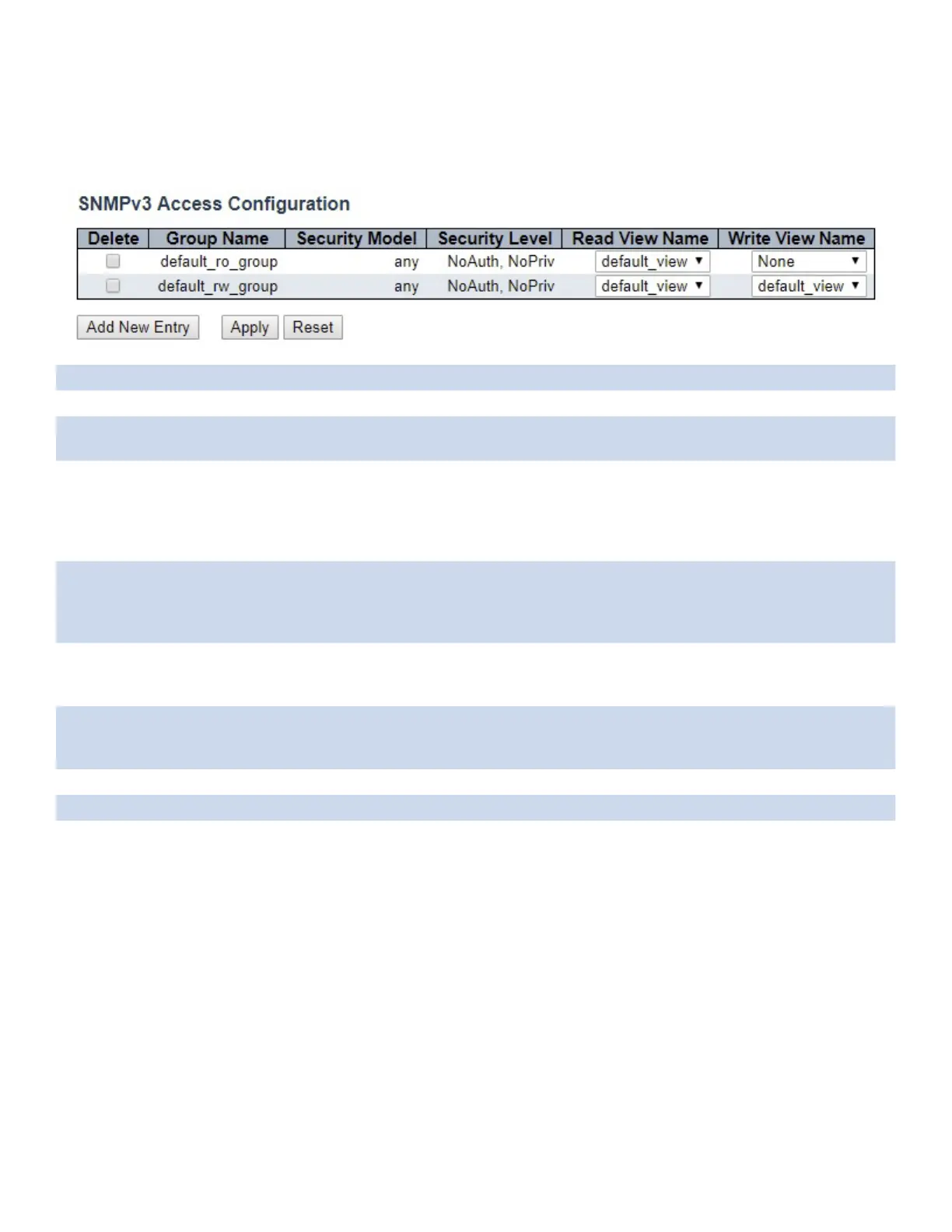
SNMP Access
Configure SNMPv3 access table on this page. The entry index keys are Group Name, Security
Model and Security Level.
Object Description
Delete Check to delete the entry. It will be deleted during the next save.
Group Name A string identifying the group name that this entry should belong to. The allowed string length
is 1 to 32, and the allowed content is ASCII characters from 33 to 126.
Security Model Indicates the security model that this entry should belong to. Possible security models are:
any: Any security model accepted (v1|v2c|usm).
v1: Reserved for SNMPv1.
v2c: Reserved for SNMPv2c.
usm: User-based Security Model (USM).
Security Level Indicates the security model that this entry should belong to. Possible security models are:
NoAuth, NoPriv: No authentication and no privacy.
Auth, NoPriv: Authentication and no privacy.
Auth, Priv: Authentication and privacy.
Read View Name The name of the MIB view defining the MIB objects for which this request may request the
current values. The allowed string length is 1 to 32, and the allowed content is ASCII characters
from 33 to 126.
Write View Name The name of the MIB view defining the MIB objects for which this request may potentially set
new values. The allowed string length is 1 to 32, and the allowed content is ASCII characters
from 33 to 126.
Apply Click to apply changes.
Reset Click to revert to previous values.
Add New Entry Click to add new access configurations.



 To Next Page