INS_CNGE11FX3TX8MS[POE][HO] Rev. 11.6.17 PAGE 68
INSTRUCTION MANUAL CNGE11FX3TX8MS[POE][HO]
TECH SUPPORT: 1.888.678.9427
Access Control List
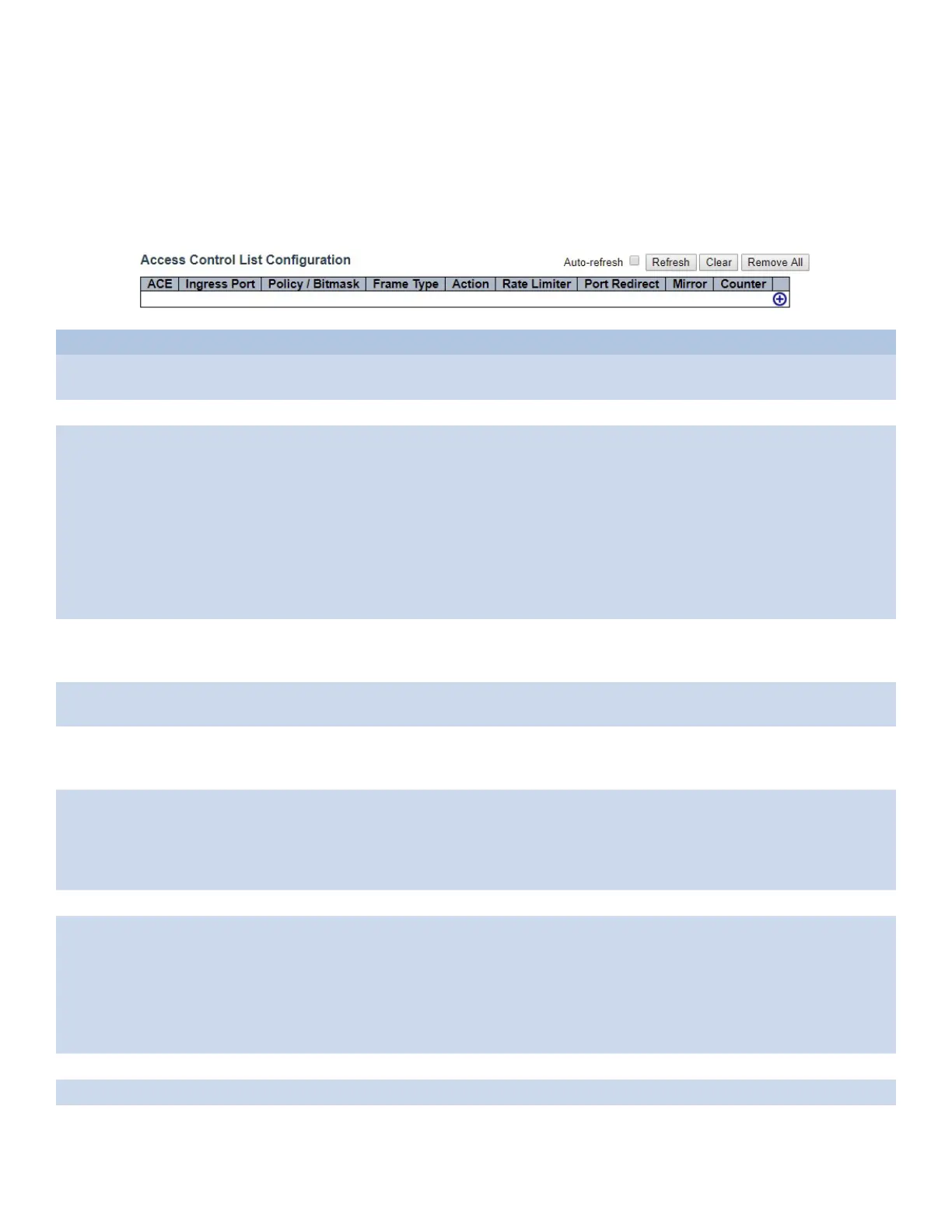
This page shows the Access Control List (ACL), which is made up of the ACEs defined on this switch.
Each row describes the ACE that is defined. The maximum number of ACEs is 256 on each switch.
Click on the lowest plus sign to add a new ACE to the list. The reserved ACEs used for internal protocol,
cannot be edited or deleted, the order sequence cannot be changed and the priority is highest.
Object Description
Ingress Port Indicates the ingress port of the ACE. Possible values are: All: The ACE will match all ingress port.
Port: The ACE will match a specific ingress port.
Policy / Bitmask Indicates the policy number and bitmask of the ACE.
Frame Type Indicates the frame type of the ACE. Possible values are:
Any: The ACE will match any frame type.
EType: The ACE will match Ethernet Type frames. Note that an Ethernet Type based ACE will not
get matched by IP and ARP frames. ARP: The ACE will match ARP/RARP frames.
IPv4: The ACE will match all IPv4 frames.
IPv4/ICMP: The ACE will match IPv4 frames with ICMP protocol.
IPv4/UDP: The ACE will match IPv4 frames with UDP protocol.
IPv4/TCP: The ACE will match IPv4 frames with TCP protocol.
IPv4/Other: The ACE will match IPv4 frames, which are not ICMP/UDP/TCP. IPv6: The ACE will
match all IPv6 standard frames.
Action Indicates the forwarding action of the ACE.
Permit: Frames matching the ACE may be forwarded and learned. Deny: Frames matching the
ACE are dropped. Filter: Frames matching the ACE are filtered.
Rate Limiter Indicates the rate limiter number of the ACE. The allowed range is 1 to 16. When Disabled is
displayed, the rate limiter operation is disabled.
Port Redirect Indicates the port redirect operation of the ACE. Frames matching the ACE are redirected to
the port number. The allowed values are Disabled or a specific port number. When Disabled is
displayed, the port redirect operation is disabled.
Mirror Specify the mirror operation of this port. Frames matching the ACE are mirrored to the
destination mirror port. The allowed values are:
Enabled: Frames received on the port are mirrored.
Disabled: Frames received on the port are not mirrored.
The default value is “Disabled”.
Counter The counter indicates the number of times the ACE was hit by a frame.
Modification
Buttons
You can modify each ACE (Access Control Entry) in the table using the following buttons:
“+”: Inserts a new ACE before the current row.
“e”: Edits the ACE row.
“up”: Moves the ACE up the list.
“down”: Moves the ACE down the list.
“X”: Deletes the ACE.
“+”: The lowest plus sign adds a new entry at the bottom of the ACE listings.
Auto_Refresh Click to force the page to refresh automatically every 3 seconds.
Remove All Click to remove all ACEs.
Refresh Click to refresh the page.



 To Next Page