ORIGINAL INSTRUCTIONS | Ref.quality process 002/03 | v. 22/12/2020 | K08021H05
17
8. OPERATION
8.4.2 LOCKED KEYBOARD
To lock the digital display, simply press the
+ ( ) and - ( ) keys simultaneously for
3 seconds until the lock icon appears. Fig 6
To unlock the digital display just repeat the
same steps until the unlock icon appears.
Fig 7
8.5. CLEANING MODE
For a correct tamping consistency,
daily cleaning of the tamping disk is
recommended.
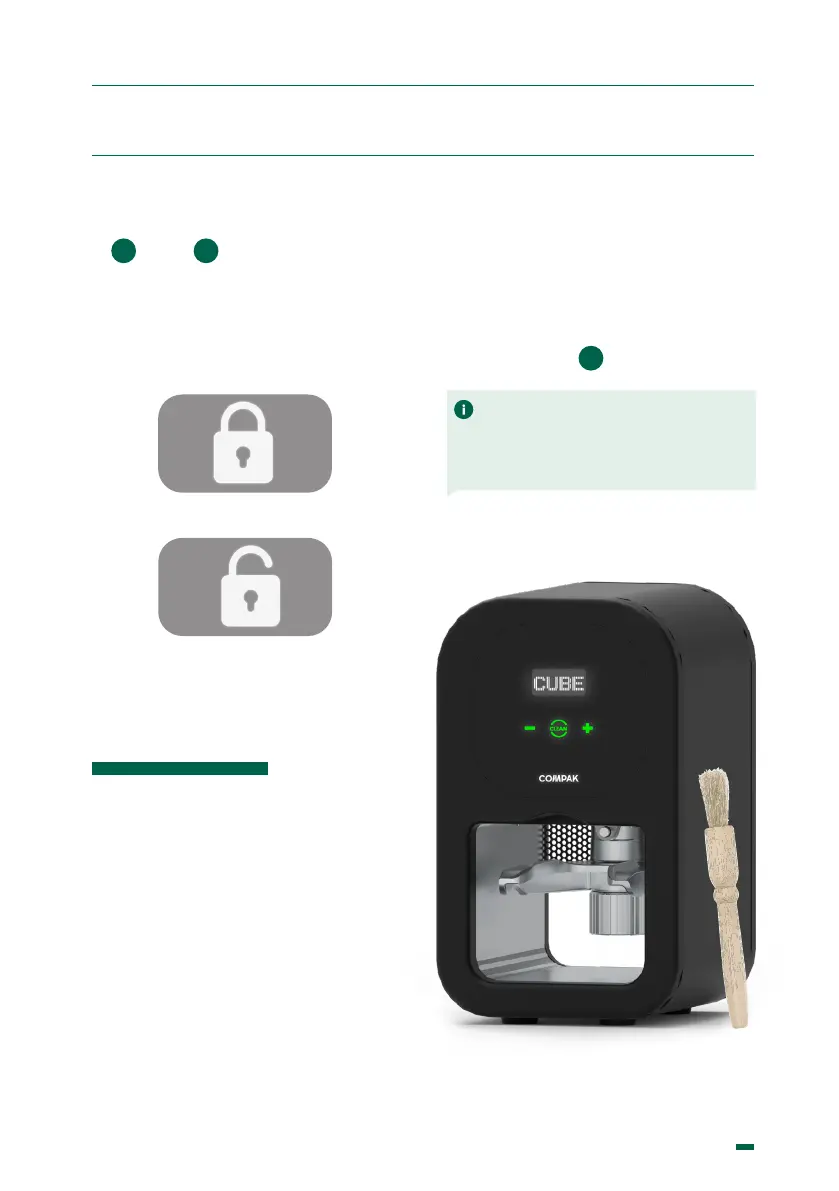
To do this, press the (Clean) button. The
disk will lower to the pressing position and
stay there for 10 sec. During this time you
can clean it with a brush, or cloth if the disc
is wet.
Fig. 6
Fig. 7
Press the (Clean) button again to return
the disk to its idle position.
If you want the disk to remain in the
pressing position to allow more time for
the cleaning, switch off the appliance
using the switch (
9
)
3 2
NOTE: The grinder shouldn’t be used in
environments (SUCH AS INDUSTRIAL
KITCHENS) where cleaning is done with
direct water spray cleaning.


 To Next Page