Adding System Memory and Upgrading the Internal Hard Drive
Quick Setup & User’s Guide 3-5
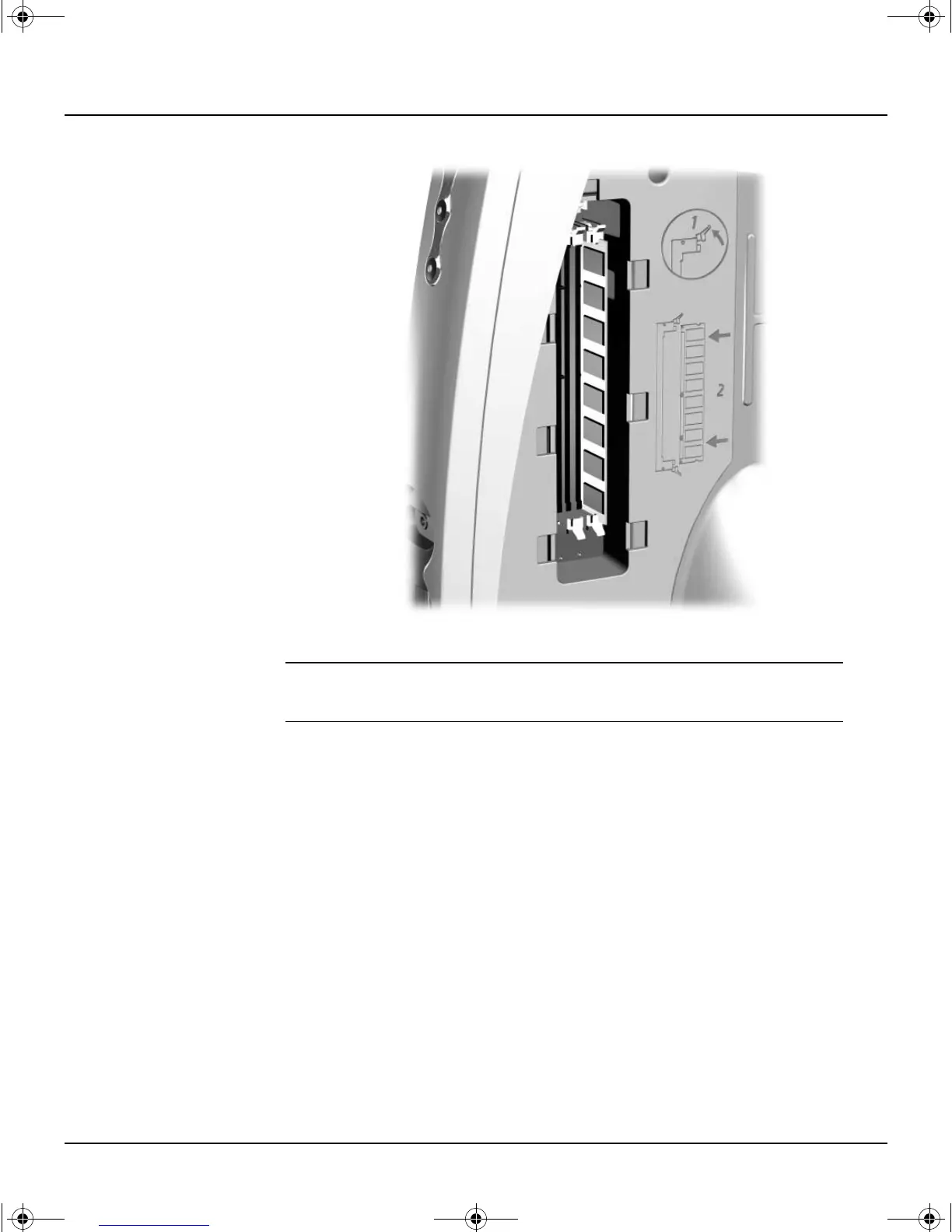
Accessing the DIMM Slots
Å
WARNING: To reduce the risk of personal injury from hot surfaces, allow the internal system
components to cool before touching.
3. To remove a module, press out on both latches of the DIMM socket at the
same time. This releases the module and partially pushes it out of the
socket.
4. Lift the module from the socket.
QuickSetup_UsersGuide.book Page 5 Wednesday, May 30, 2001 9:36 AM



 To Next Page