EasyManua.ls Logo

Compart VLINE-80 - Specification of LED Indication and Beeper; Specification of LED Indication; Beeper; Multi-Color Status LED

Default Icon
28 pages
Print Icon
To Next Page IconTo Next Page
To Previous Page IconTo Previous Page
Loading...
17
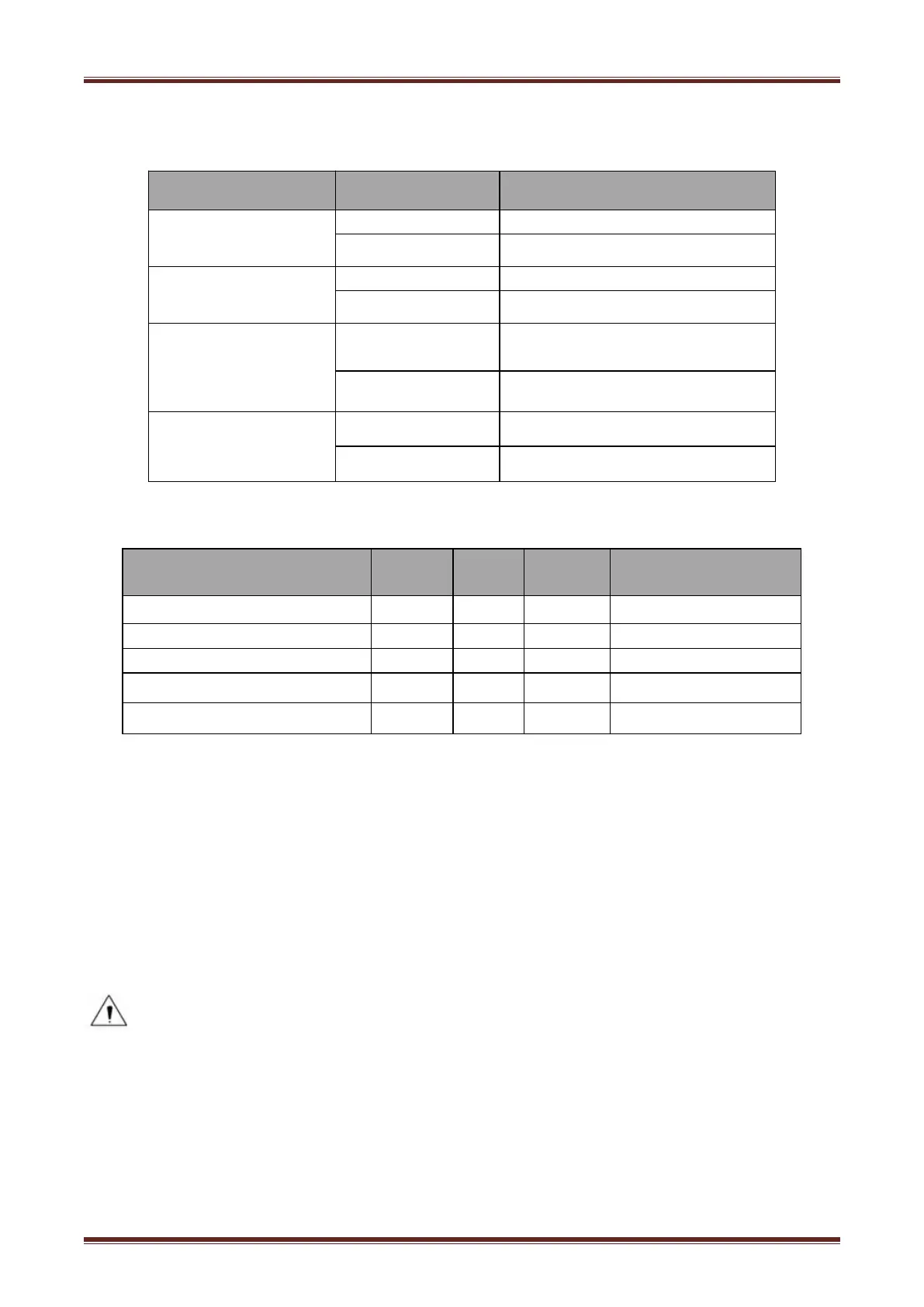
4.7 Specification of LED Indication and Beeper
4.7.1 Specification of LED Indication
Name
Status
Specification
POWER
LED
Green
ON
The printer work well
OFF
The printer powers off.
ERROR
LED
Red
Flash
The printer in an error state
OFF
The printer in an normal state
PAPER
LED
Red
The printer in paper end state
ON
OFF
The printer in an normal state
STATUS LED
Flash
The printer in an error state
ON
The printer in an normal state
4.7.2 Beeper
Notes:
The printer use a thermistor to detect the temperature of the print head. If the temperature of
print head is more than 65° C, printer will send a warning. If the temperature of print head is
more than 80° C, printer will stop working until the temperature is in the normal range.

Description
POWER
LED
ERROR
LED
PAPER
LED
Beeper
Cover Open
ON
ON
ON
“Beep ,Beep,Beep--
Full of paper
ON
OFF
OFF
Silent
No Paper
ON
ON
ON
“Beep Beep Beep.
Paper Near End
ON
OFF
ON
Silent
Cutter Jam
ON
Flash
OFF
”Beep—Beep—”

Related product manuals