Need help?
Do you have a question about the Compool Cp3810 and is the answer not in the manual?
Basic safety precautions for electrical equipment installation and use.
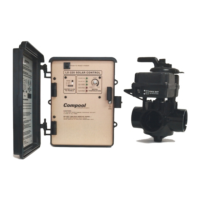
Lists the components included in the CP3810/S system package.
Details the hydraulic schematic and connections for system plumbing.
Specifies the recommended placement for system components.
Connecting the main power supply to the system's high voltage components.
Wiring the primary power source to the transformer.
How to connect power to auxiliary equipment via relays.
Instructions on expanding system control with additional relays.
Guidance on safely wiring high voltage pool or spa lighting.
Connecting sensors, control panels, and other low-voltage components.
Connecting the main control panel via low voltage cable.
Wiring for water temperature and freeze protection sensors.
Specific wiring for connecting a gas heater to the system.
Instructions for using the tool to attach modular connectors to cables.
How to install and connect the spa-side remote control.
Adding additional control panels for extended system management.
Installing and connecting valve actuators for automated valve control.
Adding a module to control additional valve actuators.
Installing and configuring solar heating components.
How to integrate a solar booster pump into the system.
Operating the spa/pool via phone commands.
Information on installing and controlling dimmer relays.
Wiring instructions for heat pumps and electric heaters.
Configuration and operation of a two-speed filter pump.
Installing and programming the valve for floor cleaning systems.
Setting up automatic filter backwashing.
Setting system parameters via DIP switches for various functions.
Step-by-step guide for initial system setup and verification.
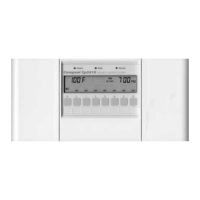
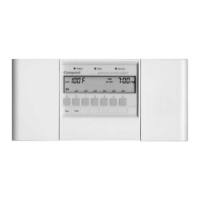
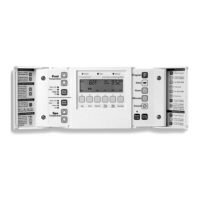
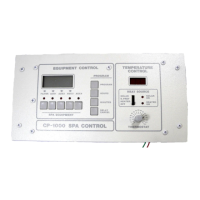
Overview of the main control panel and its functions.
Using control panel keys to manage equipment and view status.
Interpreting the icons indicating equipment status.
Understanding the status lights on the control panel.
System features to protect the heater during cool-down.
How the system manages cleaner operation and protection.
Procedures to temporarily disable protection features for testing.
How to switch between Fahrenheit and Celsius displays.
Setting multiple run times for specific equipment.
Configuring automatic shut-off times for equipment.
Creating a single-use program for equipment activation.
Procedures for deleting programmed schedules.
How to set the system's current time.
Disabling the spa-side remote from the control panel.
Advice on accurately calibrating water, solar, and freeze sensors.
Using the power center's keys for manual equipment control.
Temporarily overriding normal operation for specific tasks.
Interpreting status lights for sensor faults.
Controlling equipment remotely from the spa.
Manually boosting spa temperature for a short period.
Controlling the spa/pool via phone commands.
Managing the filter pump's speed settings.
Activating system to prevent freeze damage to equipment.
Guidance on preparing the system for winter.
Troubleshooting water temperature sensor faults.
Troubleshooting solar temperature sensor faults.
Troubleshooting freeze temperature sensor faults.
Troubleshooting control panel communication errors.
Troubleshooting spa-side remote issues.
Resolving incorrect temperature readings.
Diagnosing why the heater is not functioning.
Resolving issues with solar heating and premature shut-off.
Diagnosing why the spa-side remote is unresponsive.
Troubleshooting a blank or malfunctioning control panel display.
Resolving clock issues after power interruptions.
Steps to reset the system when it becomes unresponsive.
Finding the revision numbers for the control panel and power center.
 General
| Brand | Compool |
|---|---|
| Model | Cp3810 |
| Category | Control Systems |
| Language | English |

 To Next Page