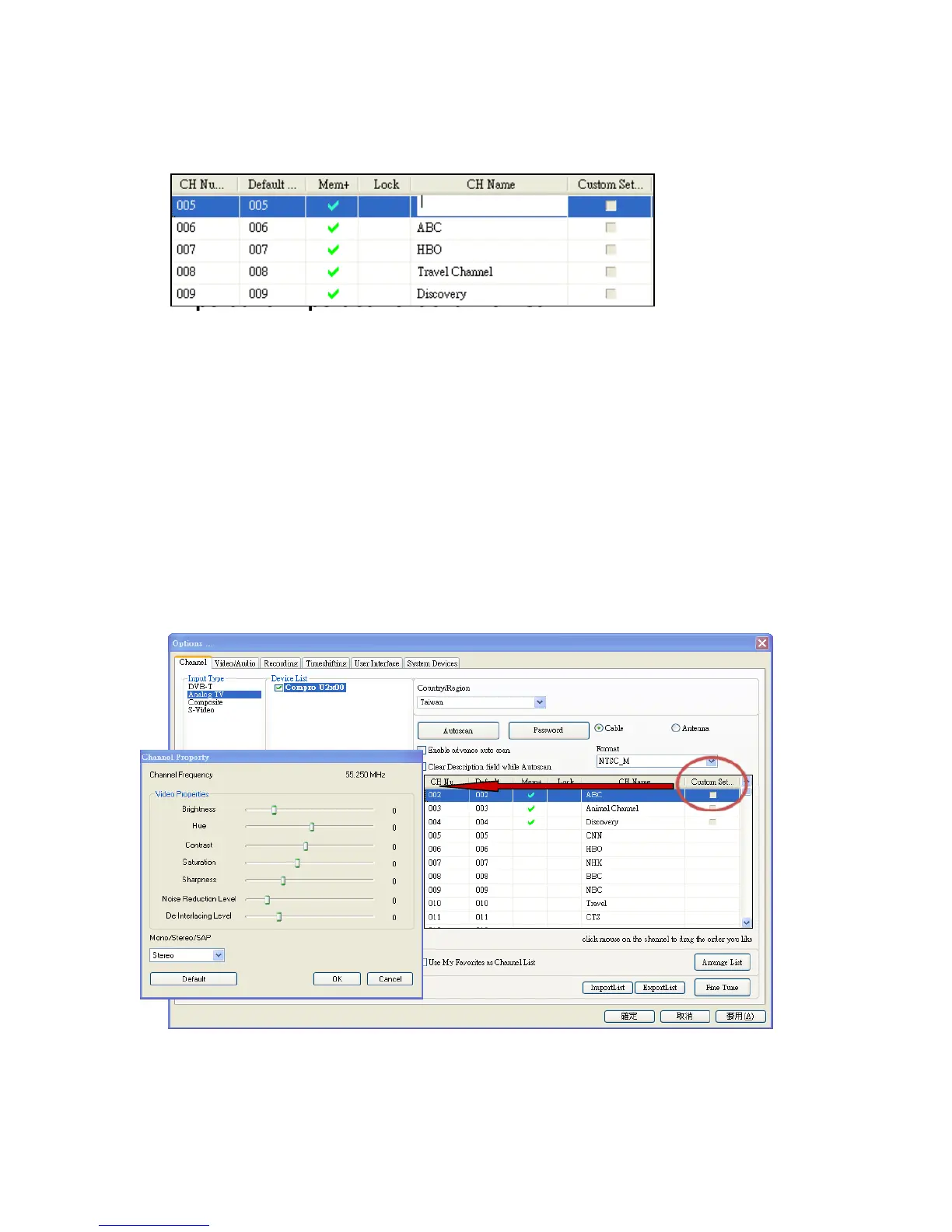
Channel Naming
You can customize the channel names by double-click on the CH Name field of
the channel you wish to rename.
Import and Export current channel list
If you have edited the channel name, fine tune channel, or customize channel
settings. You can export the current channel list to text file and save it to other
place. When you reinstall the ComproDTV 4.5 or your system, you can import
the previous channel list and save your time for resetting it.
Custom Settings for each channel
You can customize each channel properties by click the icon in “Custom
Settings” filed and edit it. In the channel property settings, you can setup video
color and noise reduction level, de-interlacing level for each channel (noise
reduction level, de-interlacing level, and sharpness setting are not suitable for
digital TV).



 To Next Page