Compu Chlor Manual AU 17
11.0 TROUBLESHOOTING
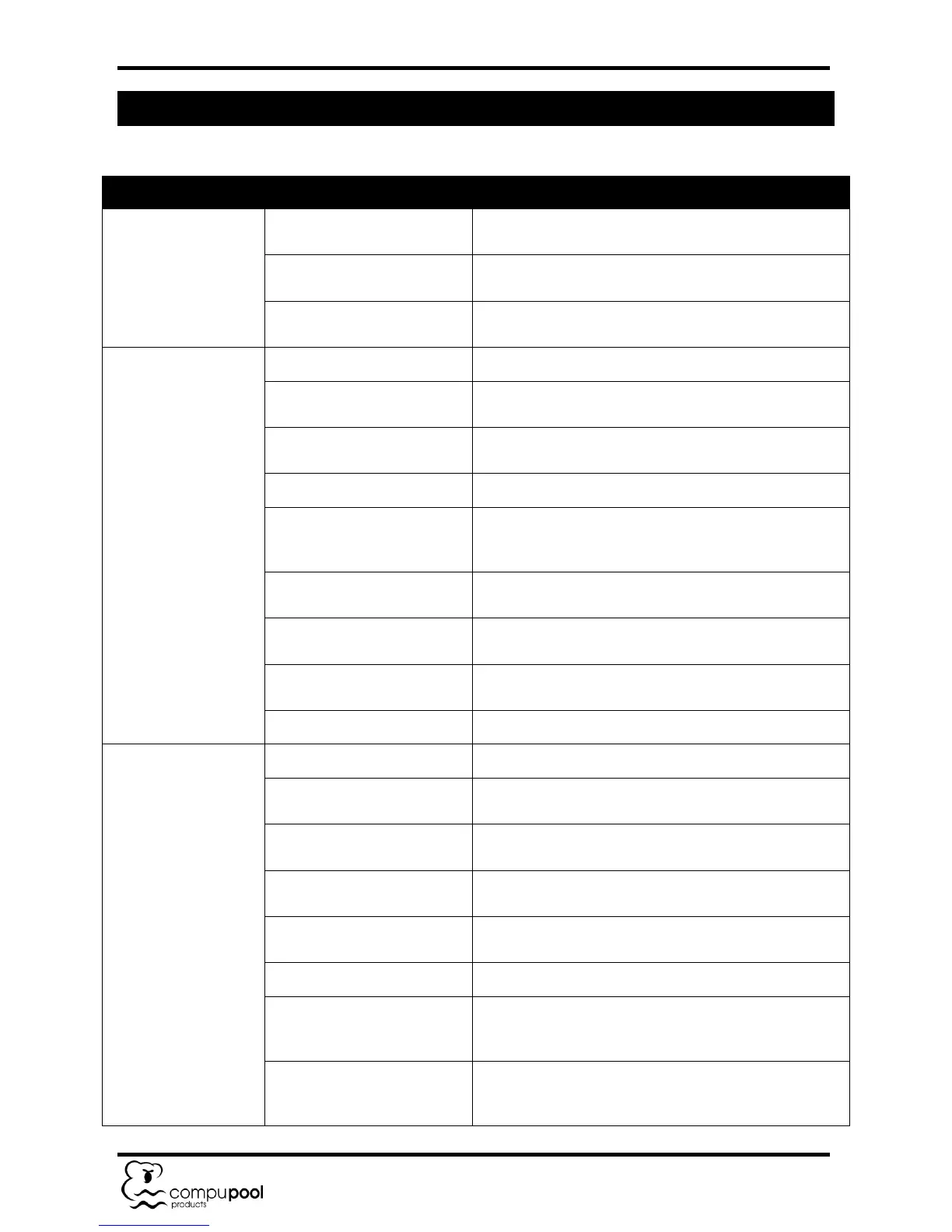
Chlorine output
meter needle in red.
Output dial turned up too
high.
Turn the output dial down until the needle returns to
the green zone.
Reduce the pool water salinity to 2500 – 3000ppm by
backwashing filter and adding fresh water.
High pool water temperature.
Turn the output dial down until the needle returns to
the green zone.
Low or no chlorine
residual.
Insufficient chlorine output.
Increase chlorine production dial to the "High" setting.
Insufficient running times.
Increase the operating hours of the pool filtration
pump and chlorine generator.
Low stabiliser (cyanuric acid)
level in pool water.
Add stabiliser to maintain a level of 30 – 60 ppm.
Adjust pH level to 7.2 – 7.8.
Temporary loss of chlorine
due to heavy bather load,
rain, organic matter.
Set the unit to run for a 24 hour period. Re-check and
if still low take pool water sample to pool professional.
Add additional salt to pool to bring salinity to 2500 –
3000ppm (see Table 1).
Calcified or clogged cell.
Remove cell from housing and clean (see section
10.3).
High nitrates or phosphates
in pool water.
Contact pool professional.
Metals present in pool water.
Contact pool professional.
Low or no chlorine
production.
Insufficient chlorine output.
Increase chlorine production dial to the "High" setting.
Check that the pump is running correctly and the Cell
Housing is filled with water.
Add additional salt to pool to bring salinity to 2500 –
3000ppm (see Table 1).
Calcified or clogged cell.
Remove cell from housing and clean (see section
10.3).
Reset circuit breaker by pressing the yellow reset
button back in.
Check that the Cell Cable has not been damaged.
Cell Cable incorrectly
connected to Power Module.
Check that Cable wires are correctly positioned (thin
wire in middle position) at the junction box and ensure
wires are firmly tightened.
The Electrolytic Cell has come to the end of the "cell
life" and is no longer producing chlorine at sufficient
levels. Replace the Cell.


 To Next Page