EasyManua.ls Logo

compupool products Compu Chlor - User Manual

compupool products Compu Chlor
20 pages
Print Icon
To Next Page IconTo Next Page
Loading...
Compu Chlor Manual AU 1
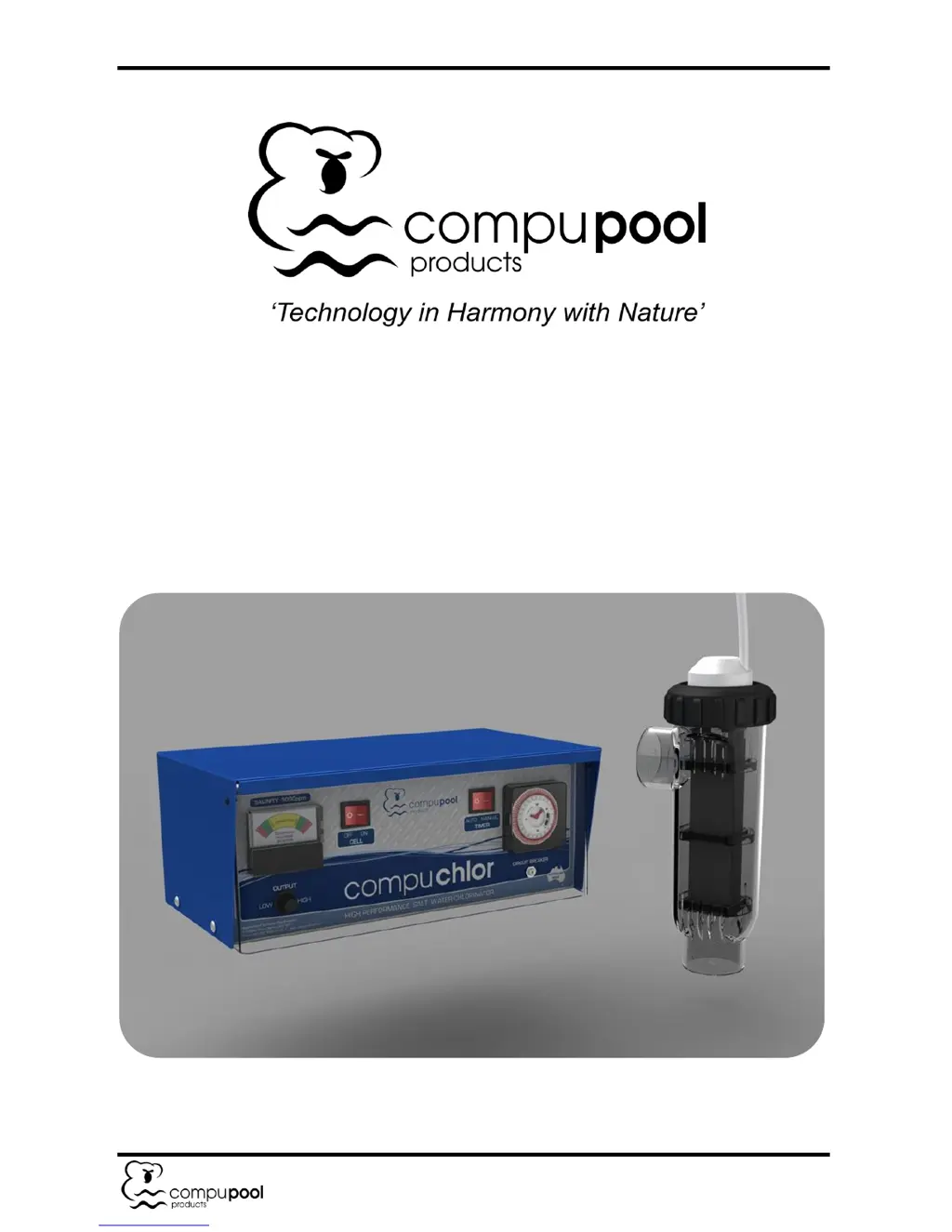
Compu Chlor Saltwater Chlorine Generator
Installation and Operation Manual

Questions and Answers

  • A
    Anthony EspinozaAug 18, 2025
    How to fix chlorine output meter needle in red in compupool products Compu Chlor?
    • M
      Matthew TaylorAug 18, 2025
      If the chlorine output meter needle is in the red zone on your compupool products Lighting Equipment, it could be due to a few reasons. First, the output dial might be turned up too high; try turning it down until the needle returns to the green zone. Secondly, the salt content might be too high; reduce the pool water salinity to 2500 – 3000ppm by backwashing the filter and adding fresh water. Finally, high pool water temperature can also cause this issue; in this case, turn the output dial down until the needle is back in the green zone.
  • A
    Allison KimAug 26, 2025
    What to do if water flow through cell is low in compupool products Lighting Equipment?
    • G
      gkingAug 26, 2025
      If you're experiencing low water flow through the cell in your compupool products Lighting Equipment, start by checking that the pump is operating correctly and turns on and off with the chlorine generator via the timer. Ensure that the pump strainer baskets are not clogged. Verify that all valves are opened correctly and check for any blockages. If the filter is dirty, clean or backwash it. For multi-speed pumps, increase the pump speed to ensure consistent and sufficient water flow through the Cell Housing.
  • J
    Julie ClarkNov 3, 2025
    What to do if there is low or no chlorine residual in compupool products Lighting Equipment?
    • W
      Whitney NguyenNov 3, 2025
      If you observe low or no chlorine residual in your compupool products Lighting Equipment, there are several potential reasons. First, ensure that the chlorine production dial is set to "High" to rule out insufficient chlorine output. Verify that the pool filtration pump and chlorine generator are running for sufficient operating hours. Check the stabilizer (cyanuric acid) level in the pool water and adjust to maintain a level of 30 – 60 ppm. Also, make sure the pH level is within the range of 7.2 – 7.8. If there was a heavy bather load, rain, or organic matter, allow the unit to run for a 24-hour period. Check the salt content and add salt to bring salinity to 2500 – 3000ppm. Inspect the cell for calcification or clogging and clean it. For high nitrates, phosphates or metals presence in po...
  • B
    bradleyrobertsonNov 9, 2025
    Why is there low or no chlorine production in my compupool products Compu Chlor?
    • M
      michaelblackwellNov 9, 2025
      If your compupool products Lighting Equipment shows low or no chlorine production, several factors could be responsible. Begin by ensuring the chlorine production dial is set to the "High" position. Confirm that the pump is running correctly and the Cell Housing is filled with water. Verify the salt content and add salt to the pool to achieve a salinity of 2500 – 3000ppm. Inspect the cell for calcification or clogging and clean it. Check if the circuit breaker has popped and reset it by pressing the yellow reset button. Examine the Cell Cable for any damage. Ensure the Cell Cable wires are correctly positioned (thin wire in the middle) at the junction box and firmly tightened. If none of these steps resolve the issue, the Electrolytic Cell may be nearing the end of its life and require rep...

Summary

Introduction and Getting Started

Safety Information

Essential safety guidelines and warnings for operating the chlorine generator.

Water Chemistry

Required Salt and Pool; Spa Chemistry Readings

Table of recommended readings for chlorine, pH, alkalinity, hardness, and salinity.

Adding Salt to Pool or Spa

Adding Salt

Instructions and precautions for adding salt to the pool water.

Salinity Level

Required salinity range and how to achieve it.

The Compu Chlor chlorine generator requires a salinity level of 2500 - 3000 ppm.

Specifies the target salinity range for the Compu Chlor generator.

If the salt level is low, determine the number of litres in the pool...

Procedure for adding salt based on pool volume and current salt level.

Installation

Wiring

Instructions for connecting the power module and pump to the main power supply.

Installing the Power Module

Step-by-step guide for securely mounting the power module.

Power Module Placement Recommendations

Placement recommendations for the power module relative to other equipment.

Installing the Cell Module

Detailed instructions for plumbing and connecting the cell module.

Cell Module Plumbing into Return Line

Plumbing the cell module into the pool's return line after filtration.

Cell Orientation Options

Options for cell orientation and requirements for horizontal mounting.

Connecting Cell Cable to Power Module

Connecting the cell cable wires to the power module's junction box.

Installation Checklist

Operation

Power Module Controls

Explanation of the various controls and indicators on the power module.

Cell On; Off

How to turn the chlorine production on and off using the cell power switch.

Output Dial Low; High

Adjusting the chlorine output level using the output dial.

Chlorine Output Monitor

Interpreting the chlorine output monitor and adjusting settings accordingly.

Analogue Timer Operation

Setting the operational times for the chlorine generator using the analogue timer.

Setting the Analogue Timer

Detailed steps for setting the clock and timer functions.

Timer Setting Programming

How to program the on/off times using the timer's dial switches.

Maintenance

Electrolytic Cell Maintenance

Information on the operation and cleaning of the electrolytic cell.

Cell Efficiency and Buildup

Explanation of how calcium and mineral buildup affects cell efficiency.

Cleaning the Cell

Detailed steps for cleaning the electrolytic cell.

Removing the Cell from Housing

Procedure for safely removing the cell from its housing.

Acid Cleaning Procedure

Instructions for acid cleaning the cell using a specific acid-to-water ratio.

Chemical Hazard Warning for Acid

Crucial safety warning for handling and mixing acid with water.

Replacing the Cell

Instructions for replacing an old electrolytic cell with a new one.

Cell Lifespan and Replacements

Information on cell lifespan and availability of replacement cells.

Troubleshooting

Chlorine Output Meter in Red

Diagnosing and resolving issues when the output meter is in the red zone.

Low or No Chlorine Residual

Troubleshooting steps for insufficient chlorine levels in the pool.

Low or No Chlorine Production

Identifying causes and solutions for the generator not producing chlorine.

Water Flow Through Cell Is Low

Addressing issues related to low water flow through the cell housing.

compupool products Compu Chlor Specifications

General IconGeneral
Brandcompupool products
ModelCompu Chlor
CategoryLighting Equipment
LanguageEnglish

Related product manuals