Compu Chlor Manual AU 12
7.4.7 Connect the Cell Cable to the Power Module. Remove the protective cover from the
Cell Cable junction box on the underside of the Power Module. Insert the Cell cable
wires to the terminal, with the thin wire connecting to the middle position, and
secure firmly and tightly. Replace the protective cover back over the junction box.
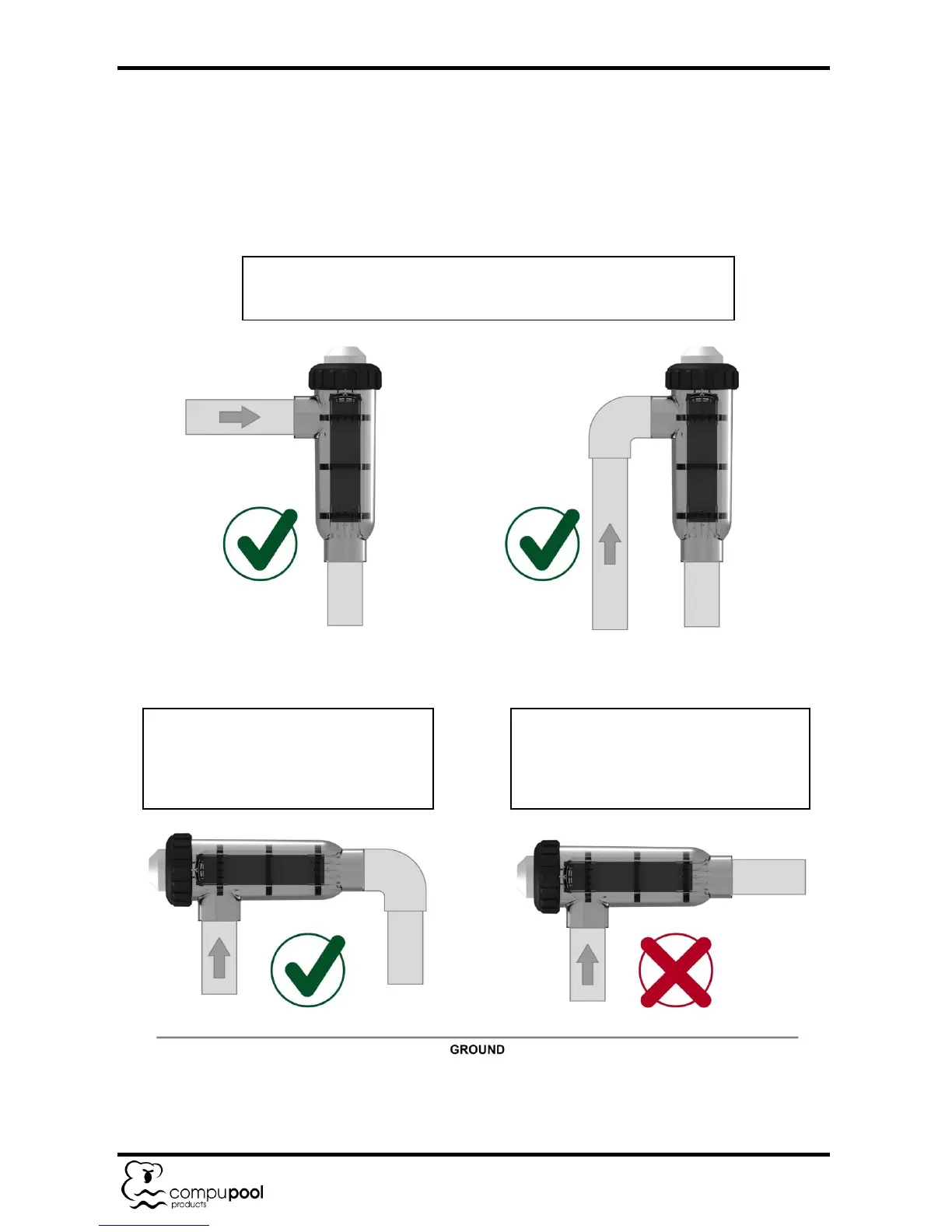
7.4.8 Figure 2 - Cell Module Installation Options.
The Compu Chlor Cell can be installed in any manner if the Cell
Housing is mounted vertically as shown in the two images below
The Compu Chlor Cell can be
installed in a horizontal orientation if
a gas trap is formed in the plumbing
as shown in the image below.
The Compu Chlor Cell cannot be
installed in a horizontal orientation if a
gas trap is not formed in the plumbing
as shown in the image below.


 To Next Page