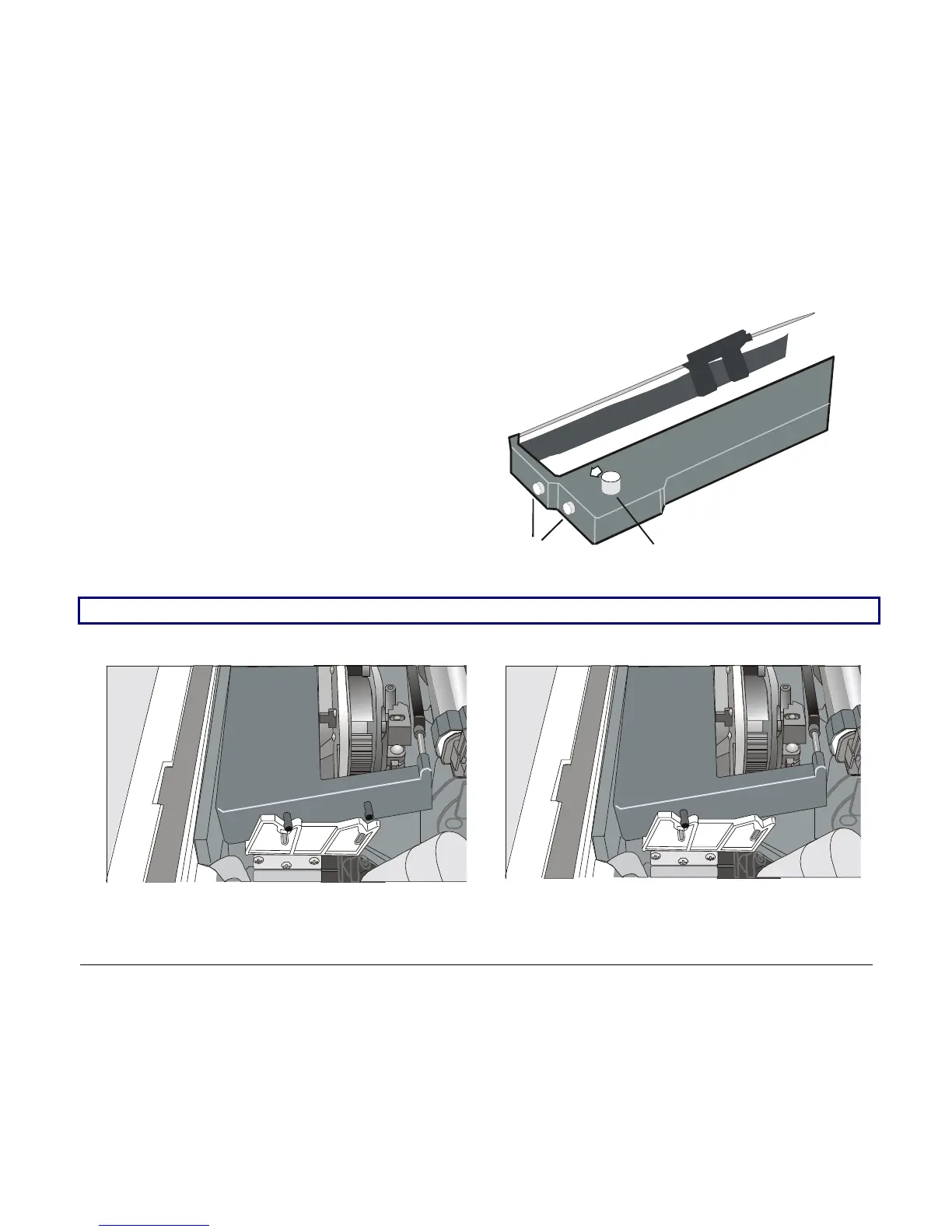
Ribbon Winding Knob
Cartridge Pins
5. Before installing the ribbon cartridge
turn the ribbon-winding knob in the
arrow direction (located on the cartridge)
to take up slack in the ribbon.
To avoid damage to the ribbon, do not turn the winding knob in the wrong direction.
6. Align the right and left cartridge pins with the printer locking points.
Black cartridge when the ribbon shifter option is
not installed
Black “Long Life” cartridge when the ribbon
shifter option is installed
10



 To Next Page