Need help?
Do you have a question about the CompuSTAR Firstech CM800-S and is the answer not in the manual?
Lists the components included in the CS8 Series Kits for basic installation.
Covers pre-programming, transmission compatibility, valet mode, sensing modes, and programming tools.
Details the steps to program new remotes to the control module.
Provides guidance on optimal placement and safety features of system components.
Explains how to place the system into and out of Valet Mode.
Discusses the function of Jumper 1 and potential risks.
Covers Tachless Sensing and Tach Sensing procedures.
Explains how to use alternator sensing and testing procedures.
Describes the assumed timed crank feature for specific vehicle types.
Details how to initiate remote start and error indications.
Explains the diesel timer feature for glow plug heating.
Discusses firmware updatability via the internet.
Details the 8-pin ignition harness, including pin functions and wire colors.
Details the 12-pin harness, including pin functions and wire colors.
Details the 6-pin lock connector, including pin functions and wire colors.
Covers the RS232 and Antenna ports and their pin functions.
Provides detailed descriptions for each pin on Connector 1.
Provides detailed descriptions for each pin on Connector 2.
Provides detailed descriptions for each pin on Connector 3.
Describes the purpose and connectivity of the RS232 port.
Describes the purpose and connectivity of the antenna port.
Lists programming options and their settings for basic features.
Lists programming options and their settings for engine sensing and timers.
Lists programming options and their settings for auxiliary outputs.
Provides detailed explanations for programming options 1-01 through 1-11.
Provides detailed explanations for programming options 2-01 through 2-10.
Provides detailed explanations for programming options 3-01 through 3-11.
Details the procedure for programming options using the FT-OP500-KIT.
Explains how to program options using 1-way and 2-way remotes.
Outlines the steps to restore all programming options to their default settings.
Lists common remote start errors indicated by parking light flashes.
Addresses troubleshooting steps when the system does not respond.
Provides solutions for the OP500 programmer displaying an 'ER 01' error.
Explains specific components like the blue wire on CN1 and jumper settings.
Details the procedure for programming the tachometer signal.
Addresses issues with the vehicle starting and shutting down repeatedly.
Addresses issues where locks work but remote start fails.
Provides contact details, hours, email, and website for technical support.
Guides users on how to access wiring diagrams online.
 General
| Brand | CompuSTAR Firstech |
|---|---|
| Model | CM800-S |
| Category | Automobile Accessories |
| Type | Remote Start System |
| Compatibility | Most vehicles |
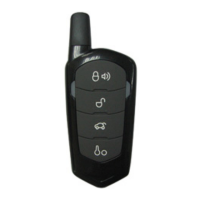
| Number of Buttons | 5 |
| Remote Control | Yes |
| Battery Life | Up to 1 year |
| Temperature Sensor | Yes |
| Smartphone Control | No |
| Range | Up to 3000 feet |
| Transmitter | 2-way LCD |
| Features | Remote start, keyless entry |
| Security Features | Alarm |


 To Next Page