Re‐FlashingYourCDM‐570A/570ALSatelliteModem 4 FLG‐CDM570ARevision1
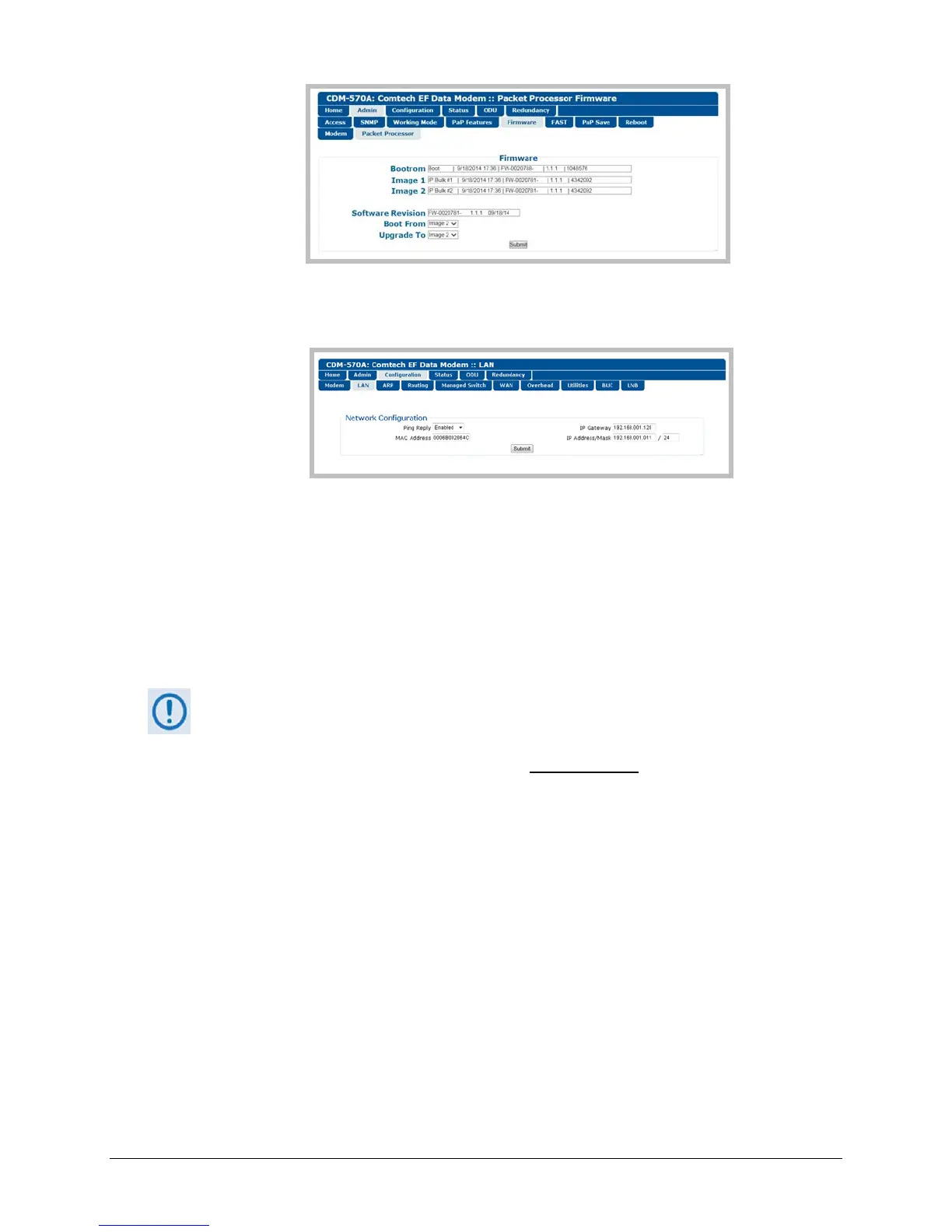
EthernetIPAddress–Use the‘Configuration|LAN’pagetoviewtheIPAddress/Mask,as
showninthisexample:
UsingtheCDM‐570A/LSerialRemoteInterface(viatheUserPC/terminalemulator
program):
FirmwareInfo–Usethe<0/SWR?(condensed)or<0/FRW?(detailed)remotequery.
EthernetTrafficIPAddress–Usethe<0/IPA?remotequery.
2) Next,createatemporaryfolder(subdirectory)on
theUserPCforthefirmwarearchivedownload.
Driveletter“c:”isusedintheseexamples.Anyvalid,writabledrivelettercanbe
used.
Typicalforalltasks:Typethecommandwithoutquotes
,andthenpressEnterto
execute.
ThereareseveralwaystocreateatemporaryfolderonaWindows‐basedPC:
A. UsetheWindowsDesktoptocreateandrenamethetemporaryfolder.
Right‐clickanywhereonthedesktoptoopenthepopupsubmenu,andthenselectNew
>
Foldertocreateatemporaryfolderonthedesktop.
Right‐clickonthenewfolderandthenselect“Rename”fromthepopupsubmenu.Rename
thisfolderto"temp"orsomeotherconvenient,unusedname.



 To Next Page