Re‐FlashingYourCDM‐570A/570ALSatelliteModem 7 FLG‐CDM570ARevision1
III. DownloadandExtracttheFirmwareUpdate
If you have already completed this procedure using CEFD document “Re‐Flashing Your
ComtechEFDataProduct”(CEFDP/NFLG‐FLASHINTRO_rx.pdf,where‘x’isthedocument
revisionnumber),continuetoSectionIV.PerformingtheEthernetFTPUploadProcedure
.
1) First,downloadthefirmwareupdatefilefromtheComtechEFDataWebsite:
A. Goonlinetowww.comtechefdata.com
.
B. OntheMainpage–underSupportInformationortheSupporttab,selecttheSoftware
Downloadshyperlink.
C. OntheSoftwareDownloadspage–clickDownloadFlashandSoftwareUpdateFiles.
D. OntheFlash&SoftwareUpdateFilespage–selectthe(SelectaProductLine)
Satellite
Modemshyperlink.
E. OntheSatelliteModemsproductpage–selecttheCDM‐570A&CDM‐570ALproducts
hyperlink.
F. SelecttheappropriatefirmwarearchiveEXEorZIPfiledownloadhyperlink.
G. Downloadthearchivefiletothetemporaryfolder.
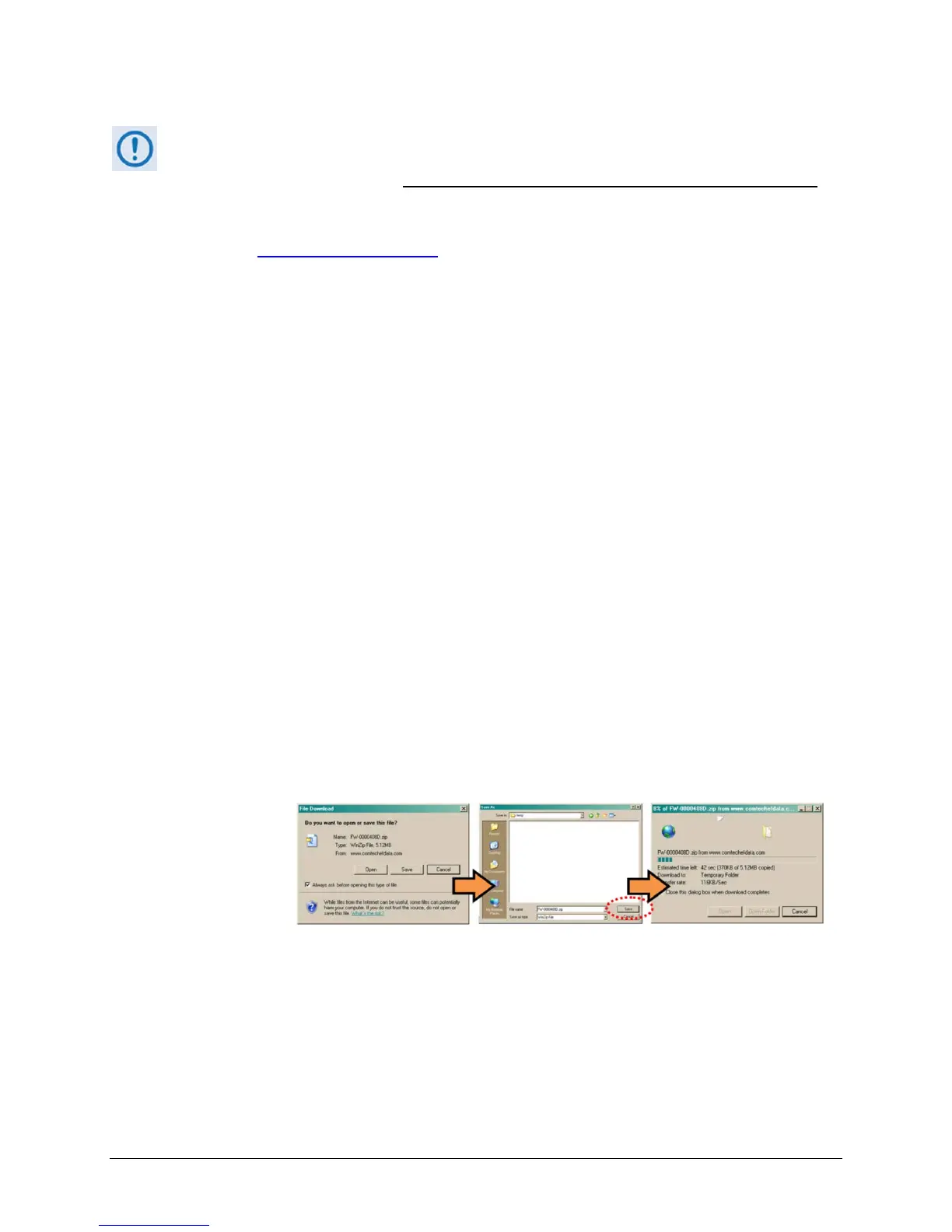
OncetheEXEorZIPhyperlinkis
selected,the‘FileDownload’windowopensandprompts
selectionof[Open]or[Save]:
o Click[Open]toturnoverfileextractiontotheuser‐suppliedutilityprogram.Besureto
extractthefirmwarefilestothe“temp”foldercreatedearlier.
o Click[Save]toopenthe‘
SaveAs’window.Besuretoselectand[Save]thearchive*.exe
or*.zipfiletothe“temp”foldercreatedearlier.
o Otherwise,click[Cancel]toquitandexitthefiledownloadprocess.
2) Next,extractthefirmwarefilesfromthearchivefile.
(IfnotalreadydonewithFileDownload>[Open])Extractthefirmwarefilesfromthe
downloaded*.exeor*.ziparchivefilewiththeuser‐suppliedutilityprogram:
o Double‐clickonthearchivefilename,andthenfollowthepromptsprovidedbythe
user‐suppliedutilityprogram.Extract,at
aminimum,twofiles:



 To Next Page