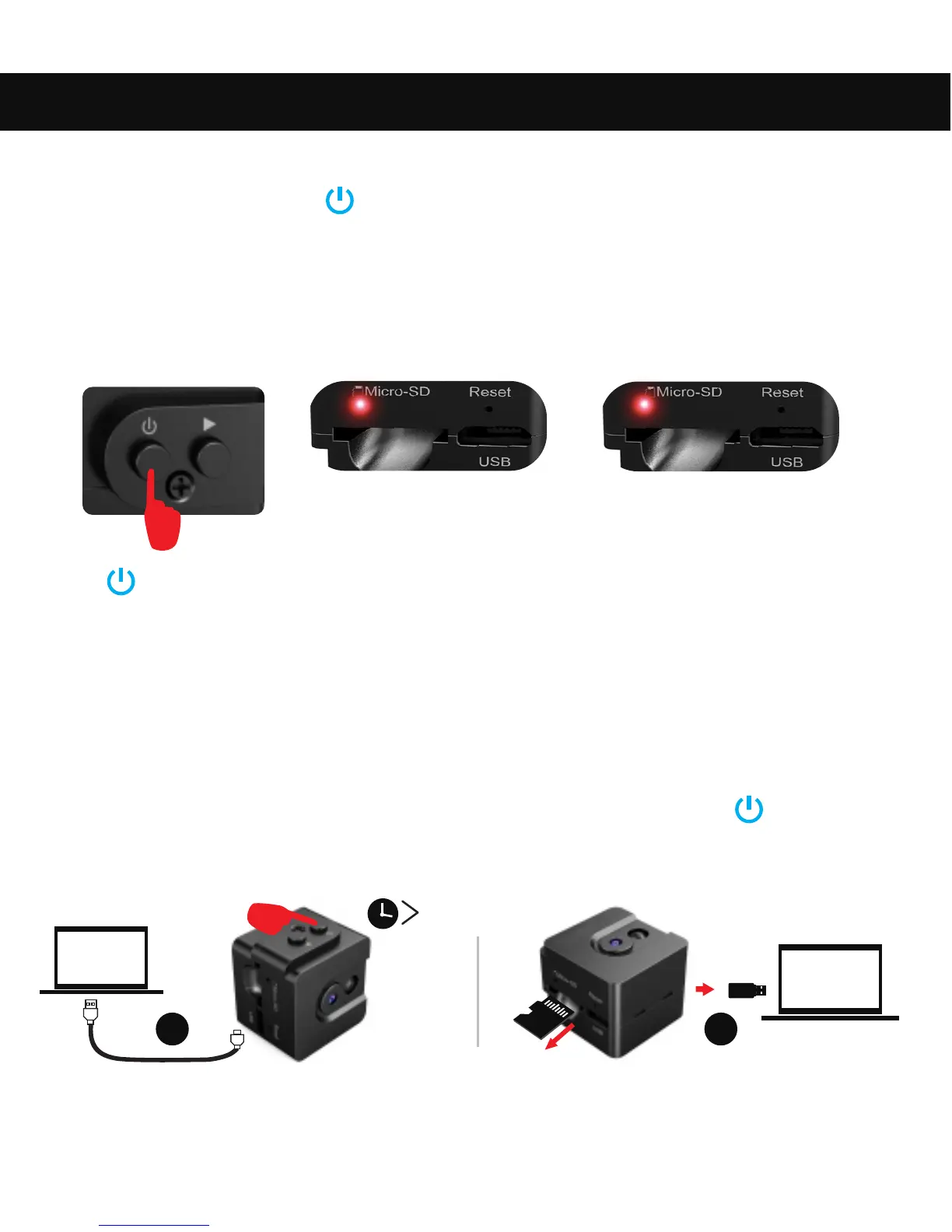
3. How to Record with Sound-activated Mode
4. How to Switch Into Night Vision
Whether under manually recording or sound activated recording, when
ambient light brightness is lower than 10LUX, the camera will
automatically switch into night vision and the video is black and white.
12
5. How to Play a Video Or Check a Photo
US B 2. 0
1 2
3S
How to Use Your Conbrov T16 Camera
In standby mode , press The LED will flash red 3 times and enter into
2-minute test recording. After that, sound detector will sense the
environment per 2 minutes.
Connect the T16 camera to computer, press and hold the for more
than 3 seconds or take out the microSD, insert it into the card reader
(included), then connect the card reader to computer.
LED will flash 3 times red
At the end of the recording
the LED lights up red again.
If triggered by any sound greater than 60dB, the LED will flash red 3 times,
and begin to record video, 2minutes/clip. If not triggered, the red LED
keeps on.
Press to stop recording back to standby mode,the LED will stay blue.


 To Next Page