Other Tips
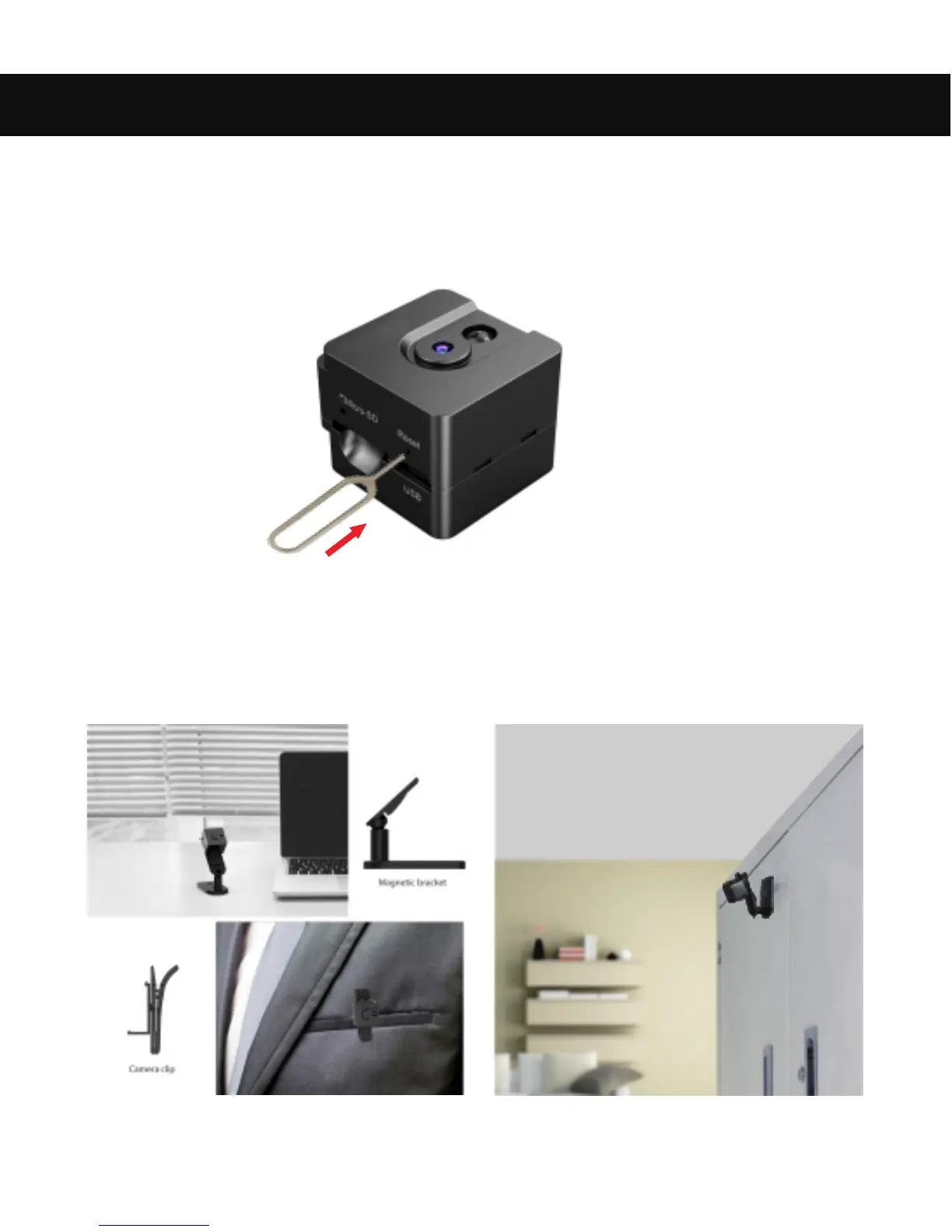
1. How to Reset the Camera
Use the supplied pin or similar tool (like a paperclip) to reset your
camera in case of a malfunction. Press and hold the Reset Button for
several seconds to reset the camera to standard factory settings.
2. How to Mount the Camera
13
With the included camera clip and magnetic bracket, you can mount the
camera on a desk, on the wall, and even as a pocket or body camera by
hanging it on your pocket.


 To Next Page