Before Using Your Conbrov T16 Camera
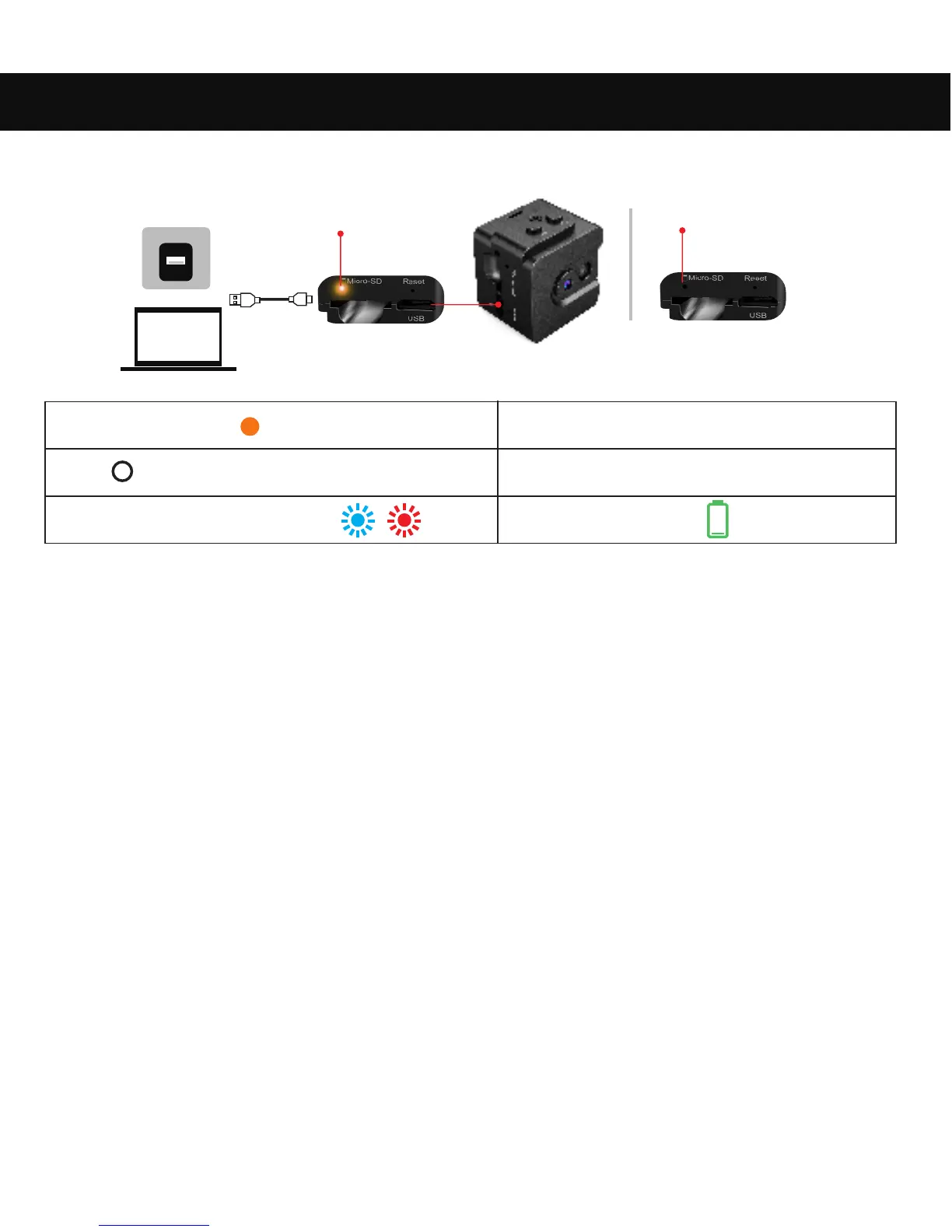
1.Charging your camera
Yellow indicator
7
(1) Charge the camera for about 20 minutes via your PC or USB
charger 5V/1A.
(2) Connect the supplied USB cable to the Micro USB port and a
suitable USB port on your PC or a USB charger (separate charger
not included). The camera must remain off during charging.
(3) While charging, the LED lights up yellow and turns off completely
when the camera is fully charged.
Steady yellow
Off
Flashing blue and red
Charging
Fully charged
Low power
Fully charged
Off


 To Next Page