!
During power-off, the system prompts Powering Off. In this case, do not
disconnect the power supply.
!
When the NVR is working, try to avoid disconnecting the power supply by directly
pressing the POWER button on the rear panel or removing the power cable.
!
In some environments, if the power source is abnormal, the NVR may not work
properly. In severe cases, the NVR may be damaged. In these situations, you are
advised to use regulated power supply.
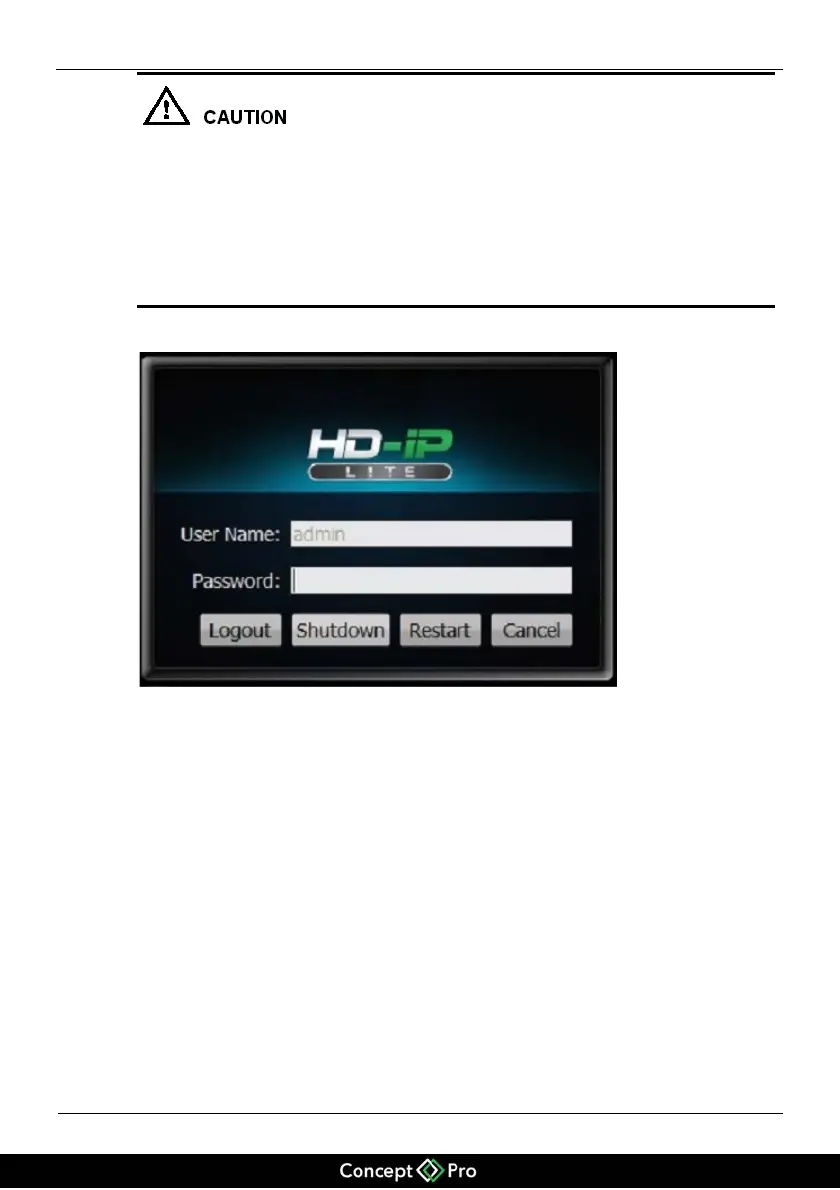
Figure 4-3 Shutdown interface
Enter the password and click Shutdown. After you pass the user authentication, the
message "Are you sure to shut down?" is displayed. Click Yes. The NVR will shut
down.


 To Next Page