5 Quick Setup
To access the quick configuration of the NVR. From the live screen select the 'Quick
Setup' tab on the top menu bar.
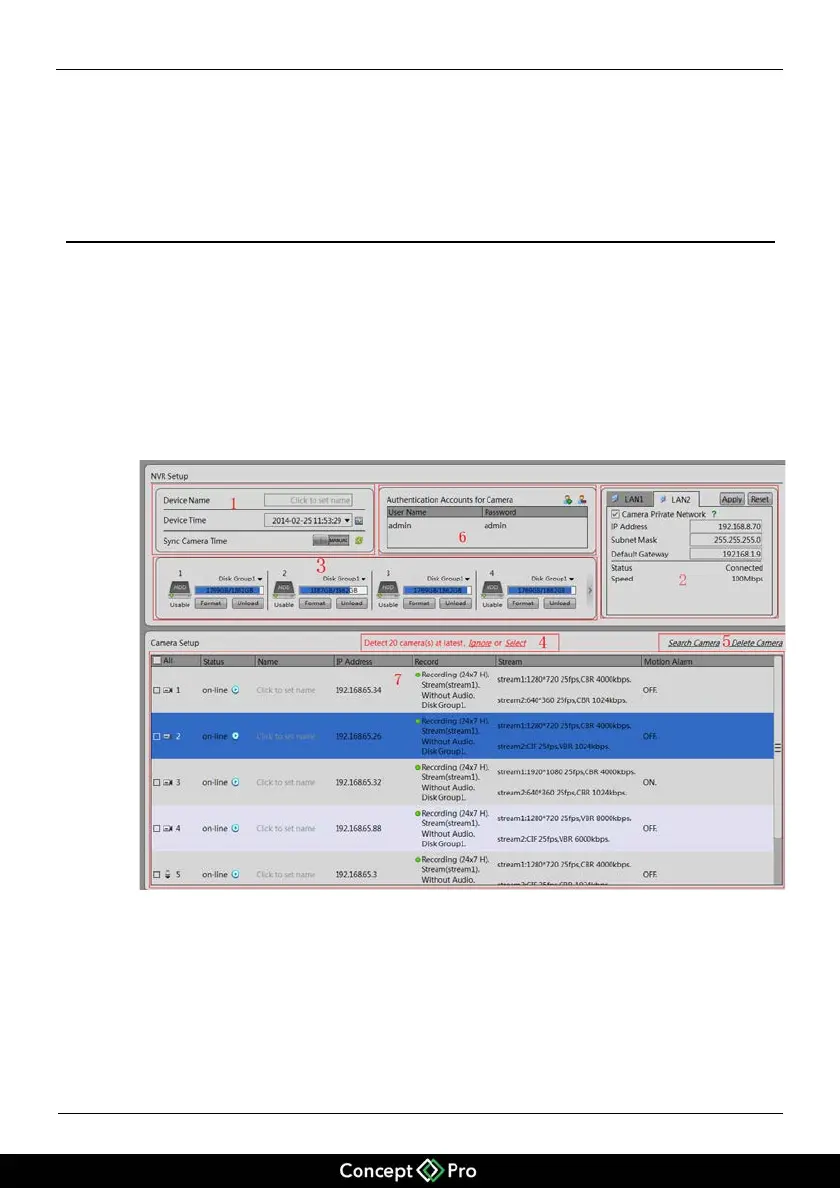
Quick setup allows fast access to all the main features of the NVR, from setting the
time and date to configuring the local network and cameras. See below for a more
detailed description of each area, Figure 5-1.
Figure 5-1 Quick setup page
Description of Quick Setup Page
Area 1: Basic information and time synchronization functions.
!
NVR Basic information configuration.
Name the NVR, set date and time. Note: If the cameras and the NVR do not have
the same time, there may be issues will playing back recordings.


 To Next Page