IMPORTANT: PLEASE ENSURE BOTH THE WHEELS AND REMOTE ARE FULLY CHARGED AND KEPT ON CHARGE AT ALL
TIMES BETWEEN ROUNDS OF GOLF. ONLY REMOVE THE CHARGER FROM THE WHEELS WHEN YOU ARE READY TO
PLAY. AVOID PARTIAL CHARGING, WHICH MAY AFFECT LONG TERM BATTERY LIFE.
CHARGING
FULL CHARGE
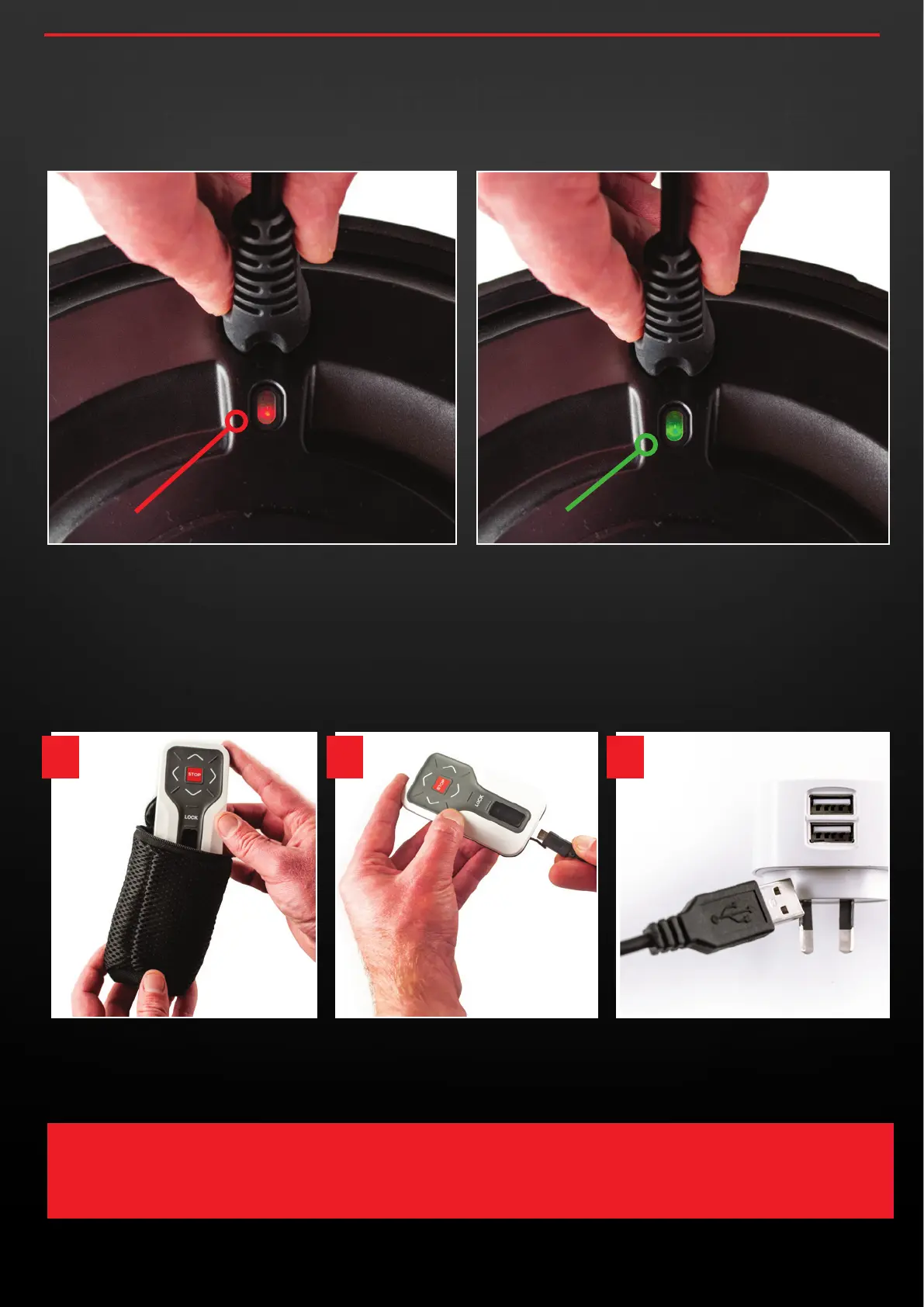
2.4 You may now connect the charging unit to a Power Point and
begin charging for the first time. You will notice an LED light just
below the wheels charging point that should appear RED when
charging begins, and then turn GREEN once the wheels are fully
charged.
2.5 Remove the remote control unit from it’s packaging and
connect the USB charging cable. Now connect the Remote USB
Charging Cable to a USB Charging Port .
Whilst this can be done via a computer’s USB, it is
recommended to use a USB charger that connects directly to
mains power for the most effective and quickest charge.
concoursegolf.com
6
User Instruction Manual | Version 7.0
1 2 3


 To Next Page