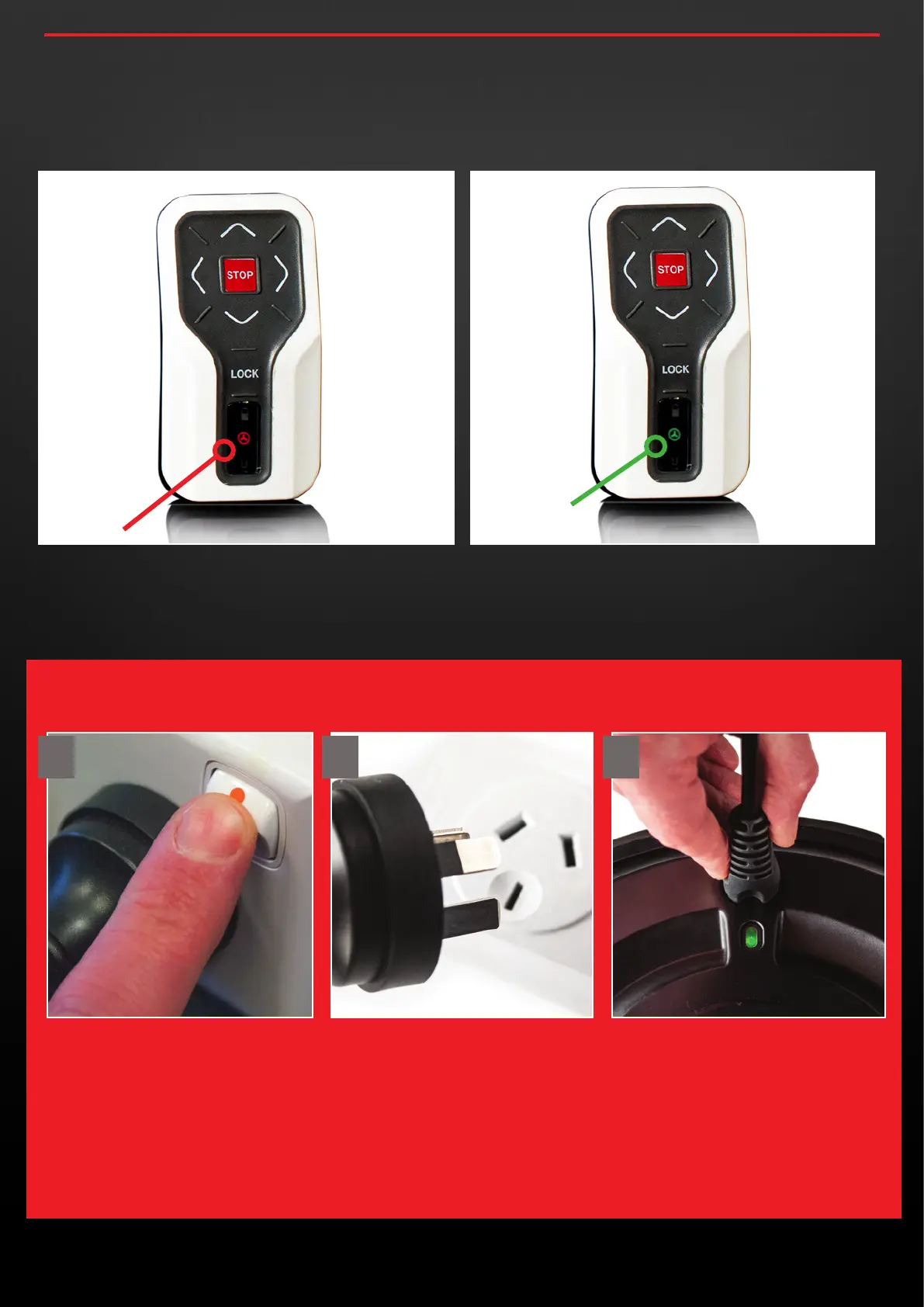
IMPORTANT: ONCE BOTH YOUR WHEELS ARE FULLY CHARGED AND A GREEN LED IS
SHOWING ON BOTH WHEELS, FIRST TURN OFF THE CHARGER AND THEN REMOVE THE
POWER LEAD FROM THE OUTLET BEFORE DISCONNECTING THE WHEELS.
FULL CHARGE
(LIGHT TURNS GREEN)
CHARGING
2.7 Once both your Smart Wheels and remote are fully charged
please follow the disconnection instructions below very carefully.
DISCONNECTING THE CHARGER
2.6 When charging begins, you will notice the middle light on the
remote illuminate to Red indicating charging is in process. Once
the remote is completely charged the light will turn green.
When you disconnect the remote, it will automatically switch off
along with the green light.
concoursegolf.com
7
User Instruction Manual | Version 7.0
1 2 3


 To Next Page