EasyManua.ls Logo

Concox GT06N - User Manual

Concox GT06N
24 pages
Print Icon
To Next Page IconTo Next Page
Loading...
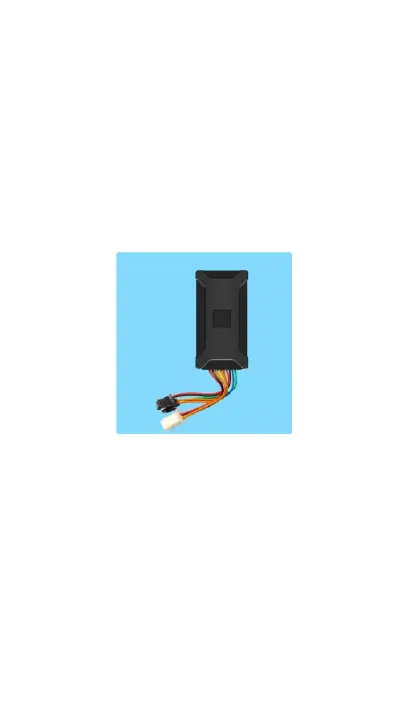
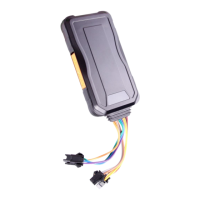
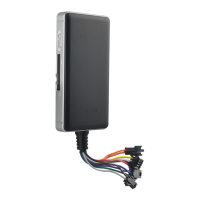
GPS Vehicle tracker
(GPS+GSM+SMS/GPRS)
GT06N User Manual
(Version 2.1)
Thank you for purchasing the tracker. This manual shows how to operate
the device smoothly and correctly. Please make sure to read this manual
carefully before using this product. Please note that specification and
information are subject to changes without prior notice in this manual.
Any change will be integrated in the latest release. The manufacturer
assumes no responsibility for any errors or omissions in this document.

Questions and Answers

  • Q
    qkellyJul 27, 2025
    Why is my Concox GT06N GPS device showing as 'offline'?
    • H
      harrisdouglasJul 27, 2025
      If your Concox GPS device is showing an 'offline' status, there are several things to check. First, examine the status of the three LEDs. Then, try calling the device's SIM card number to see if the call goes through. Also, consider whether the vehicle is in an area with no GSM coverage, like a basement. Check for GSM/GPS disconnection issues to determine if it's an operator internet fault. Ensure your SIM card has sufficient credit and supports GPRS. Finally, verify the parameter setup, including the device's IMEI number and GPRS sending interval.
  • K
    karen67Jul 31, 2025
    How to fix Concox GT06N device that cannot connect to platform server?
    • A
      Adam MccarthyJul 31, 2025
      If your Concox GPS device cannot connect to the platform server, check several things. Ensure the power-line is correctly connected and not to the car control line. Verify the SIM card is installed correctly, referring to the installation manual if needed. Make sure the power switch is toggled to the 'ON' position, located on the left of the SIM card slot. Confirm the ACC ignition cable is connected and turn on the ACC with the key after connecting it. Check the LEDs' status: normally, the red LED should be solid bright or flashing, while the green and blue LEDs should be solid bright. Finally, check if the GPS is located; if not, drive to open areas for positioning.
  • C
    Cheryl StewartAug 5, 2025
    What to do if Concox GT06N cannot receive signals normally?
    • D
      Deborah DuncanAug 5, 2025
      If your Concox GPS cannot receive signals normally due to interference, drive to open areas for positioning. It generally takes 1-2 minutes to receive the first coordinates.
  • R
    Ronnie WatsonAug 10, 2025
    Why Concox GPS function is normal, but can not locate for a long time?
    • M
      Michael SmithAug 11, 2025
      If your Concox GPS function is normal but cannot locate for a long time, ensure the GPS antenna face is up. Also, check that there is no electromagnetic wave-absorbent object (like metal), especially thermal-protective coating on the windshield, above the device, as it may affect GPS reception.
  • M
    Marie ValenciaAug 16, 2025
    What to do if Concox GSM cannot receive signals normally?
    • N
      Natalie KennedyAug 16, 2025
      If your GSM cannot receive signals normally, check whether the SIM card is installed correctly or if there is no GSM signal at your location, such as a basement parking. If so, drive to a place covered by GSM signal reception.
  • L
    Lisa FoxAug 20, 2025
    Why cellphone with special number receives tele-cutoff alarm sms from Concox GT06N?
    • A
      Ashley BrownAug 20, 2025
      If a cellphone with a special number receives a tele-cutoff alarm SMS, ensure that it is not due to illegal wire cutoff or a blown fuse on the power line. If the fuse is blown, contact your distributor to exchange it with the same model fuse. After the internal trouble is resolved, power it on to work again.

Summary

Summary

Accessories

Specifications

Wire Defined

Device Status Indicators

Installation

Prepare for Installation

Check product, select/install SIM card, and prepare for device placement.

Installation Location

Guidance on choosing hidden locations for the device and avoiding signal interference.

Device Wiring Requirements

Device Working

User Settings

SMS Commands Instruction

Details SMS commands for configuring device settings like center numbers, APN, and alarms.

Platform

Trouble Shooting

Device Offline Issues

Troubleshooting steps for device offline issues, checking LED status, SIM card, and signal reception.

GPS Signal Issues

Guidance on improving GPS signal reception by driving to open sky.

GSM Signal Issues

Steps to resolve GSM signal reception problems, including checking SIM card installation.

Concox GT06N Specifications

General IconGeneral
Device TypeGPS Tracker
Storage Temperature-40°C to +85°C
GSM Frequency850/900/1800/1900 MHz
GPS Sensitivity-159 dBm
GPS Accuracy5m
Waterproof RatingIP65
SOS ButtonYes
G-SensorYes
Operating Voltage9V - 36V DC
Operating Temperature-20°C to +55°C
GPS ChipsetMTK
TTFF (Open Sky)32s
Communication ProtocolTCP
Standby Current<10mA

Related product manuals