EasyManua.ls Logo

Concox GT03A - User Manual

Concox GT03A
15 pages
Print Icon
To Next Page IconTo Next Page
Loading...
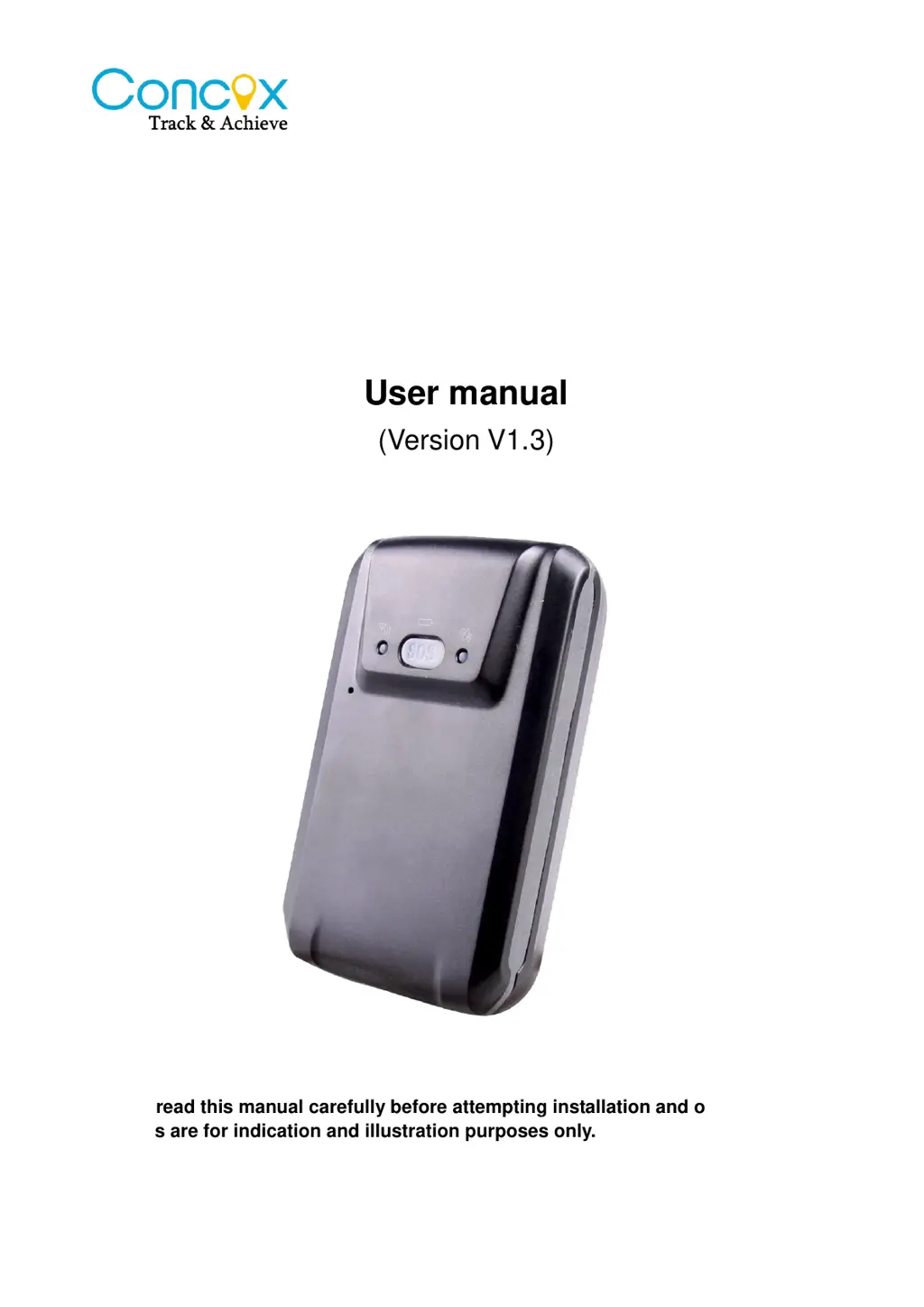
GPS Vehicle tracker
GT03A
User manual
(Version V1.3)
Please read this manual carefully before attempting installation and online activation.
Pictures are for indication and illustration purposes only.

Questions and Answers

Summary

Accessories

Package Contents Overview

Lists the accessories included with the device, such as charger, battery, and user manual.

Appearance

Device Hardware Identification

Details physical components, ports (Mini USB), buttons (SOS), and indicators (GSM, GPS, Power).

LED Status Indicators

Explains Red and Blue LED patterns for power, charging, and GPS signal status.

Technical Specifications

Lists key technical specifications including GSM/GPRS bands, GPS sensitivity, positioning time, and accuracy.

Operating Instructions

SIM Card Installation and Requirements

Instructions for SIM card installation, and requirements for GPRS and Caller ID.

Device Powering and Charging

Details how to power on the device and charge the battery, including charging time and LED feedback.

Device Installation and Placement

Recommendations for optimal device placement within a vehicle for effective GPS signal reception.

APN Configuration via SMS

Steps to set the APN parameter using SMS commands for GPRS network access.

SOS Number Management

Procedures for adding and deleting SOS contact numbers through SMS and the platform.

Defense Status Control

Methods to activate and deactivate the defense status using the SOS button.

Anti-theft and Vibration Alarm

Explains how the device detects vibration and sends alarm SMS with GPS or LBS location.

SOS Alarm Activation and Notification

Details SOS alarm activation via button press, sending location, and dialing SOS numbers.

Geo-fence Setup and Operation

Instructions for setting up circular and rectangular geo-fences using SMS commands.

Geo-fence Status Check and Disable

How to check the geo-fence status and disable the function via SMS command.

Low Battery Alarm and Voice Monitoring

Details low battery alerts and the voice monitoring function, including requirements.

Terminal Position Query

Instructions for querying the device's location and address information via SMS.

Google Link and Platform Position Query

How to get Google Maps links and check position via the platform, including notes on GPS/LBS limitations.

Factory Settings and Reboot

Commands to restore factory settings and reboot the device for troubleshooting.

Appendix

Battery Security Precautions

Guidelines for safe handling, charging, and usage of the device battery to prevent damage.

Troubleshooting Common Issues

A table detailing common problems, their causes, and solutions for device operation.

Concox GT03A Specifications

General IconGeneral
GSM Frequency850/900/1800/1900 MHz
Battery3.7V 1000mAh Li-ion
Storage Temperature-40°C to +85°C
Waterproof RatingIP65
NetworkGSM/GPRS
Location Accuracy5m
Tracking Sensitivity-159dBm
LED IndicatorYes
GPS Channel22
Standby TimeUp to 120 hours
GPS ChipsetMTK
Operating Temperature-20°C to +55°C
FeaturesReal-time tracking, Geo-fence, Alarm, SOS, Low battery alarm
Operating VoltageDC 5V

Related product manuals