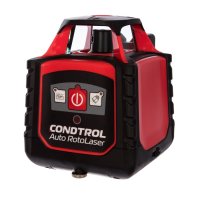
RotaRy laseR
12
user manual
EN
CONDTROL Auto RotoLaser
Turn on/off the product
Press button , to turn on/off the product. When the product is
on, power indicator is on as well. After turn off the product power
indicator will go out.
OPERATION MODES
Automatic mode (build horizontal/vertical plane)
Place the product on a flat surface, tripod 5/8” or universal mount in
horizontal or vertical position.
Turn on the product. Power indicator turns on as well.
Laser beam is blinking while self-levelling. As soon as self-levelling is
finished rotary head starts rotating clockwise at 600 rpm. Turn off the
product.
Manual operating mode indicator starts to blink when the instrument
is out of the range of automatic compensation (5°). Laser beam will
blink, rotary head will not rotate. Turn off the product and turn it on
again.
Press button to switch to tilt mode. Tilt mode indicator will flash
red. If the product is unbalanced by some external influence, it will
not perform self-levelling again. Turn off the product, then turn it on
and repeat operation.


 To Next Page