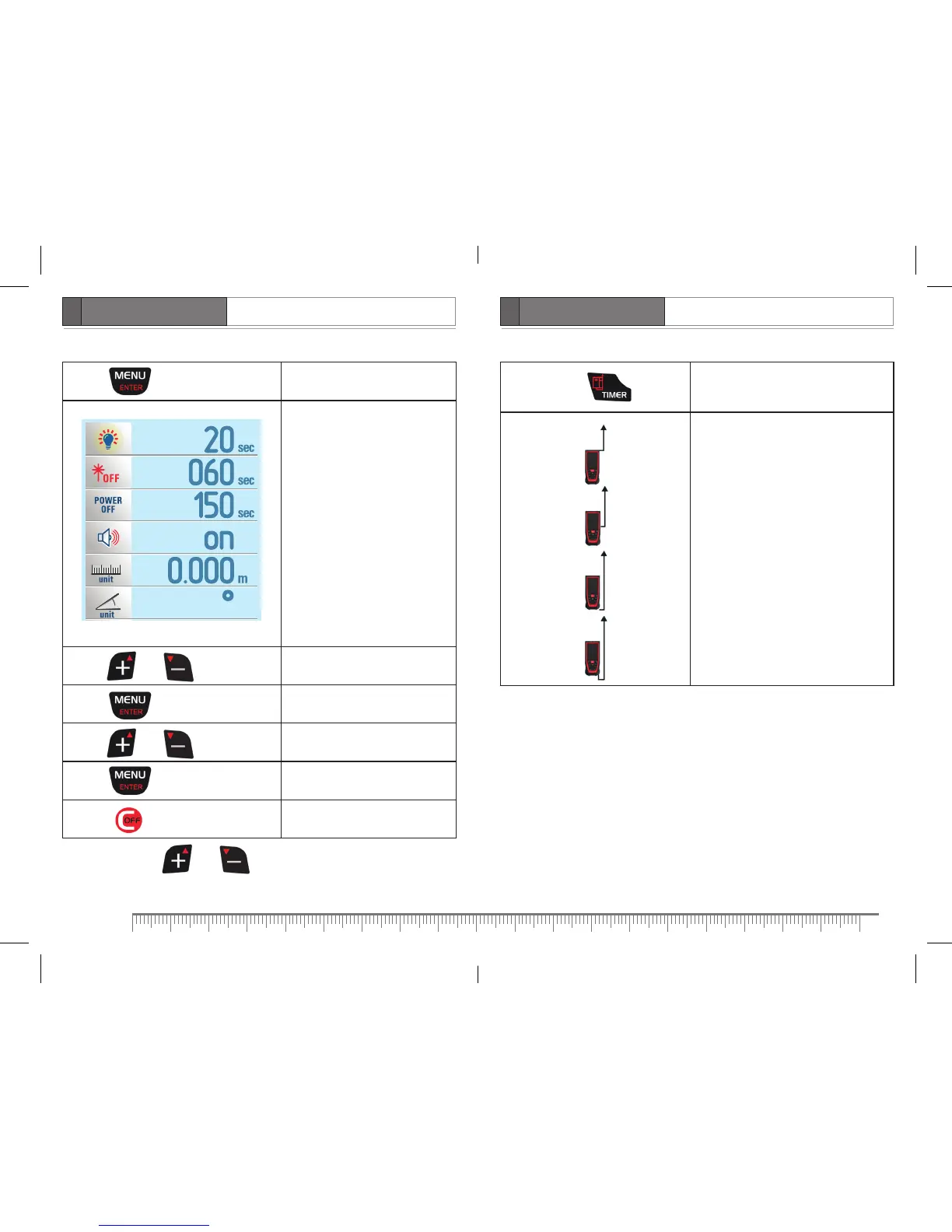
Menu navigation
Press Enter menu
Display backlight timer
Automatic shutdown of laser
beam
Automatic shutdown of the
product
Turn on/off sound signal
Measuring unit
Measuring unit of angle
Press or Choose menu option
Press Confirm the choice
Press or Menu option setting*
Press Confirm the setting
Press Exit menu
* If press and hold or the speed is increased.
Reference point setting
Press and hold
for 1 sec.
Change reference point
Appropriate image appears on the
display.
Front
Tripod
Rear
End-piece


 To Next Page