CALCULATIONS
Area
Press
Activate function of area calculation.
Symbol appears on the display.
Laser beam is on.
Press
Take first measurement (length).
Press Take second measurement (width).
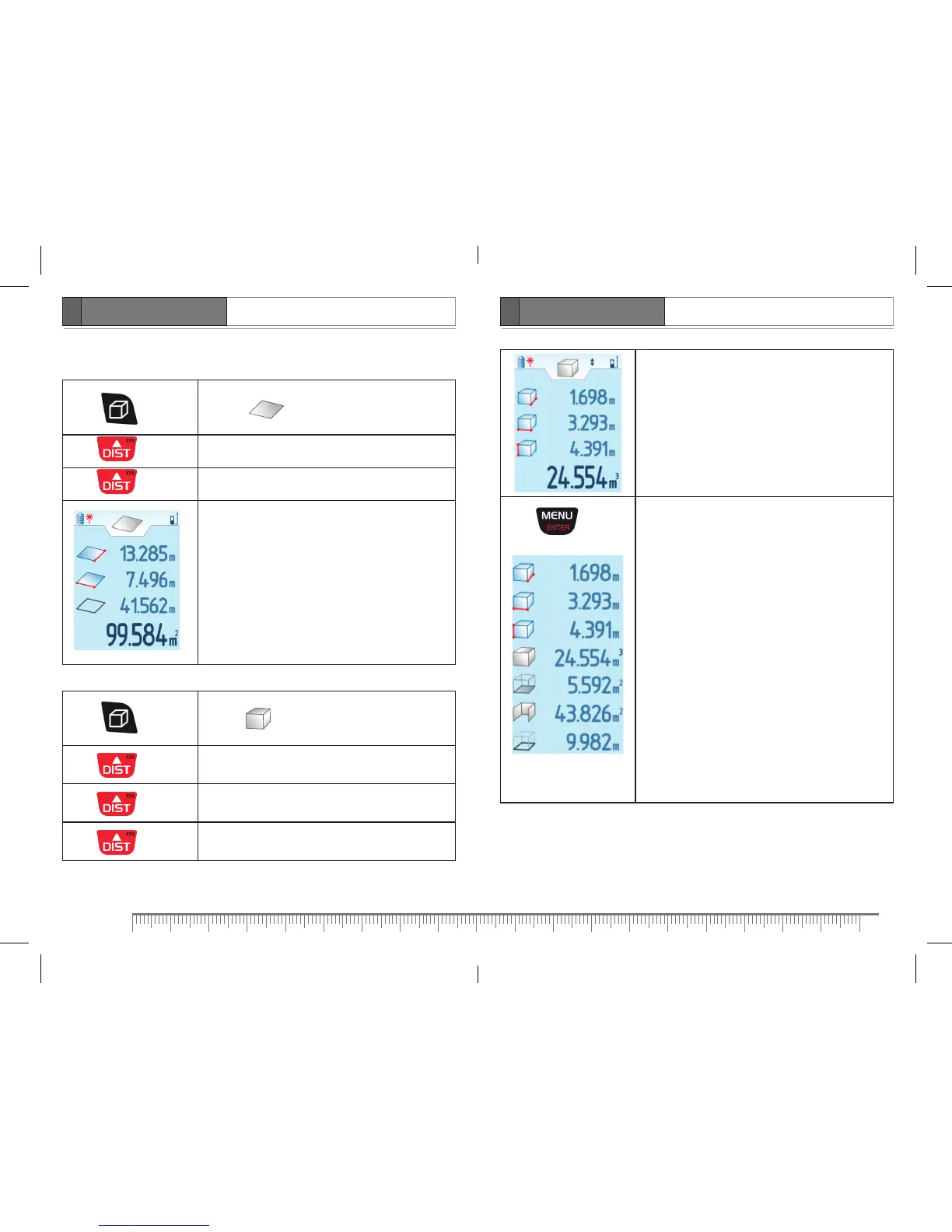
– length
– width
– perimeter
– area
Volume
Press 2 times
Activate function of volume calculation.
Symbol appears on the display.
Laser beam is on.
Press
Take first measurement (length).
Press Take second measurement (width).
Press Take third measurement (height).
– length
– width
– height
– volume
Press
Scroll down to view additional information:
- volume
- area
- wall area
- perimeter


 To Next Page