C o n e r g y IP G s t r in g in v e r t e r s e r ie s Instruc tio n m anual 4 3
6 In s t a lla t io n a n d c o m m is s io n in g
ENGLISH
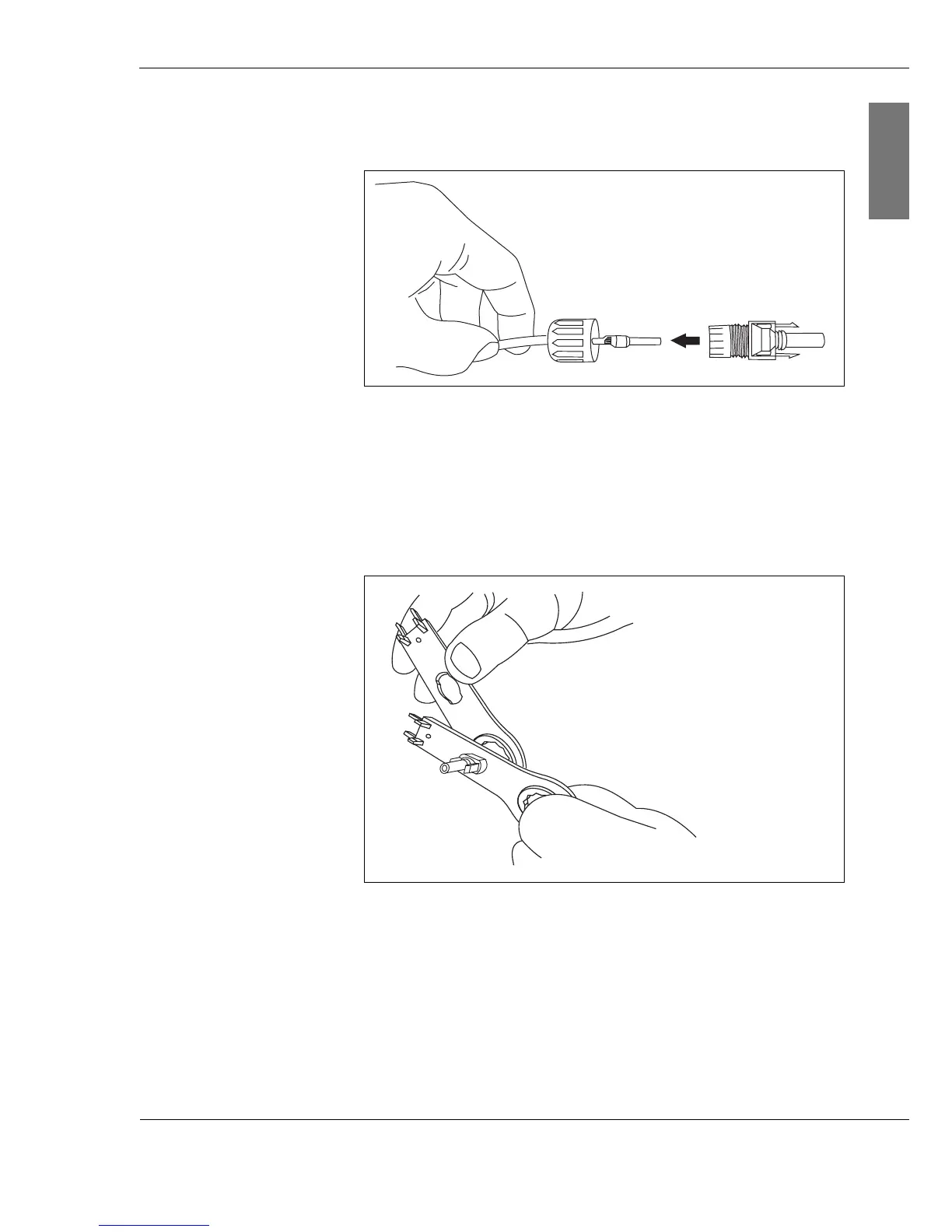
8. Guide the wire through the connector cap and place the
connector socket or connector plug onto the wire.
Fig. 6-10: Connecting the connector socket to the crimped
wire
9. Screw the connector cap and the connector socket or
connector plug together.
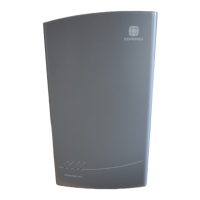
10.Tighten the screwed cable gland using the Multi-Contact
installation wrench.
Fig. 6-11: Tightening the screwed element
11.Repeat the crimping procedure for all wires.



 To Next Page