Need help?
Do you have a question about the Connect IT CMO-3589 Series and is the answer not in the manual?
Manage and save custom mouse settings and configurations.
Assign buttons to switch between pre-customized user profiles.
Reconfigure mouse buttons with various functions for different actions.
Create, record, and assign custom macro sequences to mouse buttons.
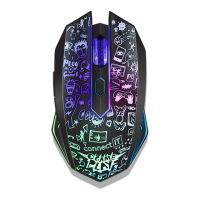
Explore and customize 13 different RGB backlight effects and modes.
Configure mouse backlight to react to sound events on the computer.
Guidance on recycling packaging and proper WEEE disposal.
Information on CE marking and the EU Declaration of Conformity.
 General
| Brand | Connect IT |
|---|---|
| Model | CMO-3589 Series |
| Category | Mouse |
| Language | English |

 To Next Page