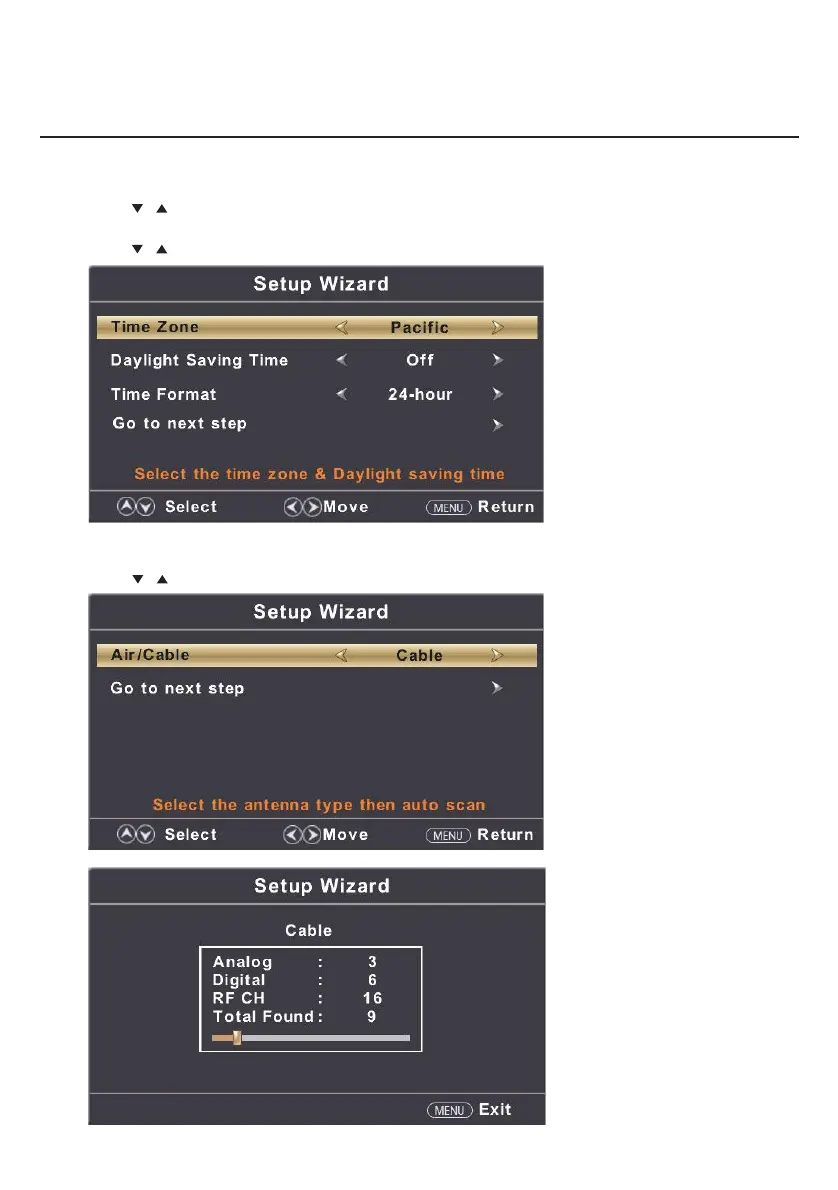
Select Time
Press
/ button to select the time zone, daylight saving time and time format you want.
Press ◄ / ► button on the remote control to adjust.
Press
/ button on the remote control to select and press ENTER/► button to enter the sub-menu.
Auto Scan
Press ◄ / ► button to select the antenna type.
Press
/ button to select and press ENTER/► button to start auto scan.
Setup Wizard
Main Menu Operation
9


 To Next Page