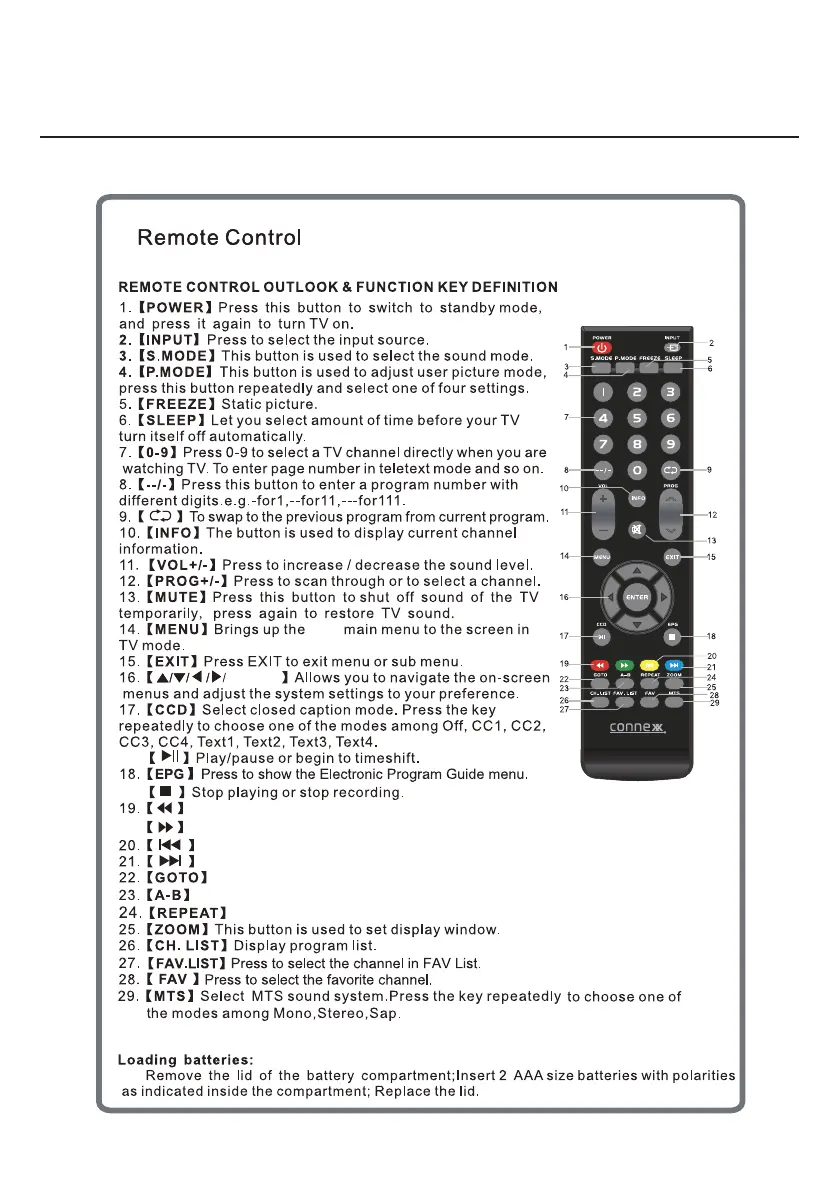
ENTER
LED
During playback, press to select the previous track/chapter.
During playback, press to select the next track/chapter.
Switch to the previous display.
Move to the next display.
Jump to a specific time on a DVD/ VCD/MP3/WMA or CD.
Press to start the A-B repeat function.
Press to select repeat playback modes.
Remote
Orientation
7


 To Next Page