Connect RF cable to your TV Aerial socket.
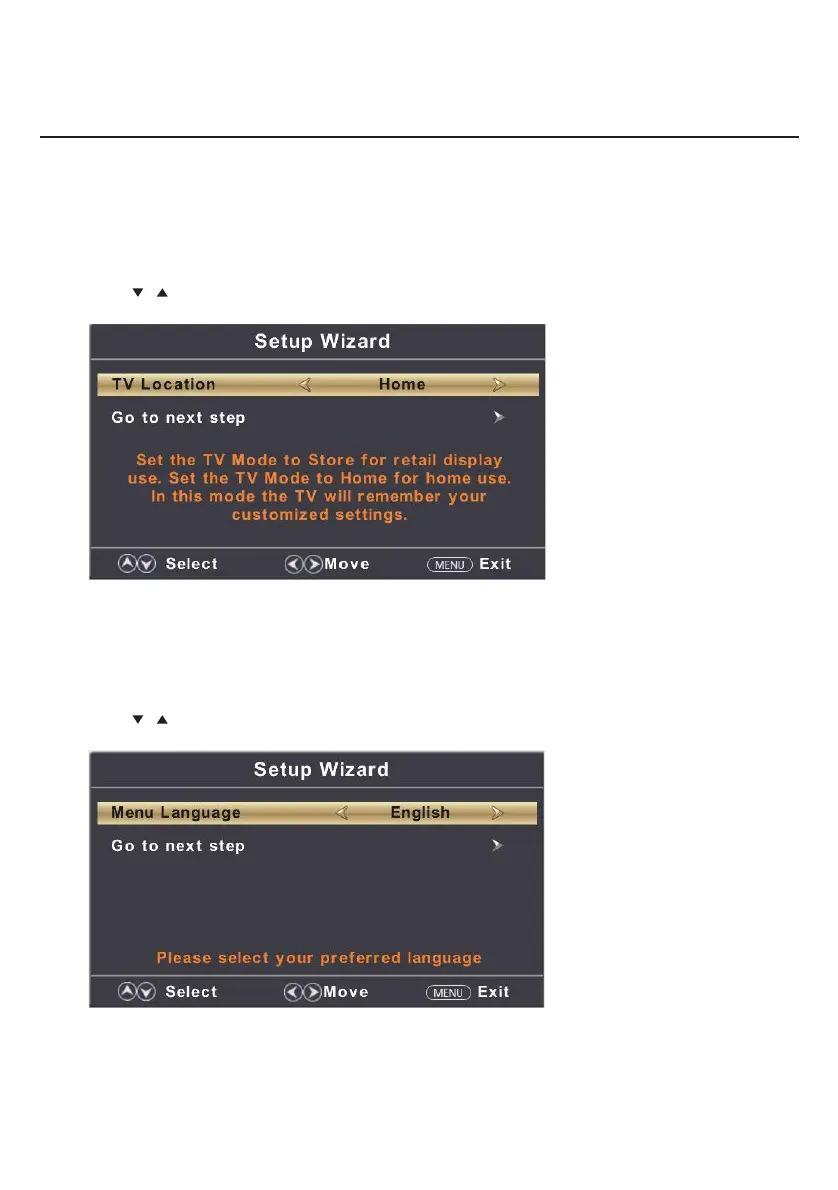
TV Location
Set the TV Mode to Home or Retail display use.
Press button to select(Home / Store).◄ / ►
Press
/ button to select and press ENTER/► button to enter the sub-menu.
Note:
This page is only enable when you have Energy Star request.
Select Language
Press ◄ / ► button to select the language to be used for menus and message.
Press
/ button to select and press ENTER/► button to enter the sub-menu.
Setup Wizard
Main Menu Operation
8


 To Next Page